

Best PSA Software for Creative Agencies in 2026: A Practical Buying Guide
Creative agencies often arrive at a PSA search with two different problems bundled together. One team needs broader operational controls across delivery and financial systems. Another has a live client brief, scattered notes, and an urgent need to turn the work into a plan and quote that people can inspect.
Those are related jobs, but they are not the same buying decision. Start by naming the job you need done. A broad system may be worth evaluating when your agency needs connected controls across time, billing, finance, staffing, or other operations. A focused quote-first workflow may be the better fit when the immediate issue is making the proposed work, assumptions, roles, and hours reviewable before a client conversation.
This guide does not rank products or promise a universal "best" choice. It gives creative-agency principals and operations leads a way to test fit before committing to a category, implementation, or rollout.
Contents
- What are the key features of PSA software for creative teams?
- What challenges should you expect when adopting PSA software?
- How should agencies review AI-assisted planning?
- When is a quote-first workflow the better fit?
- How does Roadbase approach quoting and follow-through?
- How should agencies compare broad PSA options?
- What criteria should you use to evaluate PSA software?
- What does PSA software actually cost?
- What user-experience factors matter most for creative teams?
- What should creative professionals ask about AI-assisted tools?
- What security and data-privacy practices should agencies require?
- A quote-first workflow for a real brief
- Key takeaways
- FAQ
What are the key features of PSA software for creative teams?
Treat feature lists as questions, not as a promise that every PSA product includes the same functions. Begin with the work that creates friction today.
For a brand identity project, that might mean keeping concept routes, decision-makers, revision rounds, and rollout formats visible. For a packaging rollout, it might mean separating the core system from per-SKU adaptation, production artwork, proofing, and specialist expenses. For a motion project, it could mean exposing versioning, post-production roles, equipment or talent costs, and the reserve for review rounds.
Ask prospective vendors to show how their product handles the workflow your team actually has:
- Can the team define the phases, tasks, roles, and approval points that matter for a representative project?
- Does it connect to the financial or delivery systems your agency already relies on, where that connection is necessary?
- Can you inspect the assumptions behind planned hours, costs, and client-facing numbers?
- Can leaders find the data they need without making every creative contributor maintain duplicate records?
- Can you export your information and leave with a usable record if the product stops fitting?
The point is not to accumulate the most boxes on a checklist. It is to find out whether the system supports the decisions your agency has to make repeatedly, without adding a second process alongside the real work.
What challenges should you expect when adopting PSA software?
Implementation is usually a change in habits before it is a change in software. A team can buy a broad system and still struggle if project naming, role definitions, approval rules, and time-entry expectations are unclear. The reverse is also true: a narrow tool can become awkward when it is asked to manage work far beyond its intended job.
Before rollout, decide who owns the project template, who checks commercial assumptions, which data must be current, and what happens when a brief changes after a quote is sent. Test the answer with a real project rather than a clean demo scenario. A packaging team should try the SKU count and proofing constraints it faces; a motion team should try versioning and specialist costs; an event studio should try supplier, travel, and install responsibilities.
Plan for adoption, not just configuration. A useful pilot has a small group, a defined type of work, a review date, and permission to revise the process. If the required data cannot be kept current by the people doing the work, the reporting that depends on it will be weak.
How should agencies review AI-assisted planning?
AI can help create a starting draft from a brief, but it cannot replace professional judgment. Treat any generated plan or estimate as material to review and adjust before it becomes a scope of work or quote.
The review should look for missing deliverables, unclear client responsibilities, unsuitable role assignments, unsupported timing, and assumptions that need to be written down. A brand team may need to add a decision-maker and a revision boundary. A packaging team may need to separate source-file readiness from production-artwork work. A motion team may need to add version counts, a sound role, and a realistic review path.
Use the same discipline after the first project. Compare what was estimated with what happened, discuss the difference, and update the assumptions your team controls. No tool can guarantee an estimate, prevent a changing brief, or make commercial judgment unnecessary.
When is a quote-first workflow the better fit?
A quote-first workflow is for a narrower moment: the agency has a real brief, notes, or PDF and needs to turn that material into a reviewable project plan and quote. It is not a substitute for a broad system when the primary need is accounting, a sales pipeline, legal agreements, capacity planning, cross-portfolio workload management, or full agency operations.
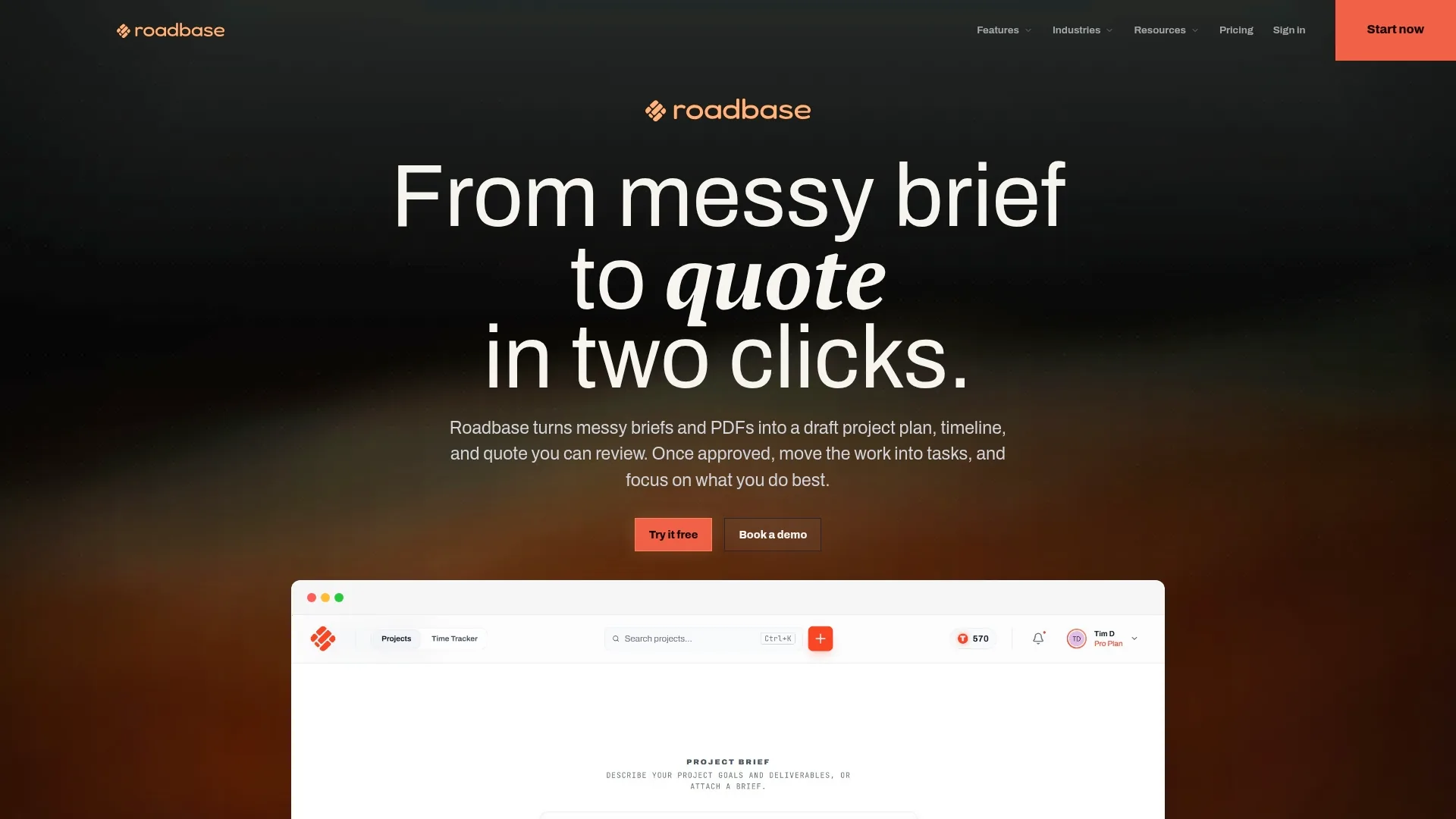
Roadbase is a quote-first planning and pricing workspace for that narrower job. A user can paste brief text or attach a PDF, then generate an editable first draft of a work breakdown with phases, tasks or milestones, roles, estimated hours, timing, and estimate reasoning. The draft needs review and adjustment; it is not a finished scope or a guarantee that the work has been estimated correctly.
That distinction matters when the brief is messy. A team can use the draft as a structured conversation: identify what the client supplies, clarify review rounds, assign the work to the roles that will do it, and revise the timing and hours before comparing possible quote assumptions.

How does Roadbase approach quoting and follow-through?
Once a team has reviewed the work breakdown, Roadbase can price estimated hours with the roles doing the work, using internal cost and billable-rate information the user supplies and maintains. Its quote model can show labor cost, role rates, overhead, contingency, direct expenses, estimated cost, quoted price, and margin calculations. Those calculations are there to inspect the assumptions behind a quote; they are not accounting, margin protection, or a profitability guarantee.
For example, a packaging studio could separate design hours from production-artwork hours and list mockups or specialist expenses beside the labor. A motion team could make crew, editing, sound, and versioning assumptions visible. The agency still decides whether the inputs, contingencies, and price make sense for the work.
After review, Roadbase can export the plan and quote as a multi-page proposal PDF. That output is not an e-signature workflow, a contract, a legal agreement, or an automatic-approval process. If the quote is approved, the same work can continue in a focused project/status board with task statuses. This is not a full portfolio, dependency, workload, or enterprise project-management system.
Users can track time against a project and task, then compare tracked task hours with estimated hours while work is underway. The comparison makes variance visible; it does not prevent overruns or changes to the work. Where enough correctly linked completed-task data exists, role-level estimate-versus-actual context can inform a later AI draft. That does not mean Roadbase trains a private model, learns every project, or guarantees improved estimates.
How should agencies compare broad PSA options?
Compare products against the job you documented, not against a generic scorecard. Build one representative test project, give every vendor the same inputs, and ask the same people to assess the result. Include the people who will enter data, review delivery status, approve commercial assumptions, and need reports from the system.
For supplied further reading, see Gartner's PSA market page, The Digital Project Manager's PSA roundup, and ITQlick's PSA page. These links are preserved resources, not evidence that a particular product fits your agency.
The comparison should surface trade-offs: implementation effort, the data people must maintain, where a product overlaps with existing systems, and how it handles the workflow you tested. Do not mistake an expansive demo for proof that the agency will adopt the process.
What criteria should you use to evaluate PSA software?
Use a short, evidence-based evaluation:
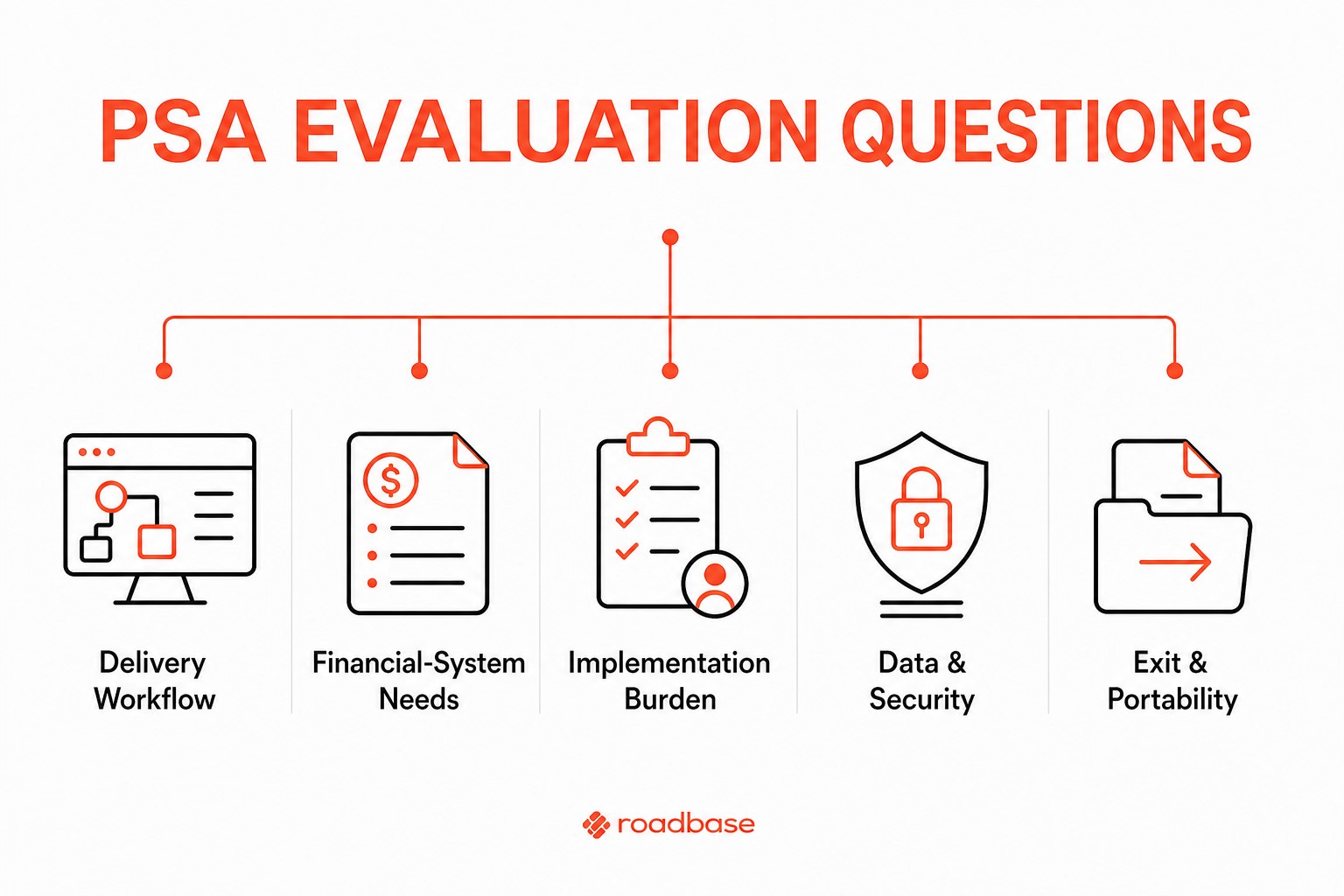
- Delivery workflow. Can the product represent the phases, tasks, approvals, and changes your projects genuinely need? Test a project with real ambiguity, such as a client whose packaging copy or source files are not yet ready.
- Financial-system needs. Which financial decisions need to happen inside the system, and which must remain in a specialist finance tool? Ask for a demonstration using your approval route and reporting needs rather than assuming broad coverage.
- Implementation burden. Who configures the system, cleans old records, trains the team, and owns ongoing rules? A solution that requires constant administrative repair may not fit a small studio.
- Data and security review. What data will be stored, who needs access, how is it retained, and what export or deletion paths are available? Get answers from each vendor for your own requirements rather than relying on general statements.
- Adoption and integrations. Where will people have to duplicate information, and what existing tools need to remain authoritative? Confirm the actual integration and operating model in the pilot.
- Exit and portability. Before signing, understand what records can be retrieved, in what form, and who owns that export.
What does PSA software actually cost?
There is no responsible single number for this decision. The cost is more than a plan price: it includes setup, migration, training, ongoing administration, integration work, and the time contributors spend maintaining records. Pricing and packaging can change, so verify current terms directly with every vendor on the day you evaluate them.
Estimate the cost of a pilot as well. A pilot that uses a real project, defines success conditions, and gives the team time to review the process is often more informative than a price comparison alone.
What user-experience factors matter most for creative teams?
Good experience is specific to the person doing the job. A producer may need to see where a brief is incomplete. A designer may need a clear task, expected hours, and a practical way to flag a review dependency. An agency principal may need to see the assumptions behind a quote without turning every status meeting into spreadsheet repair.
During a trial, observe the work rather than asking only whether the interface looks polished. Can a contributor understand what needs updating? Can a reviewer find the assumption behind a number? Can the team correct an error without creating another shadow process? Those questions reveal more than a feature tour.
What should creative professionals ask about AI-assisted tools?
Ask what the tool produces, what it does not know, and where a person must make the final call. A useful answer should make the review path clear: draft the work breakdown, review the assumptions, adjust the plan and quote, then compare estimates with tracked work where that evidence exists.
The supplied JobsAI article is retained as an external resource. It is not PSA evidence and should not be used to make claims about creative-agency adoption, results, or product capability.
What security and data-privacy practices should agencies require?
Make this part of vendor due diligence, not a generic checkbox. Identify the client information, creative files, commercial data, and personal data involved in your projects. Then ask each vendor how access is managed, how data is stored and retained, what audit or export information is available, and how the product fits your contractual or regulatory obligations.
The right standard depends on the agency and client work. Do not treat a marketing statement as a substitute for your own legal, procurement, or security review.
A quote-first workflow for a real brief
If your immediate job is to turn a real brief, notes, or PDF into a project plan and quote that your team can review, Roadbase may be worth trying. Start with the material you have, generate a draft, review it, adjust the work and commercial assumptions, and compare the result before sending a proposal PDF.
If the agency instead needs accounting, CRM, ERP, legal or contract workflows, invoice reconciliation, portfolio capacity, or full operations, evaluate specialist systems for those jobs. Roadbase does not make that claim.
To explore the quote-first workflow, visit Roadbase. You can also read about moving pricing and quoting out of a spreadsheet, or use these preserved further-reading links without treating them as a winner's verdict: Roadbase vs Dubsado, Roadbase vs Scoro, Roadbase vs Teamwork, software consultants, and web and app studios.
Key takeaways
- Start with the agency decision, not the category label. Broad operational needs and a quote-first planning need call for different evaluations.
- Test a representative project with the people who must use, review, and maintain the system.
- Treat generated work as a draft to review and adjust. It does not replace judgment or guarantee an estimate.
- Use Roadbase only for the narrower brief-to-reviewable-plan-and-quote workflow, with focused post-approval task and time continuity.
- Verify commercial, integration, data, security, and legal requirements directly with the vendor before committing.
FAQ
What is PSA software for a creative agency?
PSA is a broad category label that agencies may use when evaluating systems for operational needs. The practical question is which specific delivery, financial, staffing, reporting, and data-control jobs your agency needs the product to support. Do not assume every product covers each job in the same way.
Is Roadbase PSA software?
No. Roadbase is a quote-first planning and pricing workspace for turning a brief into an editable project plan and quote, then keeping approved work connected to focused task statuses and tracked time. It is not a PSA suite or a full agency-operations system.
Can Roadbase create a proposal from a brief?
You can paste brief text or attach a PDF and generate an editable first draft of the work breakdown. Review and adjust the phases, tasks, roles, hours, timing, and commercial assumptions before exporting the reviewed plan and quote as a proposal PDF. The PDF is not a contract, e-signature workflow, or automatic approval.
Can Roadbase prevent a project from going over budget?
No. Users can compare tracked task hours with estimated hours, which makes variance visible. The team still has to review changes, revise assumptions, and make commercial decisions.
When should an agency evaluate something other than Roadbase?
Evaluate specialist systems when the primary requirement is accounting, CRM, ERP, contracts, invoicing reconciliation, resource planning, portfolio capacity, or full agency operations. Use Roadbase when the immediate job is a reviewable plan and quote from a real brief, with lightweight continuity once the work is approved.
Need to turn a real brief into a reviewable plan and quote?
Roadbase can draft the work breakdown, connect roles and hours to the price, and keep the assumptions visible for your review. It is a quote-first workspace, not a PSA suite.