

Proposal Pricing Tables for Freelancers and Agencies
A proposal pricing table has a modest job: make a reviewed estimate easier for a client to inspect. It should show what the work covers, how the price is arranged, and which assumptions or optional pieces still matter. It cannot settle an unclear brief or make an unchecked estimate reliable.
Start with the internal work. Confirm the phases, roles, estimated hours or other price basis, direct expenses where applicable, contingency treatment, and quoted total. Then translate that reviewed plan into language a client can follow.
Key Takeaways
| Point | What it means in practice |
|---|---|
| Start from a reviewed estimate | The table should reflect work, assumptions, and costs the studio has already considered. |
| Give each row one job | A row can name a phase or deliverable, say what is included, and show the relevant price basis. |
| Separate optional work | Make optional work visible without treating it as part of the agreed core work. |
| Keep changes visible | When the work changes, revisit the quote rather than leaving an old total beside a new description. |
| Treat tools as drafts to review | A tool can help create a work breakdown and quote draft; a person still reviews and adjusts it. |
Table of Contents
- What makes a smart pricing table work in proposals?
- Common mistakes that cost you proposals
- Which pricing models belong in a proposal pricing table?
- What every pricing table layout needs
- Interactive features that improve close rates
- Pricing table examples you can copy right now
- How do you choose the right table format for this client?
- Why interactive pricing tables are worth the setup time
- The part most freelancers skip
- Roadbase builds your pricing tables for you
- Further reading
- FAQ
What makes a clear pricing table easier to review?
A clear table gives the reader a path through the estimate. Instead of asking them to infer what a phase covers, name the work plainly. Instead of leaving a number detached from its basis, state whether it relates to a phase, a role, estimated hours, direct expenses, or another reviewed arrangement.
For a packaging rollout, that may mean separate rows for system concept, SKU adaptation, production artwork, and prepress support. For motion work, it may mean treatment, production, edit, sound, and versioning. The phase names are less important than the fact that the table and the underlying plan say the same thing.
For a broader visual reference, browse the Glance pricing-table examples.
Common mistakes that make a quote harder to review
The common problem is not a missing visual trick. It is a table that asks the client to guess.
- A broad label with no explanation. Replace a label such as "production support" with wording that says what production support includes for this project.
- A total detached from the work. Keep the total near the summary of phases, deliverables, and stated assumptions.
- Direct expenses hidden inside labour. Where they apply, identify them so the treatment can be reviewed.
- Optional work blended into the core quote. Mark it as optional and make clear that the original total does not silently include it.
- A changed description beside an old price. Revise the quote when the agreed work changes.
For additional context on common service-pricing approaches, see the Nav pricing-strategies article.
Match the table to the reviewed commercial arrangement
The table should describe the arrangement you have actually reviewed. A fixed project quote might be organised by phase or deliverable. An hourly arrangement can state the role and estimated-hours basis. A retainer, tiered offer, or optional work can be shown as such when that is the commercial arrangement under discussion.
The format does not decide which model is right. If the brief, constraints, assumptions, or approvals are still unresolved, clarify those before presenting a detailed total. A cost review can inform a quote, but it is not a complete accounting, tax, or profitability result.
The StartCosts service-pricing guide provides another overview of pricing approaches. For a separate Roadbase discussion of one commercial model, see Value-based pricing in creative projects.
What a pricing table layout may need
There is no universal column set. Use the fields that let this client understand the reviewed work:
- a phase, deliverable, or workstream label;
- a short description of what is included;
- a quantity or estimated-hours basis when it is relevant to the arrangement;
- fees and direct expenses where applicable;
- a subtotal and total that match the reviewed estimate;
- assumptions that materially affect the work; and
- optional work that is separate from the core quote.
This is a reader-question checklist, not a legal, tax, payment, or signature prescription. If those subjects drive the decision, they need the appropriate professional or specialist workflow.
For more layout references, see the Ninja Tables pricing-table examples.
When interactive-document features are a separate need
An exported proposal PDF and an interactive buyer-configurable document are different jobs. If the client needs selectable options that update a total, e-signature, payment collection, tax calculation, onboarding, or automatic approval, assess a specialist directly for that requirement. Do not assume a reviewed quote tool provides those workflows.
For a fixed-scope creative estimate, a static table can still explain the reviewed work. For an arrangement with optional work, the document can state what is optional and what would need a revised quote. The choice should follow the work and the required workflow, not an assumption that interactivity produces a particular result.
For examples of adjacent interactive workflows, see the MimicTyper pricing-upgrade flow and the Taskade proposal-pricing calculator.
Pricing-table structures to adapt to the work
Use these as field structures, then write the actual reviewed details for the project.
Packaging SKU rollout
| Workstream | Include | Review note |
|---|---|---|
| System concept | The agreed concept work | Confirm the SKU and variant assumptions. |
| SKU rollout | The specified adaptations | Separate work outside the stated set. |
| Production artwork | The agreed production files | Identify any direct production costs where applicable. |
Motion versioning
| Phase | Include | Review note |
|---|---|---|
| Treatment and planning | The agreed approach and preparation | Confirm source material and approvals. |
| Production and edit | The stated production and edit work | Identify the planned versions. |
| Versioning | The agreed cutdowns or variants | Treat additional versions as optional or revised work. |
Event production
| Workstream | Include | Review note |
|---|---|---|
| Concept and spatial development | The agreed creative development | Confirm venue and physical-output assumptions. |
| Production coordination | The stated coordination work | Keep supplier and travel treatment clear where applicable. |
| Install support | The agreed support responsibilities | State the boundary between studio work and supplier work. |
For a design-specific breakdown of a complex creative project, the annual report design pricing walkthrough is available on the Roadbase blog.
How do you choose the right table format for this client?
Before choosing a layout, work through the questions that change the estimate:
- What work is sufficiently defined to quote now?
- What will the client provide, and what is still an assumption?
- Which phases, deliverables, or roles should the client be able to inspect?
- Are any direct expenses or specialist handoffs relevant to the displayed total?
- What work is optional rather than part of the core quote?
- Who needs to review the proposal, and what needs to be clear to them?
- What happens to the quote if the work changes?
If the brief cannot yet answer those questions, the next step is clarification rather than a more elaborate table. A structured brief-to-quote workflow can help organise that review before a number is presented.
The limit of pricing-table automation
Automation can create a draft, but it cannot turn unresolved commercial judgement into a finished proposal. Keep the review explicit: check the work breakdown, roles, estimated hours, internal cost and billable-rate information, direct expenses, contingency treatment, and quote total before sharing an export.
Where a client needs an interactive document, use that requirement to evaluate the right specialist workflow. Where the job is to present a reviewed estimate, a proposal PDF may be the appropriate output. Those are different decisions.
The internal review before the table
The table comes after the estimate review, not before it. Confirm that the plan describes the actual work, that assumptions are visible, and that the treatment of direct expenses and contingency still matches the quote. Then check that the subtotal and total shown to the client match those reviewed inputs.
That review does not certify accounting, tax, or profitability. It does give the studio a chance to correct a mismatch before a client reads a neat table built on an old or incomplete plan.
If you are moving away from spreadsheet-based quoting, keep the same discipline: draft, review, adjust, and only then export.
Where Roadbase fits
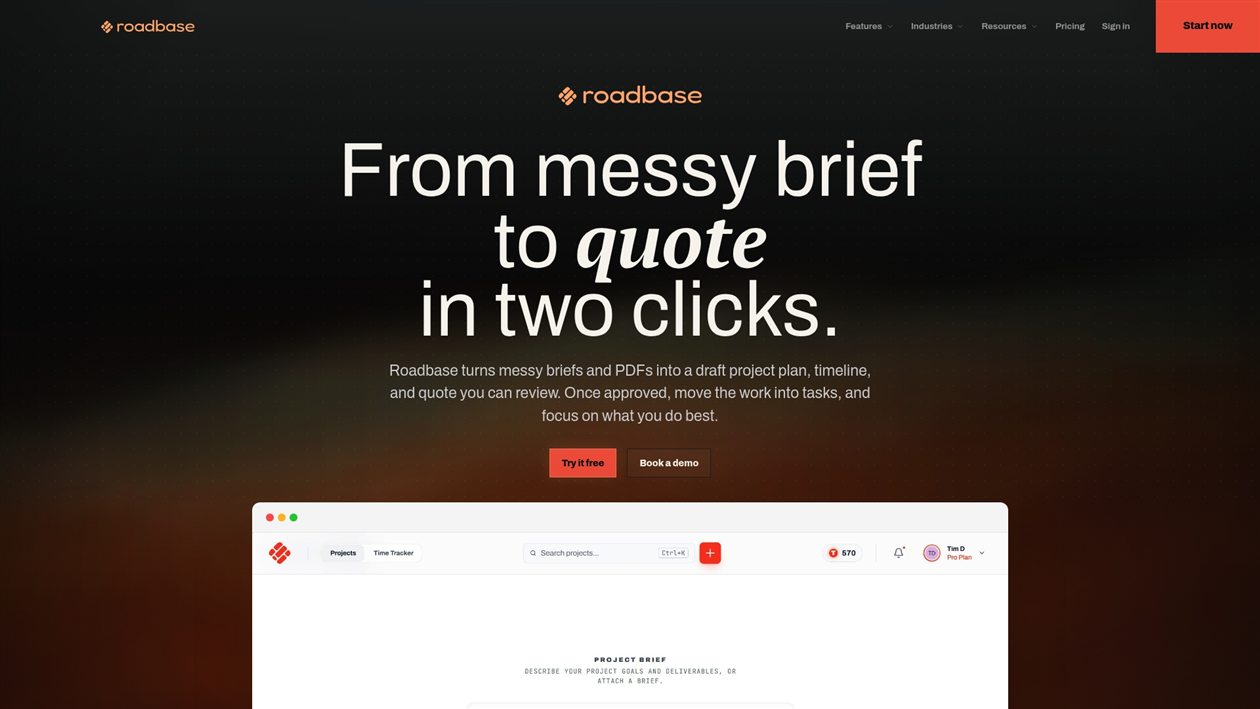
Roadbase can start from pasted brief text or an attached PDF. It builds an editable first draft of a work breakdown with phases, tasks or milestones, roles, estimated hours, timing, and estimate reasoning. Review and adjust that draft; it is not a finished or guaranteed-accurate scope.
Users can price estimated hours by the roles doing the work with supplied internal cost and billable-rate information. The quote model can show labour cost, role rates, overhead, contingency, direct expenses, estimated cost, quoted price, and margin calculations. The studio supplies and maintains its real costs and rates, and the calculations require review; they are not accounting, margin protection, or a profitability guarantee.
You can add direct project expenses and markup, then export the reviewed plan and quote as a proposal PDF. Roadbase does not automatically extract or predict expenses, and the PDF is not an interactive pricing table, e-signature, contract, payment, tax, or automatic-approval workflow.
For a field-specific view, see the Roadbase quoting and estimation features. If a real brief or PDF still needs an editable plan and quote to review, Roadbase can be a useful starting point.
Further reading
These resources offer additional examples and perspectives on service pricing and pricing-table design. Check current details with each publisher.
- How to Price Your Services: Small Business Guide
- 9 Top Pricing Strategies for Service-Based Businesses | Nav
- Proposal Pricing Calculator Automation | Taskade
- 400+ Inspiring Pricing Table Examples - Glance
- Pricing Table Design Examples - Ninja Tables
FAQ
What should a proposal pricing table include?
Include the fields that let the client review the arrangement: clear phase or deliverable labels, what is included, the relevant price basis, fees and direct expenses where applicable, the reviewed subtotal and total, material assumptions, and optional work. Do not treat that list as a tax, legal, payment, or signature checklist.
How many pricing tiers should you show in a proposal?
Show tiers only when the reviewed commercial arrangement genuinely has distinct options. A table does not establish a universal number of tiers or predict which option a buyer will choose.
What's the fastest way to build an interactive pricing table?
Interactive buyer configuration is a separate requirement to verify with a specialist. For a reviewed estimate that does not need those workflows, focus first on an accurate, client-readable breakdown and an appropriate export.
When should you use value-based pricing instead of hourly?
This article does not recommend a pricing model. Match the table to the commercial arrangement you have reviewed, and clarify the brief, constraints, assumptions, and approvals before presenting a detailed total.
How do you reduce client follow-up questions about price?
Use labels that explain the work, keep the displayed total connected to the reviewed plan, make material assumptions visible, and separate optional work from the core quote. A clear table can make a reviewed estimate easier to inspect; it does not guarantee a particular client response.