

GanttPRO Alternatives: Best Picks for Creative Teams
BLUF: A useful GanttPRO alternative starts with the job your creative team needs to do next. Some teams need a clearer schedule, some need a board for day-to-day delivery, some need a separate view of capacity, and some need to turn a real brief into a reviewable project plan and quote before delivery begins. Roadbase is a quote-first planning and pricing workspace for that last job.
Start by naming the decision in front of you. A timeline can make sequence visible. A board can make stages visible. A capacity view can make current availability easier to discuss. A planning and pricing workspace can help turn supplied project context into an editable work breakdown and reviewed quote.
Here's the shortlist to start with:
- Full-featured platforms for teams coordinating several kinds of work in one place
- Timeline-first tools for teams whose immediate job is visual scheduling
- Board-first tools for creative workflows organized around stages
- Resource and capacity-first tools for teams exploring availability across active work
- AI-assisted quoting and planning (Roadbase) for freelancers and agencies preparing a project plan and quote from a real brief
The useful set of tools depends on the situation around the project. Use that principle to choose a category, then test the buyer job with an active or recent piece of work.
Key Takeaways
| Point | Details |
|---|---|
| Start with the buyer job | Write down whether the immediate need is scheduling, stage-based delivery, capacity visibility, or a reviewed project plan and quote. |
| Test a real project | Use an active or recent project so the planning view, inputs, and handoffs reflect the work your team actually does. |
| Check current provider details | Compare the current terms, access, and connections that matter to your workflow directly with each shortlisted provider. |
| Keep the evaluation practical | Ask each category to support one concrete decision before extending the test. |
| Use Roadbase for a reviewed plan and quote | Paste a brief or attach a PDF, then review and adjust an editable work breakdown before preparing the quote. |
Table of Contents
- Best GanttPRO Alternatives by Category
- What to Test on Each Decision Dimension
- How Each Category Fits Different Team Profiles
- How to Choose the Right GanttPRO Alternative
- Roadbase's Fit for Creative Teams Switching From GanttPRO
- Why Teams Actually Switch From GanttPRO
- How GanttPRO Alternative Pricing Actually Compares
- What User Reviews Reveal About These Alternatives
- Trial and Demo Options Worth Testing First
- Support Quality Across GanttPRO Alternatives
- Integration and Platform Compatibility Basics
- Why Categories Matter More Than Vendor Names
- Try Roadbase for Your Next Client Proposal
- Sources
- FAQ
Best GanttPRO Alternatives by Category
The useful first move is to choose a category before choosing a name. A creative studio preparing a client proposal has a different job from a production team sequencing work across a live project. The category keeps the evaluation grounded in the decision that needs support.
Project-management research has long argued that the useful set of tools depends on the project's situation. That leaves room for five practical categories here.
Full-featured work management platforms can be worth exploring when a team wants one place to coordinate varied work. During a test, bring in a real project and see whether the team can find the planning information it needs without losing the shape of the work.
Timeline-first and lightweight Gantt tools focus the evaluation on sequence, milestones, and dependencies. Use one to test whether the timeline view helps the people responsible for scheduling make the next timing decision.

Board and kanban-first tools organize activity around stages such as draft, review, revise, and deliver. They give creative teams a direct way to discuss what is moving, what needs review, and what comes next.
Resource and capacity-first platforms focus the conversation on who is available for the work already in view. Treat this as a distinct category when availability is the buyer job; evaluate its view against your own current projects and roles.

AI-assisted quoting and planning tools, where Roadbase sits, start before delivery begins. Paste the brief or attach a PDF. Roadbase builds an editable first draft of the work breakdown, including phases, tasks or milestones, roles, estimated hours, timing, and estimate reasoning. Review and adjust that draft before using it to prepare a quote.
Here's a practical view of the five categories:
| Category | Buyer job | What to confirm in your own test |
|---|---|---|
| Full-featured work management | Coordinate varied work in one place | Can the team find and update the project information it uses? |
| Timeline-first / lightweight Gantt | Make sequence and timing visible | Does the plan view support the timing decisions in this project? |
| Board/kanban-first | Move work through visible stages | Do the stages match the way your team reviews and delivers work? |
| Resource/capacity-first | Discuss availability across active work | Does the view help the team assess the current work it is considering? |
| AI-assisted quoting & planning (Roadbase) | Prepare a reviewable work breakdown and quote | Can the team review and adjust the brief-based draft, roles, hours, and quote inputs? |
For Roadbase, price estimated hours by the roles doing the work. The team supplies and maintains its own rates and costs, then reviews the labor, overhead, direct costs, contingency, and target margin behind the quote.
What to Test on Each Decision Dimension
An evaluation becomes useful when it is based on a real buyer job. Choose a project that has enough context to make the test meaningful, then give each category one clear decision to support.
Best for (use case fit). State the job in plain language: sequence a client project, coordinate stages, review availability, or prepare a project plan and quote. A good test shows the team what it needs to decide next.
Ease of setup. Start with the information your team already has. Notice which inputs, roles, decisions, and project details the tool needs before the plan feels useful. That conversation often reveals the fit more clearly than a feature list.
Timeline and dependency support. Use an actual project sequence. Set up the relationships your team needs to discuss, then see whether the plan stays readable when the timing changes.
Resource and workload planning. Use the roles and active work your team is currently considering. The point of the test is to see whether the category makes availability easier to discuss alongside the work.
Automation and AI assistance. Ask for the draft the tool creates from the inputs you supply, then review the result against the actual project. With Roadbase, the work breakdown is a draft for the team to review and adjust.
Provider terms. Check current provider details that affect your own evaluation, including access, commercial terms, support, and the connections your workflow relies on. Keep the check close to the actual buyer job.
Run this three-check pattern on every axis before you commit:
- Does it help us make the next decision on a real project?
- Can the people doing the work read and adjust the plan?
- Are the current provider details a fit for the workflow we actually run?
PMI's research on tool selection supports the narrower principle behind this method: the useful set of project-management tools depends on the situation around the project.
How Each Category Fits Different Team Profiles
Different team profiles create different planning questions. A useful category is the one that gives the people involved a clear way to work through the question in front of them.
Full-featured work management platforms can fit teams that want to coordinate several kinds of work in a shared environment. Try one with a project that involves the cross-functional information your team actually needs to see.
Timeline-first and lightweight Gantt tools can fit teams focused on sequencing phases, milestones, and work that needs to happen in a particular order. For related Roadbase context, see this guide to Gantt-focused alternatives.
Board and kanban-first tools can fit teams that move through named creative stages. Use a current project to see whether the board makes review points and handoffs easier to discuss.
Resource and capacity-first platforms can fit teams that are currently deciding how available roles relate to active work. The category works best when the evaluation starts with the roles and projects the team is already reviewing.
AI-assisted quoting and planning, Roadbase's category, can fit a freelancer or creative team preparing a plan and quote from a real brief. Paste the brief or attach a PDF, then generate an editable first draft of the work breakdown. Review and adjust phases, tasks or milestones, roles, estimated hours, timing, and estimate reasoning before pricing the work.

Once work is approved, Roadbase can track time against a project or task and compare tracked hours with the estimate while work is underway. Past estimate-versus-actual data can inform a later draft by role when enough relevant, correctly linked task data is available.
For creative teams, the buyer job can begin with a brief that needs to become a plan the team can review together. That keeps the decision close to phases, tasks, roles, estimated hours, timing, and the quote inputs that belong beside the work.
How to Choose the Right GanttPRO Alternative
Use one real project from your own pipeline as the basis for the evaluation. The aim is to see the work clearly enough to make the next decision, with the team and provider details that matter to that project.
- Bring in real project context. Start with the brief, task list, or project information your team already uses.
- Test the planning view. Set up the timing, stages, or work relationships your team needs to discuss.
- Review the handoff. Confirm that the team can take the reviewed plan into the next project conversation.
- Check essential connections. Confirm the current provider details and connections your workflow relies on directly with each shortlisted provider.
Keep the test focused on the project at hand. That approach gives the team a concrete basis for choosing a category and carrying the work forward.
Roadbase's Fit for Creative Teams Switching From GanttPRO
Roadbase is a distinct option for a creative freelancer or small studio whose immediate job is to turn a real brief into a reviewable project plan and quote before delivery begins.
- Brief input: Paste the brief or attach a PDF.
- Editable work breakdown: Roadbase builds an editable first draft of the work breakdown. Review and adjust the phases, tasks or milestones, roles, estimated hours, timing, and estimate reasoning.
- Role-based pricing: Price estimated hours by the roles doing the work, using the rates and costs your team supplies.
- Visual plan and estimate: Adjust the plan visually while keeping the estimate beside the work.
- Reviewed quote inputs: Review labor, overhead, direct costs, contingency, and target margin behind the quote.
- Proposal output: Export the reviewed plan and quote as a proposal PDF.
A brief becomes more useful when the team can review the phases, tasks, roles, estimated hours, timing, and quote inputs together before the work begins.
For related Roadbase context, the Roadbase guide to monday.com explores a separate comparison route. It is related reading rather than evidence for the category choice in this article.
Why Teams Actually Switch From GanttPRO
The most useful reason to explore an alternative is a clear job that needs more attention in the current workflow. A team might want a timeline that makes sequence easier to discuss, a board that mirrors its stages, a separate capacity view, or a way to prepare a reviewed plan and quote from a brief.
Write that job down before comparing providers. It gives the team a practical standard for the test and avoids turning the search into a general feature list.
How GanttPRO Alternative Pricing Actually Compares
Commercial terms are part of the evaluation, and they change. Compare the current provider terms that apply to the people, projects, and work patterns your team expects to run. Ask each shortlisted provider for the information needed to make that decision, then record the date you checked it.
For Roadbase, keep the commercial discussion separate from the planning claim. The relevant workflow is to review the team-supplied roles, rates, costs, labor, overhead, direct costs, contingency, and target margin behind a quote.
What User Reviews Reveal About These Alternatives
Reader reviews can be useful as a set of individual experiences to investigate, especially when they describe a buyer job close to your own. Read them alongside the current first-party details and your real-project test. A review becomes more relevant when its project context resembles the work your team is deciding how to run.
Use the comments to prepare specific questions, then let the project test and current provider information guide the final choice.
Trial and Demo Options Worth Testing First
Use the access route each shortlisted provider currently offers to test one real project. Bring the relevant brief, project details, and team questions into the evaluation so the result has a direct connection to the work you need to do.
For Roadbase, a useful starting point is a real brief or PDF. The draft work breakdown is there for review and adjustment, which gives the team something concrete to discuss before it prepares the quote.
Support Quality Across GanttPRO Alternatives
Support is easiest to evaluate when the team asks a question that arises from the project it is testing. Record the answer, the date, and whether the guidance helps the people who will use the workflow. Current provider documentation and direct conversations can sit alongside that record.
Integration and Platform Compatibility Basics
Start with the devices and existing tools your team actually uses. Make a short list of the connections and access patterns that matter to the project, then confirm the current provider details directly before choosing.
For a planning and pricing workflow, keep the project context, reviewed work breakdown, and quote inputs close together. Roadbase can export the reviewed plan and quote as a proposal PDF after the team reviews and adjusts the draft.
Why Categories Matter More Than Vendor Names
Vendor names can start a search, but the buyer job gives it direction. A team choosing a scheduling view is making a different decision from a team organizing creative stages, discussing current availability, or preparing a reviewed plan and quote.
PMI's project-management research supports the principle that the useful tool set depends on project context. Start with the decision, choose the category that helps the team work through it, then test that category with real project information.
-- Nicolas Robertson
Try Roadbase for Your Next Client Proposal
Have a real brief, notes, or PDF to work from? Roadbase can turn pasted brief text or an attached PDF into an editable first draft of phases, tasks or milestones, roles, estimated hours, timing, and estimate reasoning. Review and adjust it, price the estimated hours with the rates and costs your team supplies, then review the labor, overhead, direct costs, contingency, and target margin behind the quote before exporting the reviewed plan and quote as a proposal PDF.
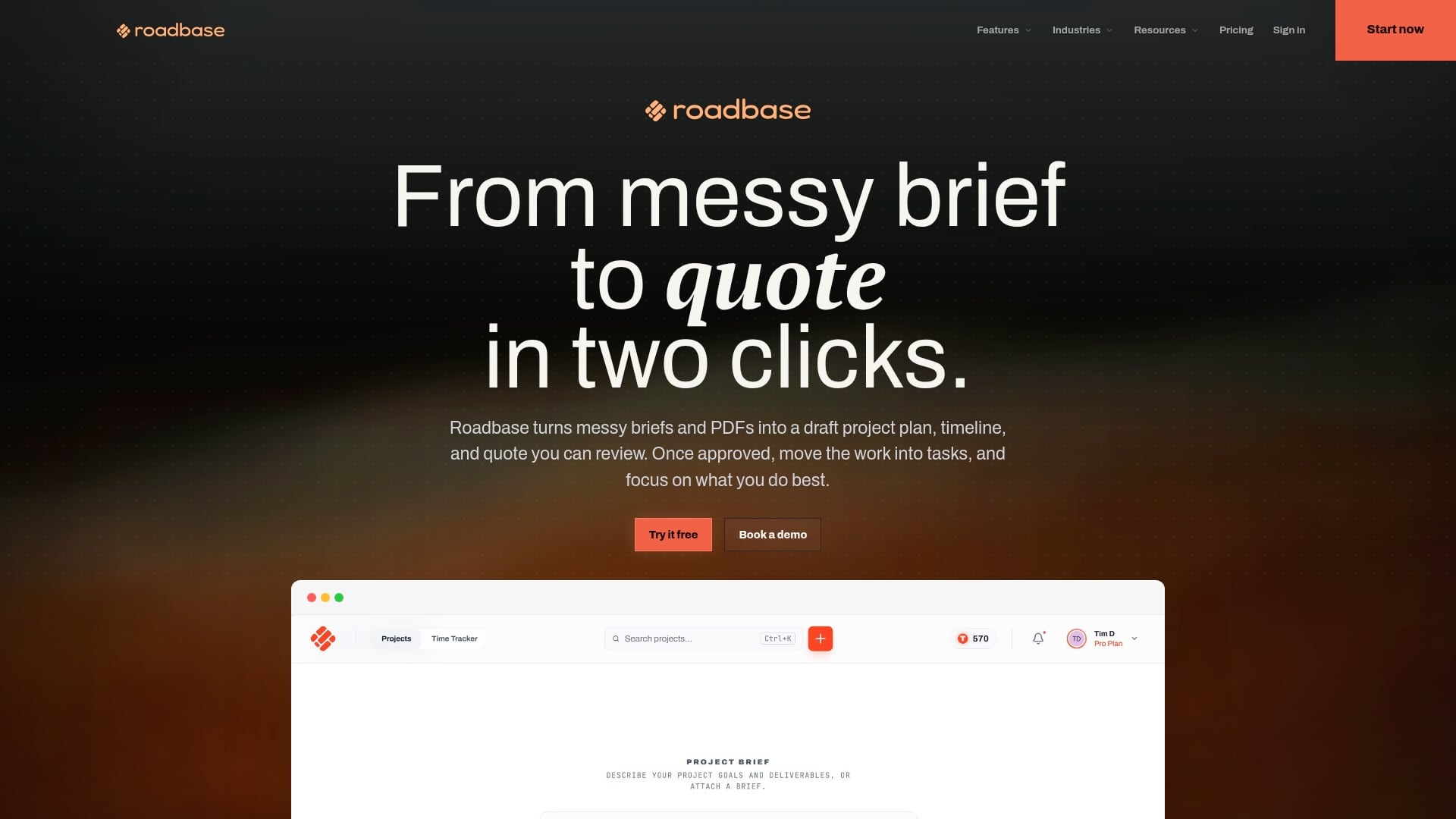
Once the quote is approved, track time against a project or task and compare tracked hours with the estimate while work is underway. Past estimate-versus-actual data can inform a later draft by role when enough relevant, correctly linked task data is available. For a separate discipline example, see the software consulting estimates page.
Start with your next real brief in Roadbase, then review and adjust the work breakdown and quote inputs with the people delivering the work.
Sources
The PMI reference supports the project-context principle used in this article. The remaining entries are supplementary reading for readers comparing the broader category and current provider information; they are not body authority for the guidance above.
- Project management tools and techniques impact success -- PMI
- Supplementary reading: Top GanttPRO Alternatives & Competitors -- Gartner
- Supplementary reading: Gartner alternatives reference
- Supplementary reading: Monday Gantt chart alternatives
- Supplementary reading: Monday category article
- Supplementary reading: ProjectManager alternatives to Gantt charts
- Supplementary review-platform reference: GoodDay on Capterra
- Supplementary review-platform reference: G2 pricing page
FAQ
What Is the Best Free Gantt Software?
The useful choice depends on the project job you need to test. Check each shortlisted provider's current access terms directly, then use a real project to see whether the planning view supports the work your team is doing.
Can ChatGPT Make a Gantt Chart?
An AI tool can help create a draft task list or timeline structure from the context you supply. Review and adjust that draft with the people doing the work, then use the planning view that supports the decisions your project needs.
Is GanttPRO Legit?
When assessing any provider, start with the buyer job and confirm its current first-party details directly. A real-project evaluation gives a creative team a practical basis for deciding whether the planning view fits the work.
What Are the Top Project Management Tools?
There is no universal list for creative teams. Choose a category based on the job at hand: scheduling, stage-based delivery, capacity visibility, or preparing a reviewed project plan and quote. The Sources section offers supplementary reading for a broader search.
How Do I Choose Between These GanttPRO Alternatives?
Match the category to your actual buyer job, then test that specific job with a real project. Compare current provider details directly and choose the workflow your team can review and use for the work in front of it.