

Two Week Trial: Pick Trello Alternatives by Job for Creative Teams
The best Trello alternative depends on the job your current board struggles to handle. A team may need a different task view, closer links to code, or stronger administrative controls. A creative studio with a client brief and a quote to prepare has another job to test: turning that brief into a plan with roles, hours, and pricing before work reaches the board.
TL;DR:
- Self-hosted kanban tools can suit teams willing to run and maintain their own instance.
- Hosted workspaces are worth testing when your team needs several views and connected work in one place; compare current plans and seat costs.
- Developer-focused trackers deserve a trial when code and issue workflows drive the work.
- Roadbase is a quote-first option for creative teams: generate an editable plan from a brief, review the hours and costs, then export a proposal PDF.
- If Trello already handles your task flow, name the missing capability before you consider moving.
Table of Contents
- Quick Decision Roadmap: Which Type of Alternative Fits Your Job?
- Category Deep Dives: Features, Costs, and Trade-offs by Type
- How Do You Choose the Right Alternative for Your Team?
- Migration Checklist: Moving Off Trello Without Losing Data
- Roadbase Spotlight: An AI-Native Workflow for Creative Teams
- How Do Mobile Apps Compare Across These Alternatives?
- How Does the User Experience Differ Between These Tools?
- What Security and Compliance Factors Should You Check?
- When Does Sticking With Trello Still Make Sense?
- Try Roadbase for Creative Quotes and Project Follow-Through
- Sources
- FAQ
Quick Decision Roadmap: Which Type of Alternative Fits Your Job?
Start with the work that needs to improve. This category overview and agency workflows offers another way to frame the search, but your own projects should decide the shortlist. These five categories address different jobs:
Self-hosted kanban tools can give a team a familiar board while putting hosting and maintenance in its own hands. Look at Taiga, Kanboard, Wekan, and Restyaboard as examples, then check each product's current features, license, and support.
Hosted all-in-one workspaces bring several project views and related work into a vendor-run service. Check the current plan for the views, integrations, storage, and seats your team would actually use. A roundup of free and self-hosted alternatives can help build a list, but plan limits need a direct check.
Developer-focused trackers are worth testing when issues, pull requests, and release work drive the project. Ask the people who review client deliverables whether they can follow progress without learning an engineering workflow.
Lightweight to-do apps may be enough for one person's daily work. A shared production schedule, approvals, and handoffs may demand a different tool.
Enterprise platforms belong on the shortlist when the organization has defined requirements for permissions, administration, or reporting. Verify the controls in the plan under consideration.
Compare candidates on total cost, integration fit, and the work your team will maintain. Subscription price alone misses setup, training, and self-hosting labor. Trello also deserves a place in the trial if the existing board works. A named gap, such as a quote workflow, is a stronger reason to move than a newer-looking interface.
Category Deep Dives: Features, Costs, and Trade-offs by Type
For each category, ask the same four questions: Which features solve the job? Which integrations matter? Who maintains the setup? What will it cost at your team's size?
Self-hosted kanban tools
Features: Test the board, checklist, field, and import behavior in the actual tool. Similar-looking boards can handle project data differently.
Integrations: Check the specific calendar, chat, storage, and API connections you need. Where a connector is missing, include the work of building or maintaining one.
Maintenance: Assign an owner for updates, backups, access, monitoring, and recovery. Run a restore test rather than assuming a backup is usable.
Cost: Add hosting and staff time to any license or support fees. Review the current license terms with the appropriate owner if you intend to modify or redistribute software.
Hosted all-in-one workspaces
Features: Trial the board, list, calendar, or timeline views that matter to your actual work. A feature on a product page may belong to a different plan. If Airtable is on your shortlist, use this Airtable and Trello comparison to frame trial questions, then check both products directly.
Integrations: Connect one real workflow, such as a calendar handoff or client file, and see where information still needs to be copied.
Maintenance: The vendor runs the service; your team still owns workspace setup, permissions, training, and its own working practices.
Cost: Price the plan with your expected seats, guests, storage, and needed features. Compare the total over the period you expect to use it.
Developer-focused trackers
Features: Try a real issue that moves from planning through code review and release. Include a non-technical stakeholder in the test.
Integrations: Check the source-control and notification behavior you use now, including who can see and update each issue.
Maintenance: Hosted and self-managed options carry different administration work. Give that work an owner.
Cost: Inspect your existing software agreement and the tier needed for the features in your pilot.
Lightweight to-do apps
Features: Lists and reminders may cover a freelancer's personal follow-ups. Test how a shared project handles owners, approvals, and deadlines before treating a to-do app as a team board.
Integrations: Focus on the calendar and capture tools that the individual actually uses.
Maintenance: Setup can be small, but shared conventions still take work.
Cost: Check current personal and team tiers if more than one person will use it.
Enterprise platforms
Features: Write down the required permissions, reporting, and administration controls, then verify them in the shortlisted plan. Microsoft Planner is one Microsoft 365 team-planning option with board views and Teams integration; its fit depends on the workflow and entitlement.
Integrations: Test both the existing company stack and any outside tools that need to exchange project data.
Maintenance: Plan for configuration, access reviews, and training, even when the vendor hosts the service.
Cost: Use the organization's actual agreement and rollout costs rather than a generic category estimate.
How Do You Choose the Right Alternative for Your Team?
Score a short list against six criteria tied to your work:
- Views. Can producers, makers, and clients find the information they need in the available board, list, calendar, or timeline views?
- Automations. Can your team maintain useful rules, and what happens when a rule fails?
- Integrations. Does the tool connect the chat, files, calendar, or code tools used in an ordinary project?
- Pricing model. What will it cost with your expected seats and feature tier six months from now?
- Data control. Can you export the work and understand what the export contains?
- Reporting. Can you answer the status questions your team and clients actually ask?
Run a two-week trial with three real projects if that is manageable. Mark each criterion Must-have, Nice-to-have, or Deal-breaker before comparing vendors. A failed deal-breaker should carry more weight than a long list of extra features. Ask the vendor what happens to data at cancellation, what support your plan includes, and how API changes are communicated. Ask your team who would own the workspace if its first champion left.
Pro Tip: Include one messy active project. A packaging job with changing SKU counts and several approvers will reveal more about handoffs and revision tracking than a tidy demo board.
Migration Checklist: Moving Off Trello Without Losing Data
Treat migration as a small project. Confirm what Trello can export under your plan and role, then test the destination before moving all work:
- Export the active boards first. Trello board members can export board data to JSON. Check the current export options for workspace-level data and attachments, and keep a dated copy outside Trello.
- Check one importer. Vikunja is one documented example of Trello migration; this Vikunja listing is a companion product link. For any chosen tool, inspect its own importer documentation for cards, lists, labels, comments, checklists, custom fields, attachments, and members.
- Dry-run one board. Compare assignments, dates, fields, and files against the original. Record any manual repair before scaling up.
- Rebuild connected workflows. Test notifications, calendar syncs, webhooks, and automation rules in the new tool.
- Keep a rollback window. Preserve the old boards through a full project cycle while people learn the new setup.
- Pilot with one team. Gather friction points and revise the workspace before a wider move.
Roadbase Spotlight: An AI-Native Workflow for Creative Teams
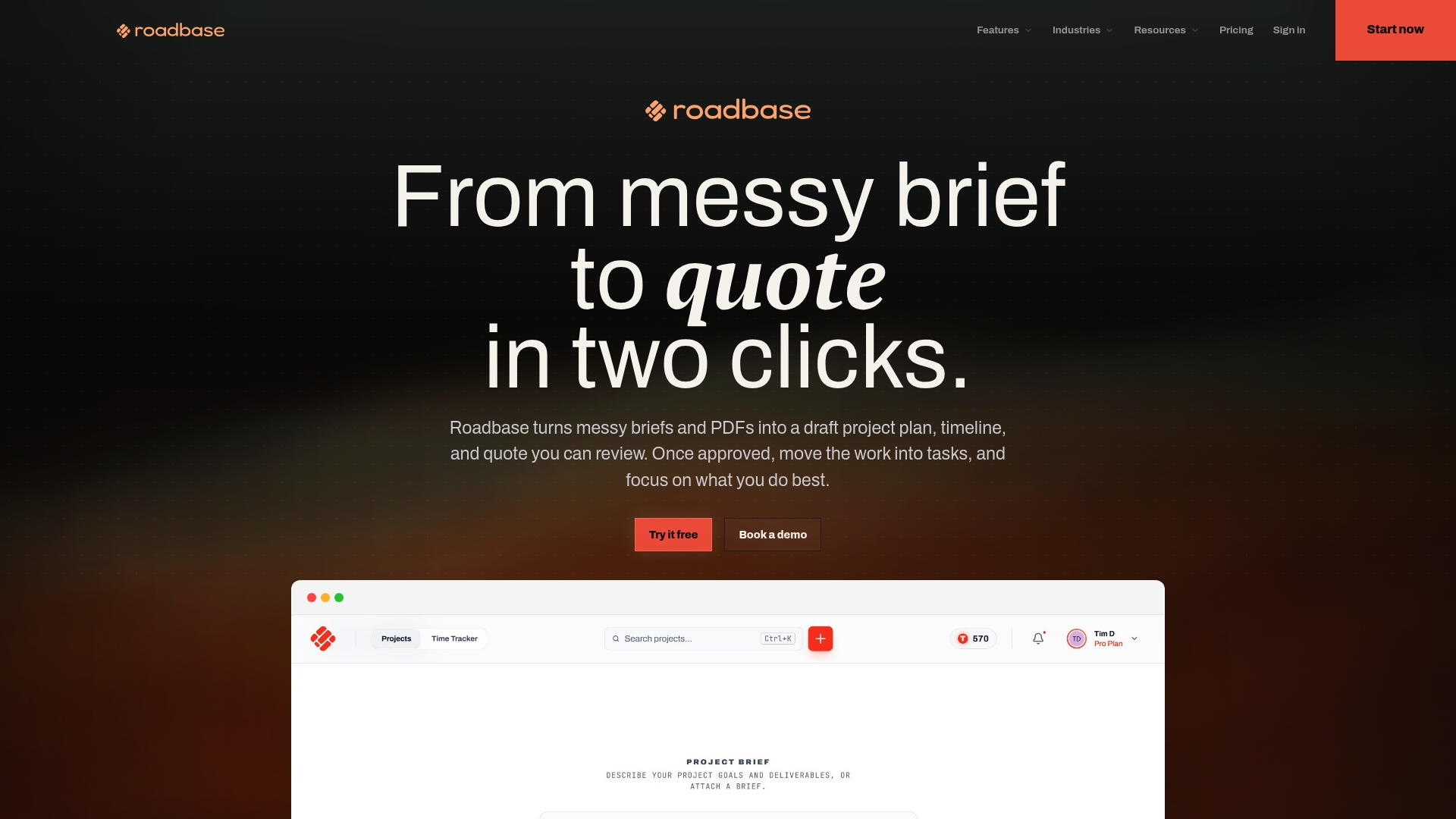
A board can be a good place to manage tasks while leaving the brief-to-quote work elsewhere. For a creative team pricing a client project, that earlier step may be the gap worth testing. Roadbase starts with pasted brief text or an attached PDF and generates an editable first draft of phases, tasks, roles, estimated hours, timing, and estimate reasoning. The team reviews and adjusts that draft against the actual deliverables and assumptions.
Role hours can then be priced with the rates and costs the team supplies, alongside overhead, direct expenses, contingency, and a target margin. Those calculations make the quote's assumptions visible. After review, the team can export the plan and quote as a proposal PDF. Approved work can continue in a simple status board, with time recorded against projects or tasks so estimated and actual hours can be compared.
For a motion studio, the trial could start with a brief for a main film and several cutdowns. Check whether the draft separates treatment, production, edit, sound, and versioning; adjust the hours and specialist costs; then compare the resulting quote with the team's own estimate. Once work begins, recorded time gives the next review a concrete comparison.
The Roadbase versus Trello breakdown goes deeper on the two-product choice. For a heavier workspace comparison, read the Roadbase versus monday.com comparison.
How Do Mobile Apps Compare Across These Alternatives?
Test mobile against the actions people need between meetings or on site. Can they find a project, update a task, record time, or see an approval request? Does the current plan support those actions, and what happens without a connection? Check the shortlisted products individually rather than assuming their phone and desktop workflows match.
Roadbase mobile supports focused project and task status checks, updates, and time tracking, so a producer can follow progress and record work between meetings.
How Does the User Experience Differ Between These Tools?
Start with the task a new teammate will do on day one. A familiar card-and-column board may make status updates easy; a denser workspace may put more project context nearby. An issue tracker can feel natural to a development team and less clear to a client-facing producer. Those are trial observations to gather from your people, not category-wide rankings.
Ask each participant to find a task, change its status, see what is due, and explain the project to someone else. Note the steps they miss, the information they duplicate, and the help they need. That is a better fit test than a polished product screenshot.
What Security and Compliance Factors Should You Check?
Make a shortlist of your actual requirements: where project data is stored, who can access it, how access is removed, which logs are available, how backups work, and how data can be exported or deleted. Ask each vendor for current documentation and the terms that apply to your plan. For self-hosted software, assign responsibility for the server, updates, backups, and recovery.
If a client or regulator imposes a specific obligation, have the appropriate owner check the product, hosting setup, and contract together before moving sensitive work. A feature label or a choice to self-host is only one part of that review.
When Does Sticking With Trello Still Make Sense?
If a small team already moves work through Trello without losing context, the cost of retraining and rebuilding integrations may outweigh a new view or dashboard. Keep the existing board in the pilot and test the one named gap. Perhaps the need is a clearer report, time records tied to tasks, or a way to prepare a quote from a creative brief. Check the current Trello plan and integrations against that need.
Pro Tip: Trial one messy board before migrating the whole workspace. Write down what improved and what became harder for the people doing the work.
-- Nicolas Robertson
Try Roadbase for Creative Quotes and Project Follow-Through
Have a real client brief ready? Paste your notes or attach a PDF in Roadbase, then review the draft phases, roles, hours, and quote with your team. Adjust the plan to match the work you intend to deliver and export the reviewed proposal PDF. When the project moves ahead, keep its tasks and recorded time connected to the estimate.
Roadbase currently offers Free, Pro, and Studio options. Check current pricing and plan details, then try the brief-to-quote workflow with your next project. You can also Explore Roadbase before starting.
Sources
- OpenSource.com overview of Trello alternatives
- TechRiseUps alternatives roundup
- Zapier Airtable and Trello comparison
FAQ
Is There a Google Equivalent of Trello?
Google Tasks handles personal tasks and Google Sheets can hold a shared list, but they are separate tools. If your team needs a Trello-style board, test a dedicated board product against your actual workflow.
Does Anyone Still Use Trello?
Yes. Trello remains an option when a simple board and the team's current setup handle the work. Trial a new tool when you can identify a specific gap to solve.
Is There a Microsoft Equivalent of Trello?
Microsoft Planner is a team-planning option with a board view and Teams integration. Try it with your Microsoft 365 workflow and check the features available to your organization.
What Are the Top Project Management Tools to Consider?
There is no universal top list. Shortlist by job: a kanban board for visible task flow, a developer tracker for code-linked issues, an administrative platform for defined controls, or a quote-first workspace such as Roadbase when a creative brief must become a plan and price.
What Does Roadbase Cost Compared to a Typical Board Tool?
Roadbase currently lists Free, Pro, and Studio plans; check the pricing page for current amounts and features. Compare the cost of the brief-to-quote workflow you need with the board features and seat costs of the other tools in your trial.