

Turn Briefs into Priced Proposals: Roadbase for Freelance Proposal Software
A freelance proposal can be a short, repeatable document or the end of a more involved planning job. If a client's brief still needs to become phases, hours, roles, and a quote, Roadbase is a useful first trial. If the work is already priced and the presentation matters most, a proposal-page or visual-template tool may fit better. This guide compares twelve named tools by the job each helps you do, then gives you one real-brief test to run against your shortlist.
TL;DR:
- Roadbase turns pasted brief text or a PDF into an editable draft plan. Review its phases, tasks, hours, assumptions, and pricing inputs before exporting a proposal PDF.
- Plutio, HoneyBook, and Bonsai put proposals beside broader client or business administration. Better Proposals, Proposify, PandaDoc, Nusii, and Bidsketch focus on different document-building needs.
- Qwilr and Venngage emphasize presentation; FlippingBook helps share a PDF you have already made.
- A reusable template may be plenty for repeatable, already-priced work. For a custom job, try the same slightly messy brief in each serious candidate and compare the work you still have to do.
Table of Contents
- How the top proposal tools stack up for freelancers
- What each proposal tool actually offers freelancers
- How to choose the right proposal tool for your workflow
- The feature checklist worth testing by hand
- How Roadbase handles the freelancer workflow in practice
- When a dedicated proposal tool earns its subscription
- Try Roadbase before you commit to anything else
- Where this comparison draws its facts from
- Sources
- FAQ
How the top proposal tools stack up for freelancers
These twelve tools cover several different parts of a proposal workflow. Start with the step that takes the most work in your own process.
- Roadbase: turns a brief into an editable project plan and quote, then exports the reviewed work as a proposal PDF. Try it when the work breakdown and price are still taking shape.
- Plutio: places proposals alongside projects, invoices, and client work in a broader workspace.
- Better Proposals: helps create and send proposal documents, with signatures and viewing analytics among its documented features.
- Proposify: lets teams reuse saved proposal sections and content.
- PandaDoc: offers a document editor and itemized pricing tables, with a payment workflow to evaluate if that is part of your process.
- HoneyBook: combines client-facing files with service selection, signatures, invoices or payments, and scheduling.
- Bonsai: puts proposals beside contracts, invoices, and time tracking.
- Qwilr: presents interactive web proposal pages with quotes and sign-off options.
- Venngage: provides editable visual proposal templates.
- Nusii: supports reusable proposal text and pricing sections, plus signing.
- Bidsketch: provides reusable proposal content, view notifications, and online approval or signature.
- FlippingBook: turns an existing PDF into a shareable interactive flipbook.
If you already know the price and only need a clear pitch, compare the document and presentation tools first. If a new brief requires you to plan the work before you can price it, test that planning step as carefully as the final document.
What each proposal tool actually offers freelancers
Roadbase accepts pasted brief text or an attached PDF and generates an editable draft with phases, tasks or milestones, roles, estimated hours, timing, and estimate reasoning. You can review the breakdown, apply your own role costs and rates, account for overhead, expenses, and contingency, and examine the quoted price and target margin before exporting a proposal PDF. A brand designer, for example, could check whether strategy, concept routes, rollout assets, and review rounds are represented before pricing the work. Current terms are on its pricing page.
The rest of the field breaks into a few different jobs:
- Plutio connects proposals with projects, invoices, and client work. It is worth comparing if a proposal is one piece of a larger client workspace.
- Better Proposals concentrates on the proposal document, including signatures and information about views. Try it with a repeatable pitch if document preparation is your sticking point.
- Proposify has a content library for reusable sections. That can matter when several proposals draw on the same service descriptions or case studies.
- PandaDoc provides a document editor and itemized pricing tables. Its payment features are relevant when you want to evaluate a document-to-payment process; confirm the current plan and setup for your case.
- HoneyBook uses client-facing smart files that can bring service selection, signatures, invoices or payments, and scheduling into one client process.
- Bonsai pairs proposals with contracts, invoices, and time tracking. Check its current document builder with a real proposal, since its new-account experience has changed.
- Qwilr makes interactive web proposal pages with quotes and sign-off. It is a presentation option when a link-based page suits the pitch.
- Venngage offers editable visual proposal templates. It can help shape a visual document when you have already worked out the scope and price.
- Nusii lets you reuse text and pricing sections and collect a proposal signature. Test how its sections fit the way you assemble repeatable offers.
- Bidsketch offers reusable content, view notifications, and online approval or signature. Those are useful criteria if you want to follow a sent document's progress.
- FlippingBook starts with a PDF you have already created and turns it into an interactive format for sharing. It is a distribution and presentation choice after the quote is built.
How to choose the right proposal tool for your workflow
First identify where your proposal starts. Is it a loose brief that needs a work breakdown and price, an already-priced service that needs a reusable document, or a polished PDF that needs a better way to share it? Then check whether signatures, payments, scheduling, or broader client administration are part of the job you want this tool to handle.

The G2 PandaDoc and Docusign comparison offers more context if documents and signing are your main concern.
Use the same representative brief for each candidate. A packaging job with three SKUs, unfinished copy, one specialist illustrator, and two review rounds is more revealing than a polished demo file:
- Record the deliverables, dependencies, approvals, and exclusions the tool lets you show. Note what you must enter or correct yourself.
- Build the price using your own hours, rates, direct expenses, and revision assumptions. Check whether the quote explains what is included.
- Change one requirement, such as an extra SKU or review round, and see how clearly you can revise both the plan and price.
- Share or export a test proposal and inspect what the client would actually receive. If signatures or payments matter to you, test those separately in tools that offer them.
Pro Tip: Write down the cleanup and decisions each tool leaves to you. That tells you more than a feature count.
The feature checklist worth testing by hand
Feature lists rarely show how a tool handles your particular work. Give each candidate the same short checklist, then weight only the items you need:
- Starting material: Can you work from the client's real brief or must you rebuild it in a template?
- Scope detail: Can you state deliverables, timing, assumptions, approval steps, and revision boundaries clearly?
- Price review: Can you see how hours, roles, expenses, and changes affect the quote? What inputs must you supply yourself?
- Presentation: Does the shared page or exported document tell the client what they will get and what it costs?
- Acceptance and administration: If your process needs signatures, payment, scheduling, or invoices, can the relevant tool handle that step in a way you can verify?
- After approval: Can you carry useful project detail forward, or is a separate handoff enough for your practice?
The TeamStage freelance statistics page offers broader market context. Weight the checklist by the friction you observe in your own proposals.
How Roadbase handles the freelancer workflow in practice
In Roadbase, paste a real brief or attach a PDF, then inspect the editable draft of phases, tasks, roles, estimated hours, timing, and reasoning. A budget, deadline, review round, or exclusion stated clearly in the brief can be carried into the draft; check that it was captured correctly. Price the work with your own role costs and rates, then review labor, overhead, direct expenses, contingency, and target margin before exporting the plan and quote as a proposal PDF.
The AI pricing workflow is most useful when you treat the generated work as a starting point. With enough relevant completed-task data and recorded actual hours, role-level estimate-versus-actual context can inform a later draft. It still needs your review. Once a project is approved, Roadbase can keep its tasks in a status board and record time against the work, making estimated and actual hours available to compare.
For a trial, check three things:
- Does the draft include the actual work, approval points, and assumptions in your brief? Adjust anything missing.
- Do your supplied rates, costs, expenses, and scope changes produce a quote you can explain?
- Does the exported proposal PDF present the reviewed plan and price clearly to the client?
Pro Tip: Use a job you have already estimated. Comparing the draft with your own breakdown can expose missed tasks or optimistic hours on either side.
When a dedicated proposal tool earns its subscription
A simple template may be enough when the work, price, and terms are already familiar. Dedicated software becomes worth evaluating when you repeatedly assemble proposal content, need a clearer way to show a multi-stage job, or want specific client steps such as signing or payment in the same process.
Picture a freelance motion designer quoting a film with a main cut, social versions, licensed music, and two review rounds. The useful test is whether a tool helps show those boundaries and revise the quote when another version is requested. Measure the effort against your own current workflow and the tool's current terms. A subscription only earns its place if its actual use is valuable to you.
-- Nicolas Robertson
Try Roadbase before you commit to anything else
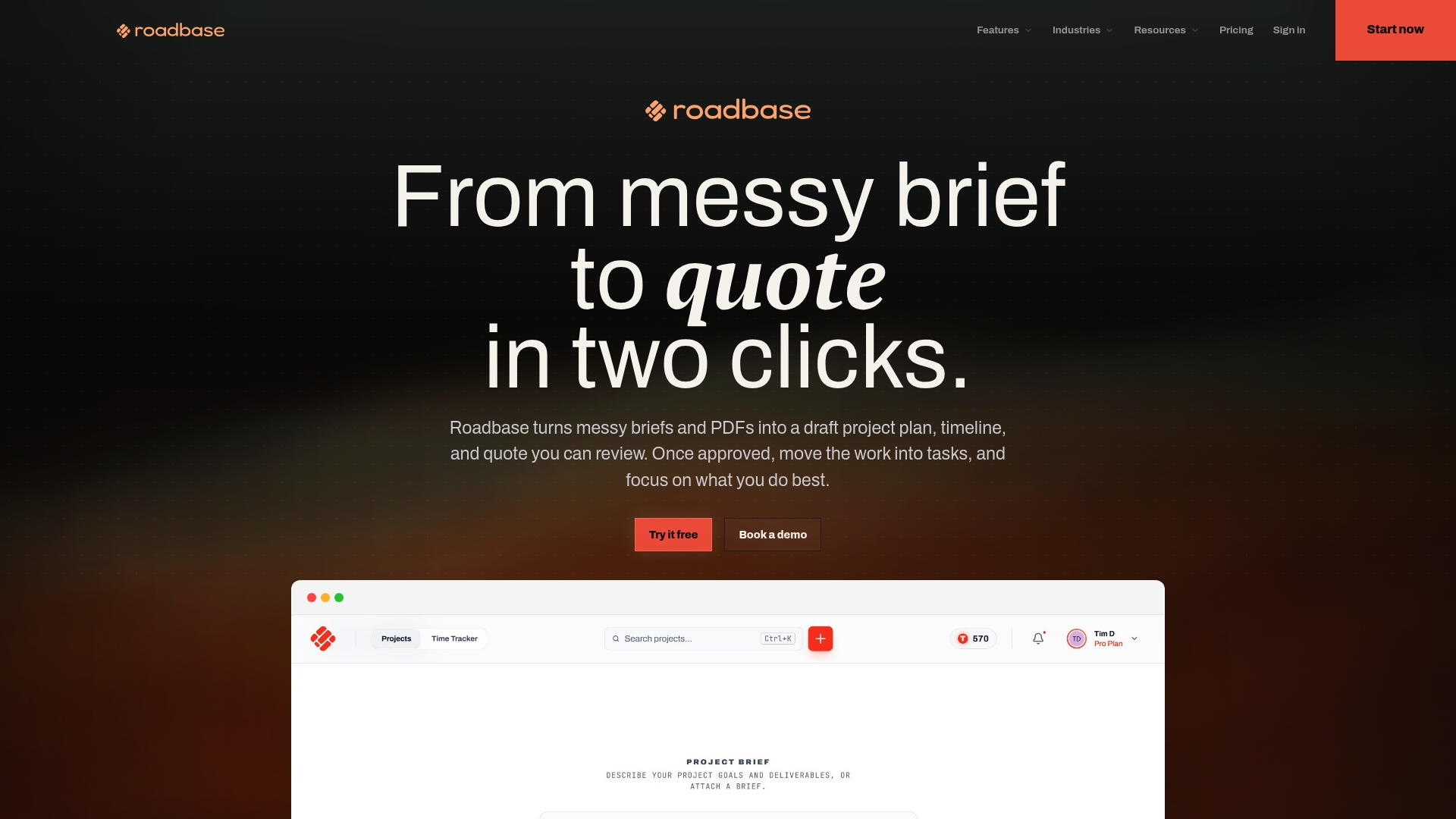
Have a client brief or PDF on your desk? Put it into Roadbase and see what the first draft gives you. Review the phases, tasks, hours, and assumptions; adjust the quote with your own rates and costs; then export the reviewed plan and price as a proposal PDF.
You can use one real project to test the path:
- Paste the brief or attach its PDF, then review the editable draft plan.
- Adjust the work and pricing inputs until the quote reflects what you intend to deliver.
- Export a proposal PDF and check the client-facing result.
The freelancer landing page shows how the workflow fits independent creative work. Roadbase is the starting point when you're ready to try it.
Where this comparison draws its facts from
Use the feature descriptions to build a shortlist, then put the same client brief through the tools that fit your workflow. Vendor product and help pages describe the capabilities discussed here; the G2 Plutio reviews add a third-party user perspective. For document and freelance-work context, see the G2 comparison and TeamStage statistics linked above.
Sources
FAQ
What is the best software for writing proposals?
It depends on which part of the job needs help. Roadbase is worth testing when a brief still needs to become a plan and priced quote. Qwilr suits an interactive web proposal, while Venngage offers visual templates. For a repeatable, already-priced service, a simpler document builder or template may be enough.
What is the best RFP software?
A formal RFP response usually involves a structured procurement questionnaire and approval process. That is a different job from the freelance client briefs compared here. Check the requirements of the RFP itself before choosing a tool; this twelve-product guide does not rank dedicated RFP systems.
How do I write a strong freelance proposal?
State the deliverables, timeline, price, assumptions, and revision boundaries so the client can understand the offer. For a complex project, break the work into stages and show what each stage includes. Use a tool to organize the draft if it helps, then review the details and numbers yourself before sharing it.
Which AI tool is best for proposals?
If you want AI help turning a real brief into a work breakdown and quote, test Roadbase with your own project. Its output is an editable first draft of phases, tasks, roles, hours, and timing; you review and adjust the work and pricing inputs before export. If you mainly need to polish the wording or presentation of an already-priced offer, compare tools for that specific task.
How much does freelance proposal software typically cost?
Costs and plan entitlements vary by vendor and change over time. Compare current pricing for the features you will actually use, including document volume, signatures, payments, branding, or project limits where relevant. Run a real proposal through each shortlisted tool before committing to a paid plan.