

One Sitting Proposals for Creatives: Best Project Roadmap Tools
For freelancers and small creative teams, the best project roadmap tool is the one that helps turn a real client brief into a work breakdown, a reviewed price, and a proposal you can explain. That's a different job from drawing a delivery timeline. If you're pricing a brand identity or a motion package, test whether a tool helps you see the tasks, roles, hours, assumptions, and costs behind the number you send.
TL;DR:
- Start with a representative brief and check whether the tool produces an editable breakdown of phases, tasks, roles, hours, and timing.
- Choose an estimation method that fits what you know: detailed tasks, a comparable past job, or a range for uncertain work.
- Review your rates, expenses, contingency, and target margin before exporting a proposal. Time the whole review, not just the first draft.
- Compare estimated hours with actual hours on completed work to improve later decisions.
- Spell out deliverables, approvals, revision rounds, and payment terms in a way the client can understand.
Table of Contents
- What Makes a Project Roadmap Tool Actually Useful for Scoping and Quoting?
- Which Estimation Method Should You Use for Client Quotes?
- How Do You Go From Brief to Priced Roadmap in One Sitting?
- What Should Your Intake Checklist and Proposal Template Include?
- What Teams Actually Gain (and Get Wrong) Switching to AI-Assisted Scoping
- Roadbase Turns a Messy Brief Into a Priced Proposal in One Session
- Sources
- FAQ
What Makes a Project Roadmap Tool Actually Useful for Scoping and Quoting?
When you're testing roadmap planning tools for creative work, use the same brief in each one. A packaging job with concept routes, dieline checks, production files, and client reviews will reveal more than a polished demo. Check for:
- Brief intake and editable draft. Can you paste the notes or attach a PDF, then inspect and change the proposed tasks?
- Task and role breakdown. Can you see who would do each step and review the estimated hours, rather than accepting one lump sum?
- Visible pricing inputs. Can you review role rates, direct expenses, overhead, contingency, and target margin before settling on a quote?
- A proposal you can use. Check the PDF or other export against the way you present work to clients.
- Reusable structure and rates. Can you adapt a past project or template without carrying over assumptions that no longer fit?
- A path into delivery. If task status and tracked time matter to your team, test that handoff. If you need invoicing or payments, evaluate those requirements separately.
Cost comparisons deserve the same care. A proposal management software directory can help you find candidates, but compare the current total for your team and the features you'll actually use. A per-user rate and a team rate only become comparable after that math.
Which Estimation Method Should You Use for Client Quotes?
Use the method that fits the evidence in the brief. A detailed work breakdown helps when deliverables and review steps are sufficiently defined: estimate each task, then check the total against the project as a whole. The value is in seeing the assumptions, not in expecting individual errors to cancel out. For another perspective on task-based estimating, see AgencyPro's agency estimation guide; use your own records to test any suggested approach.
Two other methods fill in different gaps:
- Analogous estimation compares the new project with a past job of similar size and scope. It's useful for an early range when you have a genuinely comparable project. Adjust for differences such as extra review rounds or a new production format.
- Three-point estimation records an optimistic, most-likely, and pessimistic outcome for uncertain work. A motion project with unconfirmed footage or a brand project awaiting stakeholder alignment may need that range before a single figure is credible.
- Bottom-up estimation builds from defined tasks and roles. It becomes useful when the work can be broken down with enough detail to review hours and costs. Cross-check the result against comparable jobs rather than treating it as automatically more accurate.
Set contingency against identified uncertainty: missing assets, unfamiliar production steps, tight approvals, or a client process you haven't worked through before. There's no universal percentage that suits every creative brief. Record what the allowance covers and review it when the unknowns become clearer.
Fixed-price terms can suit well-defined work with clear change rules. When the scope is still moving, a paid discovery phase or time-and-materials arrangement may be worth discussing with the client. Choose terms that match the work and the agreement.
Pro Tip: After delivery, compare estimated and actual hours by task and role. A short review of where the gap arose is more useful than applying a generic buffer to every future quote.
How Do You Go From Brief to Priced Roadmap in One Sitting?
Set aside a focused working session with a representative brief. Include time to check assumptions, revise the draft, and prepare a proposal you would actually send.
- Intake. Capture deliverables, stakeholders, existing assets, revision rounds, deadline, and anything the client has excluded. Ask about missing constraints before pricing them as facts.
- Build the work breakdown. Group the job into phases and tasks, then assign the roles and estimated hours that fit each step.
- Apply rates and costs. Use your maintained role rates and add relevant direct expenses and overhead.
- Review contingency and margin. Tie contingency to risks you can name, then check the target margin against your own pricing decision.
- Structure the client view. Group the work into understandable phases, such as discovery, design, production, and revisions.
- Export and review. Read the proposal PDF or other export for accurate deliverables, assumptions, timing, and price before sharing it.
- Carry the plan into delivery. Where the tool supports it, keep approved tasks and track actual hours against the estimate.
Before anything goes to a client, compare task hours with a past project when you can, check the cost inputs, and read every line drafted by an AI tool. A draft can surface useful work you missed; it can also add a task or assumption that doesn't belong.
Some vendors describe wider proposal-to-project workflows. For example, AgencyFlo's product page describes its own proposal and invoicing flow. Use a live trial to verify which steps a candidate tool actually handles for your team. The useful continuity here is being able to trace the approved work into delivery and compare what was planned with what happened.
What Should Your Intake Checklist and Proposal Template Include?
Copy this into your next brief review. These questions make the estimate easier to examine, and the answers may change the work breakdown:
- What deliverables are expected, down to formats and quantities rather than "a few social assets"?
- Who can approve the work or request changes?
- Which brand assets, style guides, footage, copy, or prior work already exist?
- Are there technical or production constraints such as print specs, file formats, or a CMS?
- Which deadlines and outside dependencies shape the schedule?
- How many review rounds are included, and how will additional work be agreed?
Your proposal can follow a phase structure: Discovery, Concept/Design, Production, Review and Revisions, and Delivery. Give each phase a deliverable, an approval point, and a clear scope boundary. Agree payment milestones with the client in terms that fit the project and its approval process. For a practitioner example of presenting budgets by phase, see Sidekick's creative agency budgeting framework.
| Template element | What it does |
|---|---|
| Phase titles | Groups tasks into client-facing milestones |
| Acceptance criteria | Describes what completion means for each phase |
| Included/excluded list | Makes the agreed work and its boundaries easier to discuss |
| Payment milestones | Records when payment is due under the agreed terms |
Store the template where the team can use it, then revise it when completed work shows a recurring gap between estimated and actual hours. Keep project-specific assumptions visible rather than baking them silently into every new quote.
What Teams Actually Gain (and Get Wrong) Switching to AI-Assisted Scoping
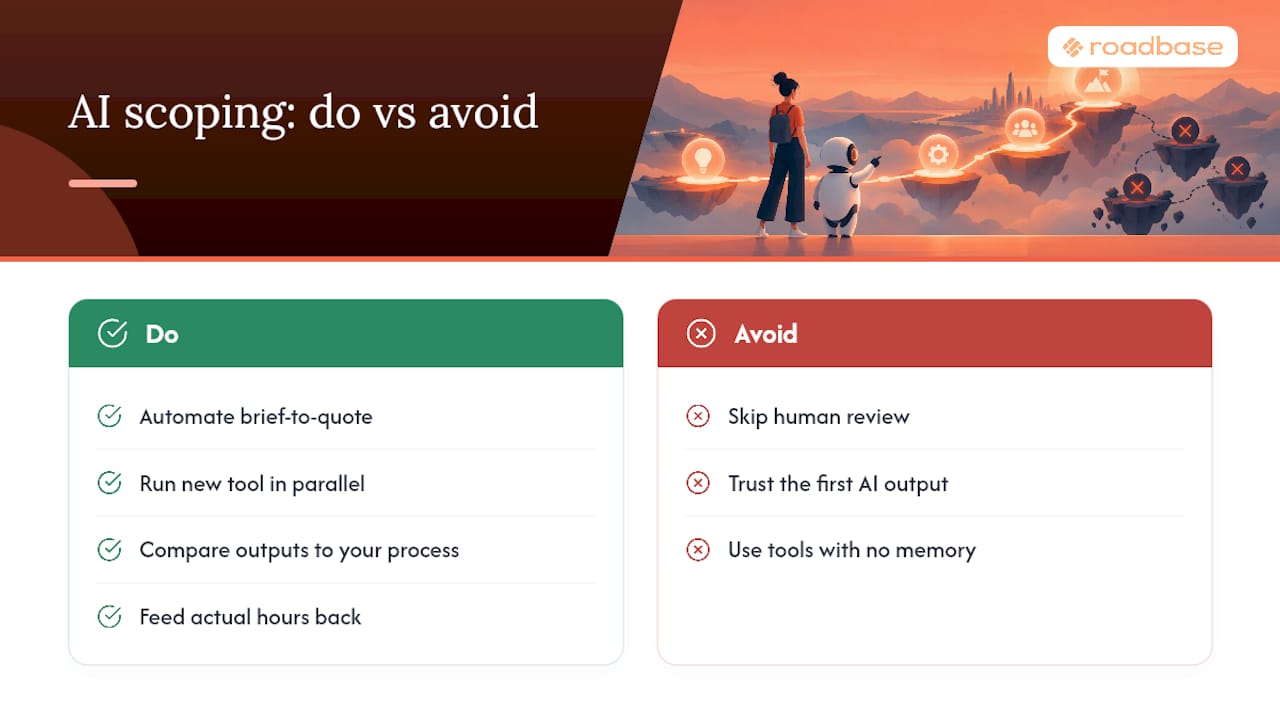
An editable draft can make a team's assumptions easier to compare. If two producers price the same motion brief differently, a shared task and role breakdown gives them something concrete to discuss: concepting time, edit rounds, sound, delivery formats, or client review. That discussion can reveal which hours and costs need a closer look before the quote goes out.
The common mistake is trusting the first output. Try a new tool on a past project alongside your current process. Check its proposed tasks and hours against what the team actually did, then adjust the draft for the next real brief. Relevant completed task data can inform later estimates, but a new or unusual job still needs human judgment.
- Nicolas Robertson
Roadbase Turns a Messy Brief Into a Priced Proposal in One Session
Roadbase lets you paste a brief or attach a PDF and generate an editable first draft of phases, tasks, roles, hours, timing, and assumptions. Review and adjust that work breakdown, then use your role rates, expenses, overhead, contingency, and target margin to review the quote. You can export the reviewed plan and quote as a proposal PDF. After approval, project and task statuses and tracked time help you compare actual hours with the estimate. When relevant task history is available, that context can inform a later draft.
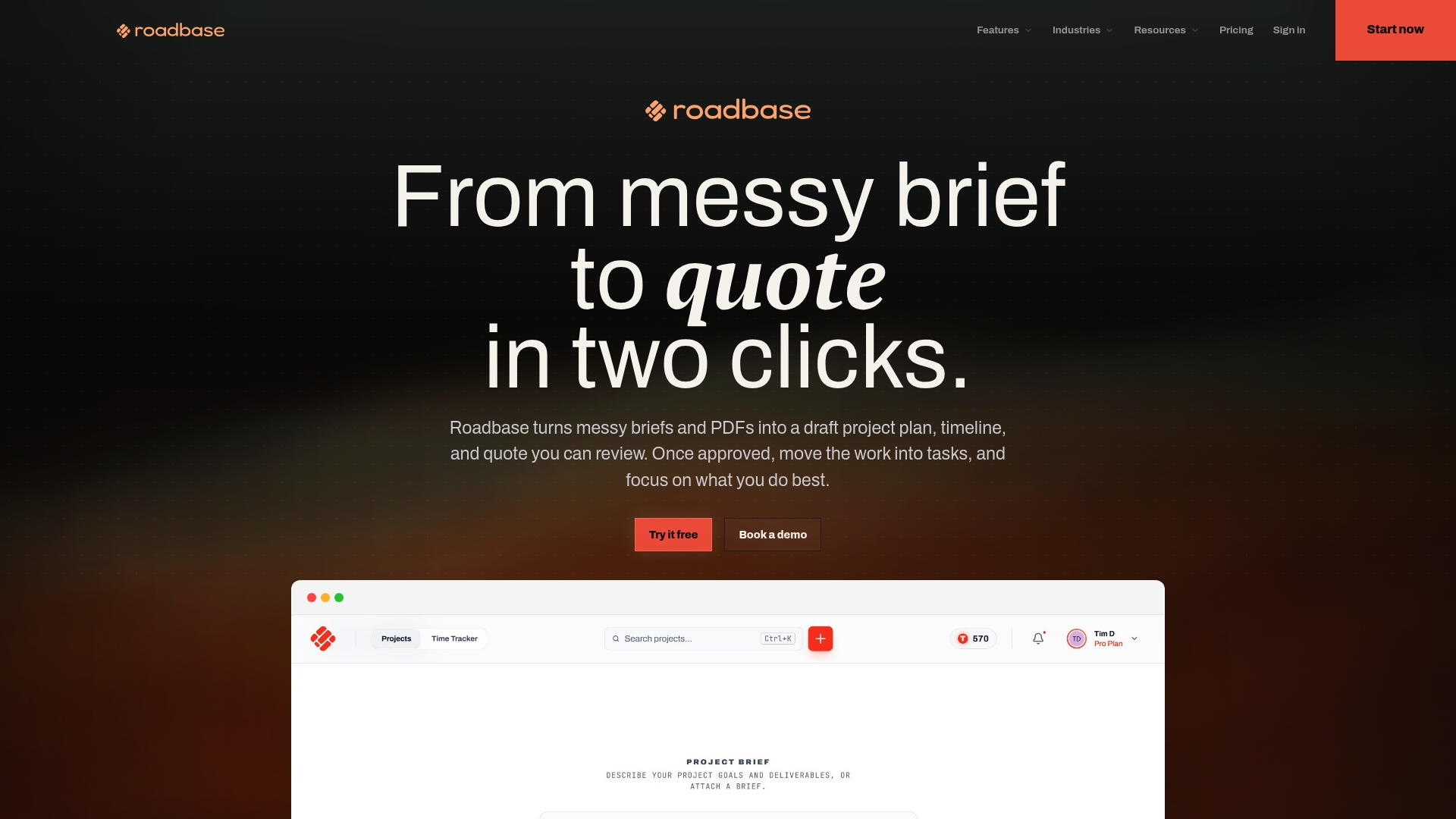
Check current plans on the Roadbase pricing page. Then run the same trial checklist: bring a brief you've already priced, review the generated tasks and hours, inspect the quote, and check whether the proposal PDF fits how you work. The creative freelancer page shows the workflow in a solo context.
Bring your next real brief to Roadbase. Review and adjust the draft phases, tasks, roles, hours, and quote, then export the proposal PDF when it is ready to share.
Sources
Further reading and product directories referenced above:
- Best Proposal Management Software 2026 | Capterra
- Agency Project Estimation: Stop Losing Money | AgencyPro
- Client Budgeting Framework for Creative Agencies | Sidekick
FAQ
What Is the Best Project Roadmap Tool for Freelancers?
The best tool depends on the job you're trying to price. For a freelancer turning a creative brief into a quote, look for an editable task and role breakdown, visible pricing inputs, and a proposal export you can review. Roadbase supports that brief-to-proposal workflow; check current plans before choosing a tool.
How Do I Create a Project Roadmap From a Client Brief?
List deliverables, constraints, and approvals first. Break the work into phases and tasks, assign roles and estimated hours, then review rates, expenses, contingency, and target margin. Export the proposal only after checking that the draft matches the brief. The time required depends on the complexity and what the client has supplied.
What Buffer Percentage Should I Add to a Creative Project Quote?
There isn't one percentage for every project. Identify the uncertain work, estimate its likely cost or range, and set contingency you can explain. A familiar repeat job and a new production format may call for different allowances. Revisit the estimate as the unknowns are resolved.
Should I Use Fixed-Price or Time-and-Materials Billing?
Fixed-price terms can work when deliverables, review rounds, and change rules are clear. If the work is still being defined, discuss paid discovery or time-and-materials terms that fit the client agreement. The choice depends on how much of the scope you can reasonably define before work starts.
Does Roadbase Integrate With Time Tracking and Invoicing?
Roadbase has task and project time tracking, so you can compare actual hours with estimated hours as work progresses. Use the reviewed quote and recorded hours when preparing billing in your usual workflow.