

7 Day Bridge: Priced Proposal Timelines for Agencies and Freelancers
A proposal timeline is a milestone-based schedule that connects tasks, owners, dependencies, and dates or date ranges to the work behind a quote. It gives an agency or freelancer a practical way to turn a real brief into a plan a client can discuss.
TL;DR:
- Clear owners, deliverables, responsibilities, and assumptions make a proposal timeline easier to review together.
- Estimate hours by milestone, then set a project-specific reserve you can explain in the plan.
- Put feedback points and client dependencies beside the milestones so timing conversations have a shared reference.
- Use dates for short projects or week ranges for longer work when that better shows overlap and review cycles.
- Keep reviewed quote inputs beside the work, then describe how the approved plan will continue into early project tasks and tracked time.
Table of Contents
- What Should a Proposal Timeline Include?
- How Do You Build a Proposal Timeline From a Messy Brief?
- Client Dependencies, Feedback Windows, and Buffers
- Timeline Formats and Real Examples
- Tying Pricing to Your Timeline's Milestones
- The 7-Day Bridge: What Happens After the Client Signs
- Final Checklist Before You Send the Proposal
- Roadbase's Take on Automating Brief-to-Timeline Work
- Turn Your Next Brief Into a Reviewable Project Plan and Quote
- Sources
- FAQ
What Should a Proposal Timeline Include?
A timeline does more than list dates. At proposal level, it can show who owns a milestone, what the milestone produces, and which assumptions might change the sequence. That is enough detail for a useful conversation without turning the proposal into a day-by-day task plan.
Consider including:
- Phases and milestones that show the major stages of the work, such as discovery, concept, revision, production, and delivery.
- A named owner or review point for each milestone, whether that is you, a team member, or the client contact coordinating feedback.
- Deliverable descriptions that make the output visible: a concept route, a wireframe set, production artwork, or another concrete result.
- Client responsibilities alongside the relevant milestone, such as providing brand assets, content, or feedback.
- Assumptions that affect timing, including the intended start point, expected review rhythm, and third-party inputs to agree in the proposal.
With those details in view, the timeline becomes a practical map for discussing what happens next and what each milestone needs.
How Do You Build a Proposal Timeline From a Messy Brief?
Most briefs arrive as a mix of notes, a deck, and open questions. The useful move is to turn that material into a proposal-level sequence you can inspect, then adjust the plan as you clarify the work.
- Read for objectives, deliverables, constraints, and decision points. Write down assumptions that need a client conversation, including the people who will review key outputs.
- Group the work into a manageable set of milestones. Discovery, concept, revision rounds, production, and delivery are familiar starting points, but the labels should match the project.
- Estimate the work behind each milestone. Estimating hours before you quote can help you keep the quote connected to visible tasks and roles.
- Place review points beside the milestones. Name the expected input, the person coordinating it, and the effect it may have on later dates.
- Set a project-specific reserve. Explain what it covers, such as an extra refinement cycle, an uncertain technical handoff, or waiting for supplied assets.
- Choose a proposal-friendly format. Specific dates can suit short projects; week ranges can make longer or parallel work easier to read. Review the plan and quote before exporting a proposal PDF.
Roadbase can start this process from pasted brief text or an attached PDF, then create an editable draft work breakdown with phases, tasks or milestones, roles, estimated hours, timing, and brief estimate reasoning. Treat that draft as a starting point to review and adjust before using it in a proposal.
Client Dependencies, Feedback Windows, and Buffers
Dependencies and feedback can be clear without being rigid. A proposal timeline can note what the client supplies, where a review happens, and which later milestone may need to move if an input arrives later than expected. Those details give everyone a shared reference for the discussion.
For a general proposal-format reference, the existing freelance proposal guide remains a useful source to consult alongside your own project details. Choose review windows that suit the number of people involved, the kind of approval needed, and the work that follows.
Set the reserve from the project rather than a standard percentage. A brand rollout with several asset owners may need a different reserve from a focused packaging update with a settled dieline. The important part is being able to explain the assumption beside the relevant milestone.

Use the image as an illustrative timeline: milestones include review points and a project-specific reserve, not a universal response period or percentage.
Timeline Formats and Real Examples
A simple milestone list with dates can work well for a short proposal. Once work stretches across several weeks or contains parallel tracks, a week-range or Gantt-style view can make the sequence easier to scan. Choose the format that best shows the relationship between deliverables, review points, and dependencies.
Here is an illustrative six-week web design project that a team can adapt:
- Week 1: Discovery and content audit. The plan notes the brand assets and current-site access expected for the work.
- Week 2: Sitemap and wireframes. The timeline includes a review point and the person coordinating feedback.
- Weeks 3-4: Visual design and refinement rounds. The proposal states what each round covers and when the next stage can be reviewed.
- Week 5: Development and content integration, with any needed supplied content called out.
- Week 6: QA, walkthrough, and launch preparation, with responsibilities visible in the milestone.
Short, specific language helps. A milestone that says what is being reviewed, by whom, and what follows gives the reader something concrete to discuss.
Tying Pricing to Your Timeline's Milestones
Pricing is easier to discuss when the inputs sit beside the milestone work. For each phase, connect the deliverable to the roles, estimated hours, and assumptions that shape the quote. That gives the proposal a visible relationship between the work and the numbers being reviewed.
Roadbase can price estimated hours by the roles doing the work, using cost and rate information you provide. Its quote view can bring labor, overhead, direct costs, contingency, and target margin into the same review. These are inputs and calculations to check alongside the milestones, not a substitute for commercial judgment.
For a short project, the proposal might show a few major checkpoints; for a longer engagement, it might show each major phase. In either case, keep the price breakdown near the relevant deliverables, and revisit it when a change to scope, timing, or assumptions is being discussed.
The 7-Day Bridge: What Happens After the Client Signs
An approved proposal can become the starting point for the project rather than a document you set aside. The first few days are a useful moment to make the plan visible to the people doing the work and keep the early tasks connected to the estimate.
- Day 0: Review the approved plan and set the project to the status that fits its next stage.
- Day 1-2: Make the first tasks visible, with their descriptions, estimated hours, subtasks, and any useful comments in place.
- Day 3-5: Use the milestone sequence to check that early dependencies and review points still reflect the project as it begins.
- Day 5-7: Record time against the project or task and compare tracked hours with the estimate as work gets underway.
For another perspective on the shape of a project proposal, the existing agency proposal guide remains in the Sources section below. The point of this bridge is continuity: keep the reviewed plan close to the work so the team can see planned and recorded hours together.
Final Checklist Before You Send the Proposal
Use this as a final pass before sharing the proposal:
- Check the start assumptions, asset handoff details, and third-party dependencies reflected in the timeline.
- Check that every major milestone has an owner or review point and a clear deliverable.
- Check that the project-specific reserve is visible and explained near the assumption it addresses.
- Check the reviewed quote inputs: roles, estimated hours, labor, overhead, direct costs, contingency, and target margin.
- Check that the proposal explains how the approved plan will continue into project statuses, tasks, and tracked time.
Pro Tip: A short, specific timeline is often easier to review than a crowded schedule. Keep the detail where it helps a real decision.
Roadbase's Take on Automating Brief-to-Timeline Work
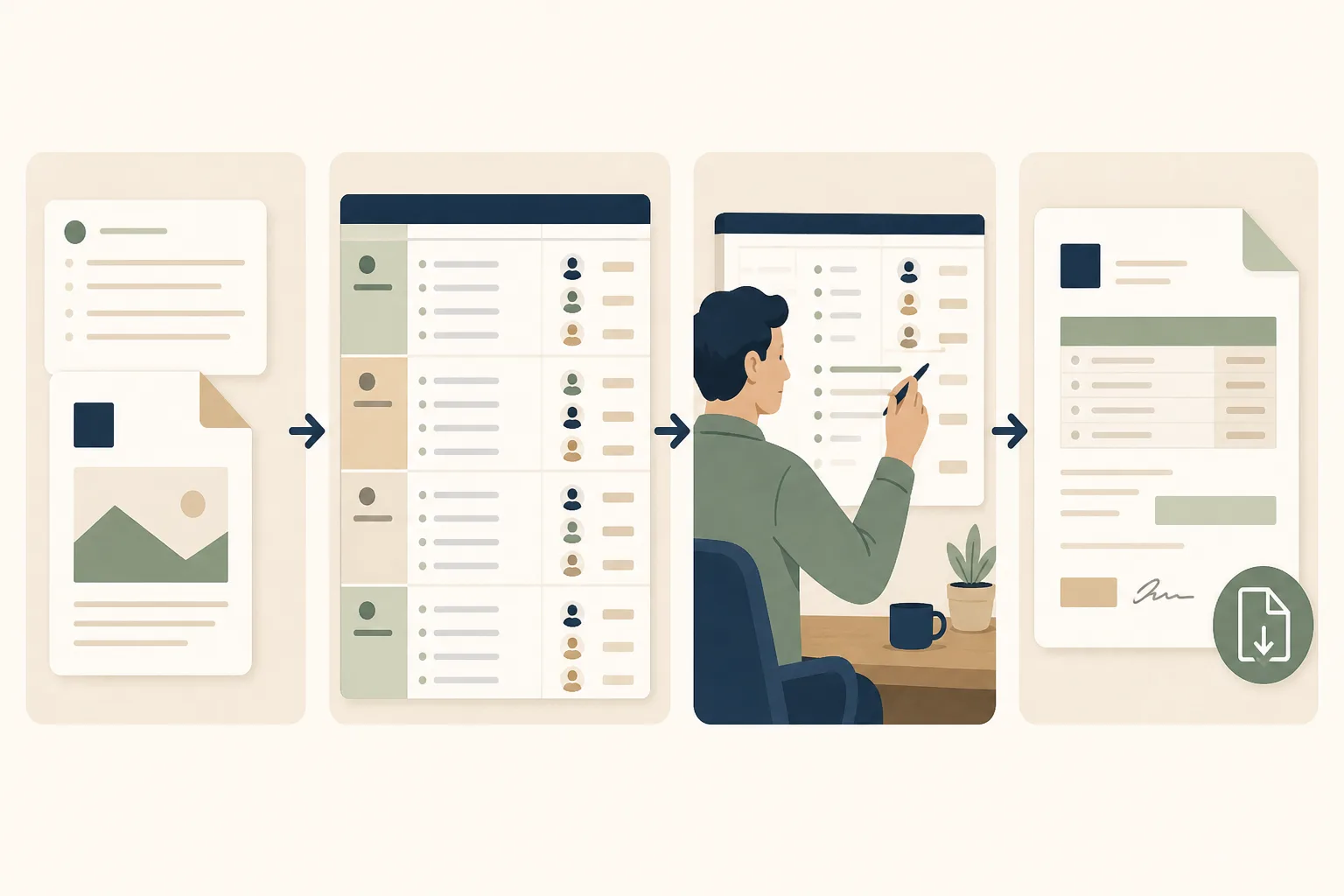
Roadbase gives a team a practical starting sequence: paste a brief or attach a PDF, create an editable draft work breakdown, then review and adjust its phases, tasks, roles, estimated hours, timing, and estimate reasoning. From there, review the quote inputs, including labor, overhead, direct costs, contingency, and target margin, and use the visual timeline to discuss the work before exporting the reviewed plan and quote as a proposal PDF.
Where relevant linked task data contains estimates and actual hours, that role-level context can inform a later draft. A saved template or existing project can also be manually reused as a starting point. In both cases, the next plan still benefits from a fresh review and adjustment for the brief in front of you.
- Nicolas Robertson
Turn Your Next Brief Into a Reviewable Project Plan and Quote
If you have a real brief, notes, or PDF, Roadbase can help you turn it into an editable project-plan and quote draft to review. Once it is approved, keep the same work connected to task statuses and tracked time.
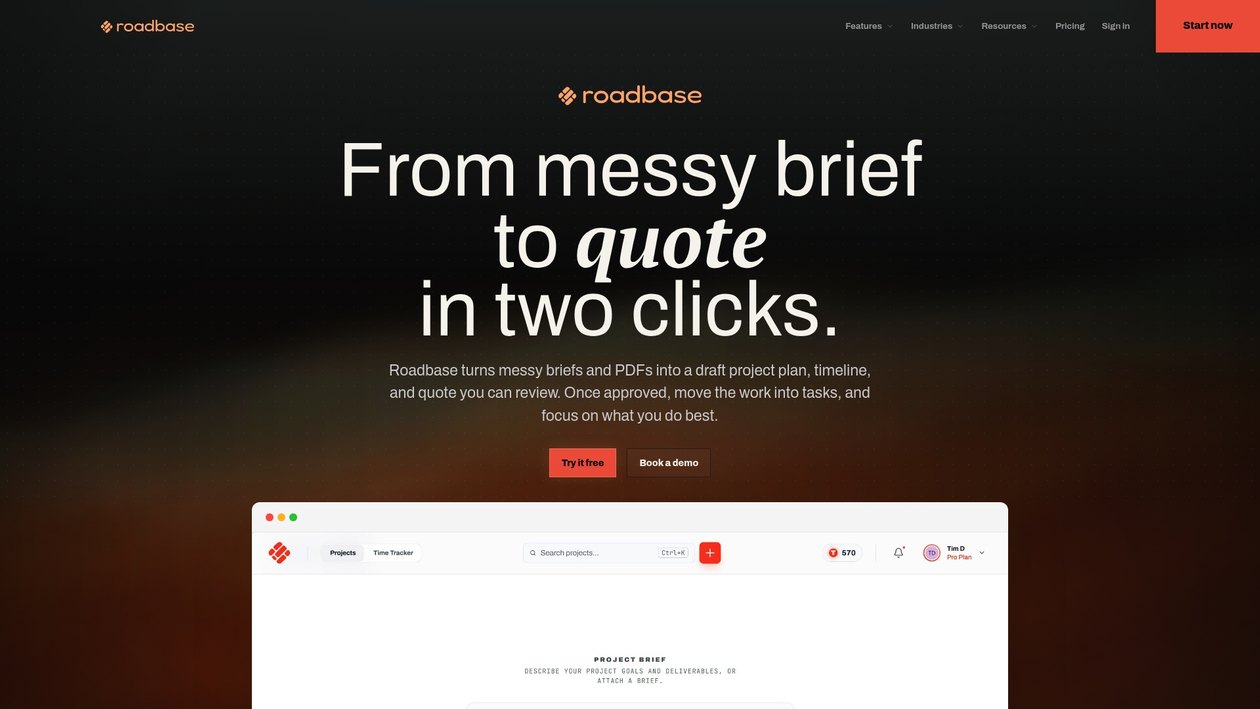
Start with the parts you already know, then review and adjust the phases, tasks, roles, estimated hours, timing, and quote inputs before exporting a proposal PDF. Roadbase for creative freelancers is a useful place to see the quote-first workflow in context.
Sources
- How to Write a Freelance Proposal - Template & Tips | WhatShouldICharge | WhatShouldICharge
- Project Proposal: Agency Guide to Winning Clients (2026)
FAQ
What Is the Difference Between a Proposal Timeline and a Project Schedule?
A proposal timeline shows the major phases, milestone dates or ranges, dependencies, and review points used to discuss the proposed work. A project schedule can take that approved plan into more detailed tasks and status updates as the work begins.
How Long Should a Client Review Window Be?
Set the review window for the project in front of you. Consider the number of reviewers, the type of decision, and the milestone that follows, then make that expectation visible in the proposal.
What Should Happen in the First Week After a Client Signs?
Use the approved plan to set an appropriate project status, make early tasks visible, keep task details and comments with the work, record time against the project or task, and compare tracked hours with the estimate as work progresses.
Can Software Build a Proposal Timeline for Me?
Roadbase can start from pasted brief text or an attached PDF and create an editable draft work breakdown with phases, tasks or milestones, roles, estimated hours, timing, and estimate reasoning. Review and adjust that draft before using it for the proposal; relevant linked estimate and actual-hours context can inform a later draft.