

Rate Card Template for Freelancers: Build a Clear, Shareable Rate Sheet
A rate card gives a prospective client a quick view of what you offer and how you price it. Start with a reusable list of services, deliverables, pricing units, and baseline prices. Then add the terms that help someone interpret those numbers. You can keep an editable master and share a reviewed PDF when the layout is ready. A specific brief will still need its own estimate.
TL;DR:
- Choose rows and columns that fit your offers: hours, defined packages, monthly retainers, or deliverables.
- State what each price covers, the unit it uses, and when the rate card applies.
- Work in an editable file, check the numbers and layout, then export a PDF if you want a stable sharing copy.
- Revisit rates when costs, scope, demand, or the services you offer change; keep a dated master.
- Treat the card as a starting-price reference. Price a real project against its actual work and assumptions.
Table of Contents
- What should a rate card template include?
- How do you choose the right rate card template for your services?
- How do you customize a rate card template in one session?
- Which file formats should you use for a rate card?
- What is the quick-start rate card checklist?
- How should different creatives structure their rate cards?
- How do you keep your rate card up to date?
- An author's view on rate cards and scoped proposals
- How Roadbase turns a rate card into a priced proposal
- FAQ
- Sources
What should a rate card template include?
Start with the information a client needs to interpret each row:
- Service name: a plain label, such as brand identity or video editing.
- Deliverable: what the client receives, including a useful quantity or boundary where appropriate.
- Unit: per hour, project, item, post, or month. A number without a unit is hard to use.
- Price: a baseline figure or a range, with the reason for a range made clear.
- Timing: an indicative turnaround if that helps clients compare options.
- Validity and terms: when the listed rates apply, plus relevant payment or booking terms.
Add minimum fees, revision rounds, rush work, direct expenses, add-ons, and a contact step when they change the offer. The published professional services rate card is one example of a layout that separates role rates, expenses, payment terms, and rate validity. Adapt the structure to your own pricing and location.
Group related services under clear headings. A reader should be able to find the deliverable, unit, and price without decoding a legend.
How do you choose the right rate card template for your services?
Choose the layout after you know what you sell. A short list might fit in one table; several distinct offers may need separate sections or pages. The format should make differences visible without forcing unlike services into the same price column.
- Hourly work: pair the rate with the role or service and any minimum booking unit. Explain what happens when work exceeds an initial estimate.
- Packages: show what is included in each package, including quantities, handoff files, and review rounds. Use tiers only if the distinctions are real.
- Retainers: state the billing period, included work or hours, and how additional work is priced.
- Client audience: use names and units your buyer will recognize. Put specialist detail in a proposal when a simple card cannot explain it.
If you adapt someone else's template, check that the source file is editable and that its license permits your intended commercial use. A flattened image can be a visual reference, but it is not a practical master for rate changes.
Put the services clients ask for most near the top, then keep the order stable between versions. For the different purpose of displaying a project-specific quote, see proposal pricing tables.
How do you customize a rate card template in one session?
Use these steps as an order of work, not a time promise. Pricing decisions may need more thought than page design.
- List your offers. Write one row for each service or package you intend to sell. Describe the deliverable in a sentence short enough to compare with the next row.
- Choose each unit. Mark whether a price is hourly, per project, per item, or monthly. If different roles contribute to a service, role-based estimating can help you think through the hours and rates behind it.
- Check your baseline price. Consider the labor, direct costs, and scope you expect that row to cover. A published rate from another provider is context, not a substitute for your own costs and positioning.
- Add boundaries and terms. State relevant revision limits, turnaround assumptions, validity dates, and how work outside the listed offer is quoted.
- Review the page. Group services, add your identity and contact details, and check that prices and units remain legible on a small screen and on paper. Save the editable master before exporting a sharing copy.
For another provider's published pricing page, see web design pricing. Set your own figures from your costs and offer. Our guide to pricing a web design brief covers the separate job of estimating a specific web project.
Which file formats should you use for a rate card?
Choose an editable source that fits the work you actually do, then review its exported copy.
- Spreadsheet: useful when rates depend on hours, quantities, add-ons, or calculations. Check formulas and visible totals before sending anything.
- Document editor: useful for a short service list with plain-language inclusions and terms.
- Design file: useful when type, imagery, and layout carry more of the presentation. Keep the pricing content easy to update.
- PDF: useful as a sharing copy after you have checked the page size, legibility, links, and current figures. Keep the editable source separately for the next revision.
An editable link can help when you and a client are working through quantities together, but decide who can change it before sharing. A PDF presents a fixed export of your current layout; it does not prevent someone from copying or modifying content. If a spreadsheet is becoming difficult to maintain as a quoting system, see where spreadsheet quoting runs out of road.
What is the quick-start rate card checklist?
Before sharing a card, check these points:
- Each offer has a service name, deliverable, pricing unit, and baseline price.
- Package or retainer inclusions are distinguishable from work quoted separately.
- The validity date, relevant terms, and contact step are visible.
- Prices reflect your own costs and current offer, not a borrowed sample.
- The page is legible in the form you plan to send.
- Your editable master has a date or version label; the PDF was exported from that version.
This checklist gets the card ready for review. If the client has a detailed brief, use it to prepare a separate project quote.
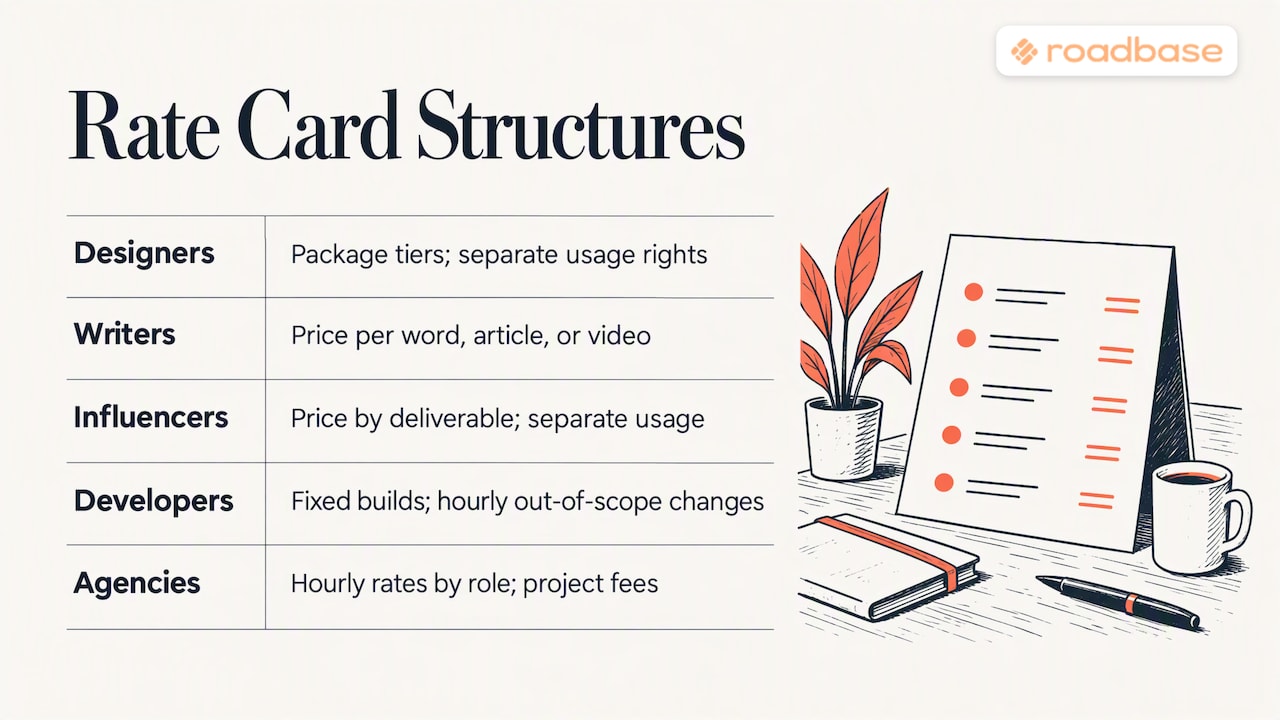
How should different creatives structure their rate cards?
The useful unit changes with the work. These are examples to adapt, not rules about how every freelancer prices.
Designers and illustrators might show a brand identity package, a defined set of collateral, and a separate adaptation or illustration fee. Name the concepts, revision rounds, and final files. If usage rights affect the offer, state the intended use and ask for qualified advice on the terms where needed.
Writers and content creators can distinguish an article, a short script, and a content package by research depth, length, interviews, revision rounds, and distribution formats. A word count alone may not explain the work.
Motion and video teams can separate treatment, production, edit, sound, and cutdowns. Runtime, footage supplied, aspect ratios, and feedback rounds can change the labor behind a price.
Experiential studios can distinguish concept work, production artwork, supplier coordination, and show-day support. Clarify whether travel, fabrication, and third-party expenses are included or quoted separately.
Influencers can price a post, short video, or story set as a defined deliverable. If paid usage or exclusivity changes the offer, identify those terms instead of hiding them in a single number.
Developers and web freelancers may show a defined build package and a separate unit for additional changes. For a project-specific choice between hourly and fixed pricing, see professional services pricing.
Mixed small studios and agencies can show baseline role rates alongside clearly defined packages. Explain that a project fee depends on the roles, hours, direct expenses, and assumptions in that project's estimate.
The card can be as long as your offers require, provided someone can navigate it. A proposal is the place to explain the scope and numbers for one client.
How do you keep your rate card up to date?
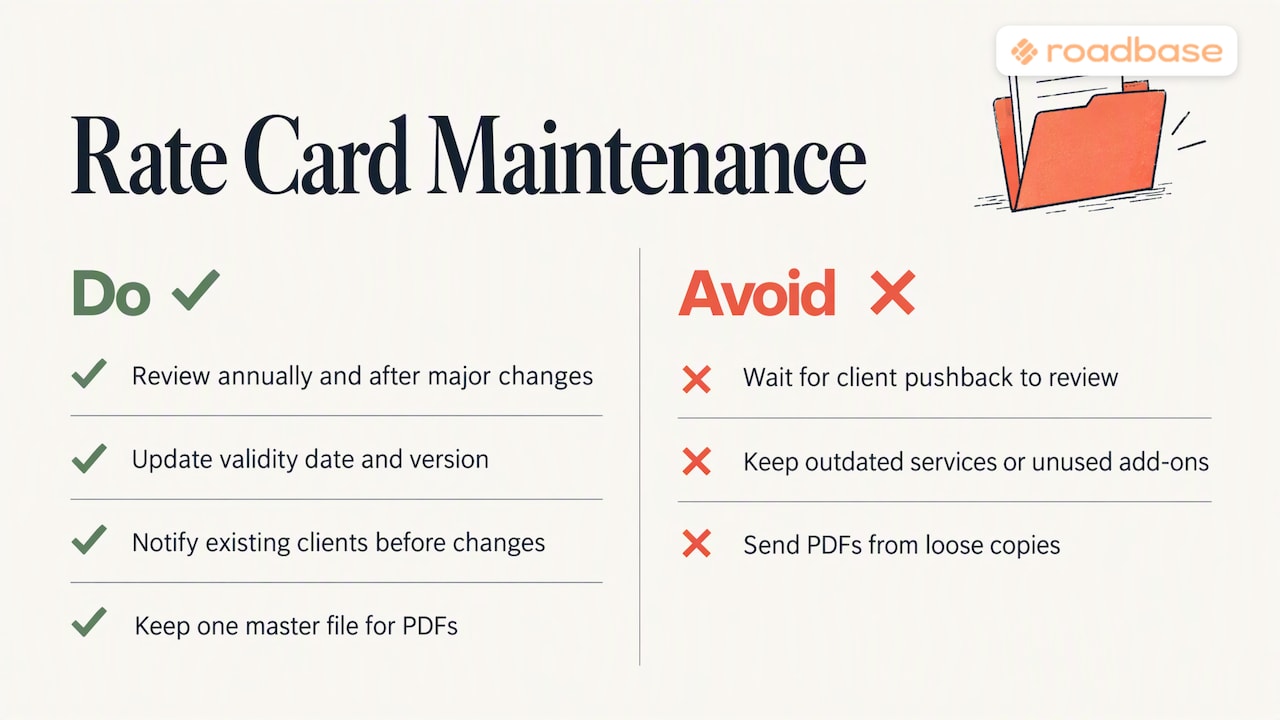
Revisit the card when your costs, services, typical project size, or availability change. Set a review reminder that suits your business, and inspect each row rather than applying an automatic percentage increase.
For each change, record the date, old and new figure, and reason in your editable master. Update the visible validity date and version label. If a change affects existing clients, explain when the new rate applies under your actual agreement.
Look at comparable offers in your discipline and region as one input. Check what their prices include before comparing the numbers. Also remove services you no longer want to sell and clarify add-ons that keep becoming part of the main job.
Export a fresh sharing copy from the current master and retire older copies you control. That simple version trail makes it easier to answer which rates a client saw.
An author's view on rate cards and scoped proposals
A rate card answers an early question: what kinds of work do you offer, and where does pricing start? Once a client describes the actual project, use the card as a reference and build an estimate around the work, roles, assumptions, and costs involved. That gives both sides a clearer basis for reviewing the quote.
How Roadbase turns a rate card into a priced proposal
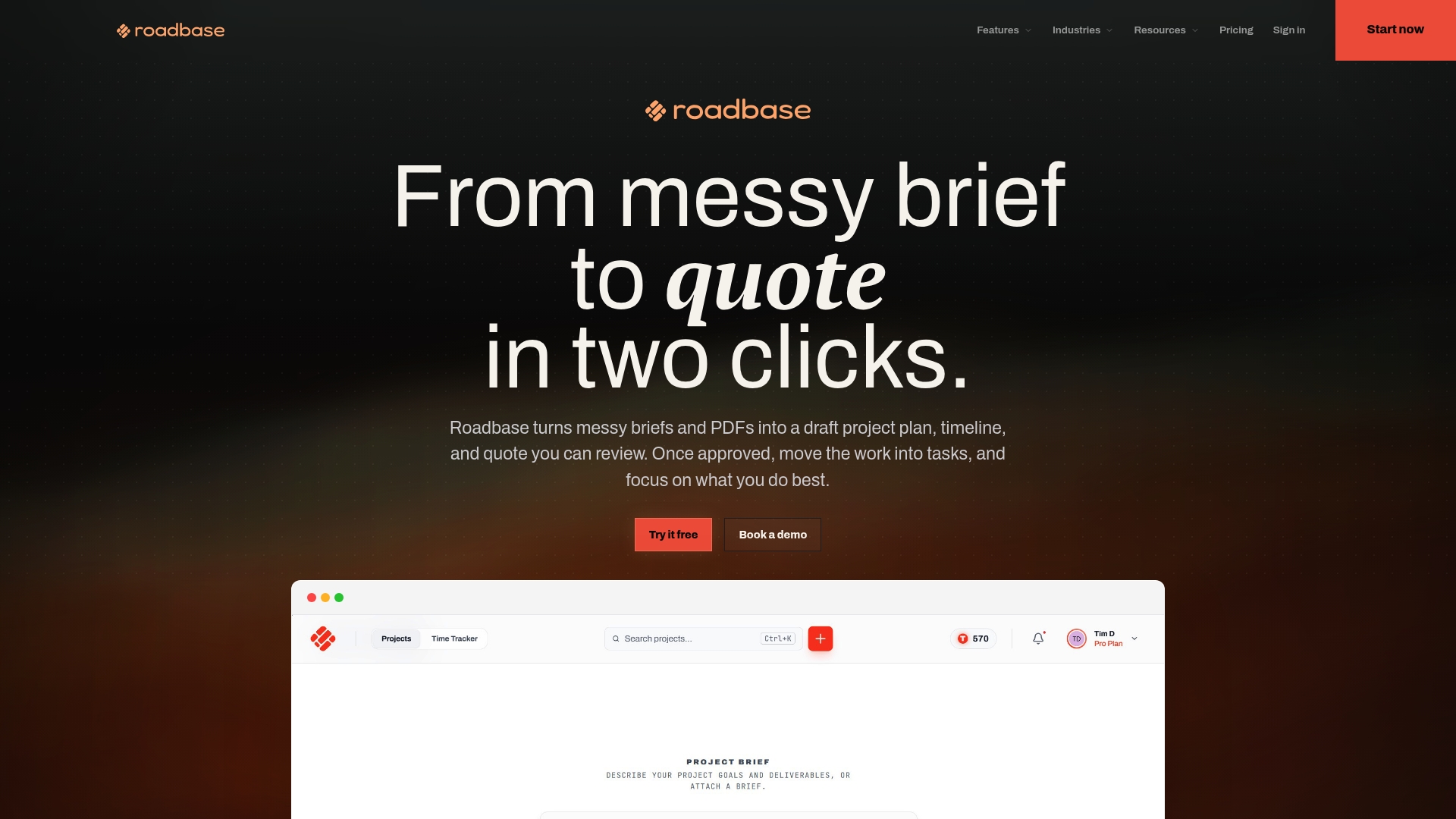
Have a real brief behind those baseline rates? Paste the brief or attach a PDF in Roadbase. It can build an editable first draft of phases, tasks, roles, and estimated hours for you to review and adjust. Use the role rates and costs you supply to review labor, direct expenses, overhead, contingency, and target margin behind the project quote. Once you have checked the plan and numbers, export them as a proposal PDF. That proposal is specific to the project; it is separate from your reusable rate card.
For product details, visit Roadbase or see the pricing page. Working solo? See the page for creative freelancers.
FAQ
How do I create a rate card?
List the services you want to offer. For each, state the deliverable, unit, and baseline price. Add relevant boundaries such as turnaround, revisions, and validity. Arrange the rows in an editable file, review the figures and layout, and export a PDF if that is how you want to share it. Keep the editable file as your master.
What should be included in a rate card?
Include the service name, deliverable, pricing unit, price, and enough terms to interpret the offer. Timing, add-ons, minimum fees, revision limits, direct expenses, validity, and contact details may matter for your particular work.
How do I create a rate sheet?
A rate sheet can be a simple table of services, units, and prices. Add the date or validity period, then check that each number reflects the current offer. A spreadsheet is convenient when you need formulas; a document editor may suit a shorter list. Review a PDF export before sending it.
What is the difference between a rate card and a media kit?
A rate card explains services and prices. A media kit introduces a creator, audience, past work, and ways to collaborate. A media kit may include a rate-card page, but the two documents answer different questions.
Recommended
- Web Design Pricing for Freelancers: Price a Brief in One Session
- Proposal Pricing Tables for Freelancers and Agencies
- Turn Briefs Into Priced Proposals: Copywriting Rates for Freelancers
- One Page Proposal: A Fast, Scannable Template That Wins
Sources
The professional-services rate card and web-design pricing page linked above are examples to explore. The Roadbase guides linked throughout the article expand on role estimates, pricing models, and project-specific proposals.