

Roles and Responsibilities Template for Project Teams
A roles and responsibilities template makes the work and decisions on a project visible. Below is a role card you can copy, a task-level matrix, and a filled brand identity example. Use the detail your project needs, then agree who will do the work and who can approve it.
TL;DR
- Use a reusable role description for broad duties and a project matrix when task-level decisions need to be clear.
- In the RACI convention used here, give each row one Accountable owner. More than one person can be Responsible for doing the work.
- Keep titles in the reusable template; map them to named people in the live project.
- When client acceptance matters, agree on a named approver and a way to consolidate feedback.
- A small team may need only Responsible and Accountable. Add Consulted and Informed where they clarify a real handoff.
Table of Contents
- What a roles and responsibilities template actually covers
- The role template
- The matrix template: who does what, task by task
- A filled example: brand identity project
- The one-accountable rule
- Do you need all four letters?
- Name the client approver first
- How to build your own, step by step
- Common mistakes
- Our perspective
- Putting roles and pricing in one place
- FAQ
- Sources
What a roles and responsibilities template actually covers
A role description and a responsibility matrix answer different questions. A role description sets out a position's general duties. A project matrix assigns work and decisions for a particular set of deliverables. AIHR's role-template guide is useful background on the first format; Cornell's RACI definitions describe the task-level assignments in the second.
In practice:
- A role description says what a Creative Director or Project Manager generally does on a project. You can reuse it and edit it as the role changes.
- A responsibility matrix says who does, owns, advises on, or hears about each task on this project. Update it when the plan or people change.
If you're writing a reusable role card, start with the first template below. If you're about to launch a client project, spend more time on the matrix. For broader reading about the documents a project may need, see this project documentation guide.
The role template
Copy this block for each role on your team. Keep each field short enough that someone can use it during a handoff.
| Field | What to write |
|---|---|
| Role title | The reusable title, such as Art Director. |
| Purpose | Why the role is needed on this project. |
| Owns | The deliverables or decisions this role is accountable for. |
| Does | The tasks this role performs. |
| Advises on | Decisions where this role gives input. |
| Hands off to / receives from | The roles on either side of its work. |
| Escalates to | The person who can resolve a blocker. |
| Hours or capacity | Planned hours and any availability constraint to check separately. |
The "Owns" and "Does" rows serve different purposes: someone can do the work while another person has the final decision. A role card is a starting point; assign the actual deliverable and decision owners in the project matrix.
Use titles, then map them to names
Titles make a blank template reusable. On a live project, add the name or contact filling each role so the work reaches a person. If that person changes, update the project copy. Convey's creative brief template is further reading on documenting a creative project; the named-person rule here is a practical way to use this template.
The matrix template: who does what, task by task
A responsibility matrix puts tasks down the left and roles across the top. The RACI format uses four letters, as this RACI chart explainer outlines:
- R, Responsible: does the work. A row can have several contributors.
- A, Accountable: owns the decision or outcome in this matrix and gives the agreed sign-off. Use one A per row.
- C, Consulted: gives input before the decision or work is complete.
- I, Informed: receives an update without being asked to decide.
Here is a blank structure you can paste into a spreadsheet or document:
| Task or deliverable | Project Manager | Creative Director | Designer | Copywriter | Client approver |
|---|---|---|---|---|---|
For work rows, check that someone is Responsible and one role is Accountable. Put a named person behind each role before the project starts.
A filled example: brand identity project
Here is one possible matrix for a brand identity project. The client approver is included because this example needs an external acceptance decision; agree the real decision route with your client.
| Task or deliverable | Project Manager | Creative Director | Designer | Copywriter | Client approver |
|---|---|---|---|---|---|
| Kickoff and brief confirmation | A/R | C | I | I | C |
| Moodboard and direction | I | A | R | C | I |
| Logo concepts (round 1) | I | A | R | I | C |
| Brand voice guide | I | A | C | R | C |
| Revision round feedback | A/R | C | I | I | R |
| Final sign-off | I | C | I | I | A/R |
| File delivery and handoff | A | I | R | I | I |
The Creative Director owns internal creative decisions in these example rows. The client approver makes the separate final acceptance decision and performs the sign-off action. One person may hold A and R in the same row; the exact allocation should match your project.
The one-accountable rule
In this RACI convention, assign one Accountable owner per row. Two designers can both be Responsible for concepts, but the row should show who resolves the final decision. Pearson IT Certification's overview of responsibility matrices and its web article provide related terminology; University of Washington's RACI instructions make the single-A check explicit.
If two people appear to need A, ask whether the row combines two decisions. In the example, internal quality approval and client acceptance are distinct decisions and can be recorded separately. Forge's agency RACI guide is related reading for applying the chart in an agency setting.
Do you need all four letters?
RACI is one format for a responsibility matrix. For a small project with clear decisions, marking only who does the work and who owns the decision may be enough. Add the other letters when a handoff genuinely needs them.
- Start with R and A for each work row. This exposes an unassigned task or an unclear owner.
- Add C where input is required before a decision, such as legal review of a claim in ad copy. Say when that input is due.
- Add I for someone who needs the outcome, such as a finance contact receiving a scope-change update. An I cell is an update commitment, not an approval request.
- Read the chart as a team. If it takes longer to decode than the task list, simplify the columns or split an overloaded row.
Name the client approver first
When a client must accept work, agree who can make that decision before the first review. That is a project agreement, not a universal rule for every team. If several stakeholders contribute comments, also decide who will consolidate them. Then a designer knows whether a note is input to consider or the final instruction.
Practical steps:
- Add a client approver column when external acceptance is part of the work.
- Put a named contact behind that role in the live project copy.
- Agree who contributes input, who consolidates comments, and what counts as approval.
- Record the included revision rounds and the route for new requests in the proposal or scope document.
Our guide on how to prevent scope creep in creative projects covers the separate question of handling new work and its price.
How to build your own, step by step
- List the deliverables. Work from the brief. If the work is still scattered across notes, the walkthrough on turning a messy brief into a clear quote can help you form the work list.
- List the roles. Start with titles, then attach a named person or contact to each one in this project's copy. Include a client approver if client acceptance is required.
- Mark R on each work row. Ask who will actually produce or carry out the item. Several people can share the work.
- Mark A on each row. Choose the person with the agreed decision authority. If the row needs two different decision makers, split it into separate decisions.
- Add C and I deliberately. Record input that must arrive before a decision and updates someone needs after it. Leave other cells blank.
- Review the columns. Many A assignments or an empty role column are prompts for a conversation, not proof of overload or spare capacity.
- Check hours separately. Estimate the effort for each role and compare it with actual availability. The letter matrix alone cannot establish capacity.
- Share the draft before kickoff. Ask the people named in it to confirm their work and decision rights.
- Revisit it at milestones. The handoff or approver may change with the phase. The guide to milestones and deliverables helps identify useful review points.
Common mistakes
- Two A marks on one decision. Choose one owner or separate the decisions into different rows.
- Titles with no named contact. A reusable template needs titles; a live handoff needs to reach people.
- A role card in place of a project matrix. General duties won't tell the team who approves this deliverable.
- Everyone marked C. Identify whose input is actually needed and when.
- An absent external decision maker. If the client accepts work, show that decision in the project copy.
- A chart that never changes. Review it when the work, team, or approval route changes.
Our perspective
The useful moment to discuss responsibilities is while the work breakdown is still being shaped. Decide who will make each deliverable and who can approve it, then estimate the hours for the roles doing the work. The matrix clarifies decisions; the estimate lets you check effort and price. They serve different purposes but should describe the same project.
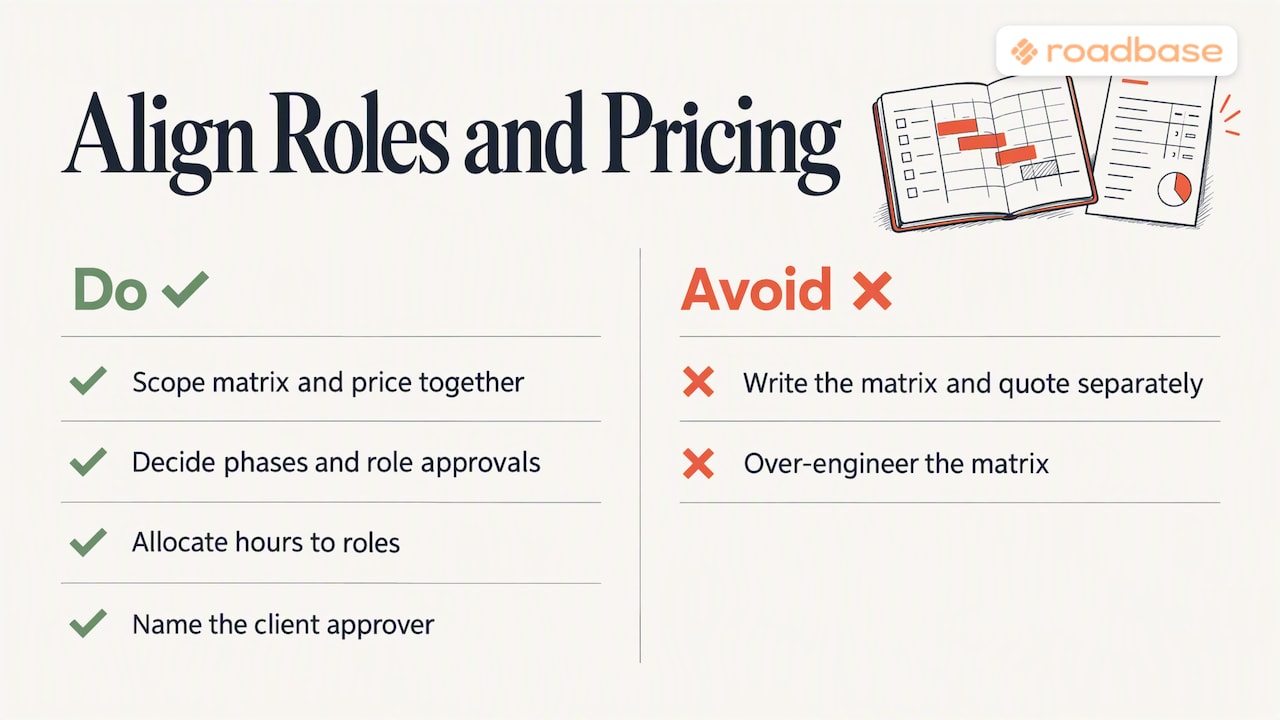
For a small, clear project, an owner and doer list may be enough. As handoffs grow, add C and I where the team needs them. This is a working choice for the project, not a rule set by team size.
Putting roles and pricing in one place
Have a real brief in hand? Sketch the deliverables and decision owners with the template above, then visit Roadbase to paste the brief or attach a PDF. Roadbase generates an editable draft of phases, tasks, roles, and estimated hours for you to review and adjust. You can set role costs and billable rates, review the costs and target margin behind your quote, and export the reviewed plan and quote as a proposal PDF. Keep the responsibility matrix alongside the project as your team's decision record.
For current plan details, see the Roadbase pricing page. If you're comparing tools, our overview of creative agency software for quoting and delivery lays out adjacent options.
FAQ
What is the difference between roles and responsibilities?
A role is the position someone fills, such as Project Manager or Designer. Responsibilities are the work and decisions attached to it. Asana's explanation of roles and responsibilities offers another introduction to those terms.
How do you write a roles and responsibilities example?
Start with the role title and a one-sentence purpose. Then separate what the role owns from what it does. For example: Project Manager. Purpose: coordinates the brand project. Owns: the agreed schedule and internal handoffs. Does: runs kickoff, records decisions, and gathers feedback. Add the named person and hours in the live project copy.
Is a RACI chart the same as a roles and responsibilities matrix?
RACI is one way to fill a responsibility matrix. It marks who is Responsible, Accountable, Consulted, and Informed for each row. A simpler owner and doer matrix can also work when fewer distinctions are needed.
Can more than one person be accountable?
Within the RACI convention used here, put one A on each row. Several people can do the work. If two people each have a final decision, write those as separate decisions so the authority is clear.
Should I include the client in the template?
Include a client role when the client needs to give input or accept a deliverable. Name the actual approver in the live project and agree who consolidates feedback if that's a different person.
Sources
- AIHR: Roles and Responsibilities Templates
- Convey: B2B Website Landing Page Creative Brief Template
- Atlassian: RACI Chart
- Pearson IT Certification: The Three R's: RAM, RACI, and RBS (web article)
- Forge: Using RACI for Agency Projects
- Asana: How to Define Roles and Responsibilities