

Best Client Onboarding Software: 8 Tools Compared for 2026
Choosing client onboarding software starts with the work your client needs to do. Some teams need a shared project space with tasks and dates. Others need forms, contracts, and document collection. A creative team may first need to turn a brief into a plan and quote the client can review. These eight tools address different parts of that journey.
TL;DR
- For a brief that still needs a plan and price, consider Roadbase's editable draft work breakdown and proposal workflow.
- For client-owned tasks across a longer implementation, compare GuideCX, OnRamp, Dock, and Rocketlane.
- For intake forms, documents, signatures, and scheduling, look at Clustdoc and Dubsado.
- If your team already manages work in ClickUp, its onboarding templates may suit your process.
- Choose based on who participates, what they must do, and which step currently needs the most care.
Table of Contents
- What client onboarding software actually does
- How to choose: four questions before you compare
- The 8 best client onboarding tools compared
- Which tool fits which team
- Where onboarding breaks before it begins
- Our perspective
- Add follow-up automation once the basics work
- Try the scoping step first
- A simple onboarding checklist you can reuse
- FAQ
- Sources
What client onboarding software actually does
Client onboarding covers the steps between agreeing to work together and getting delivery underway. Depending on the service, that may include confirming a plan, collecting documents, arranging a contract, assigning client tasks, and agreeing on dates. Software can support one or several of those steps; the right category depends on the work.
A useful way to map your process is to ask what must move between people. A form gathers answers. A shared task space shows owners and progress. A proposal makes the planned work and price reviewable. You may need more than one tool when those jobs are distinct.
Client onboarding vs. product-led onboarding
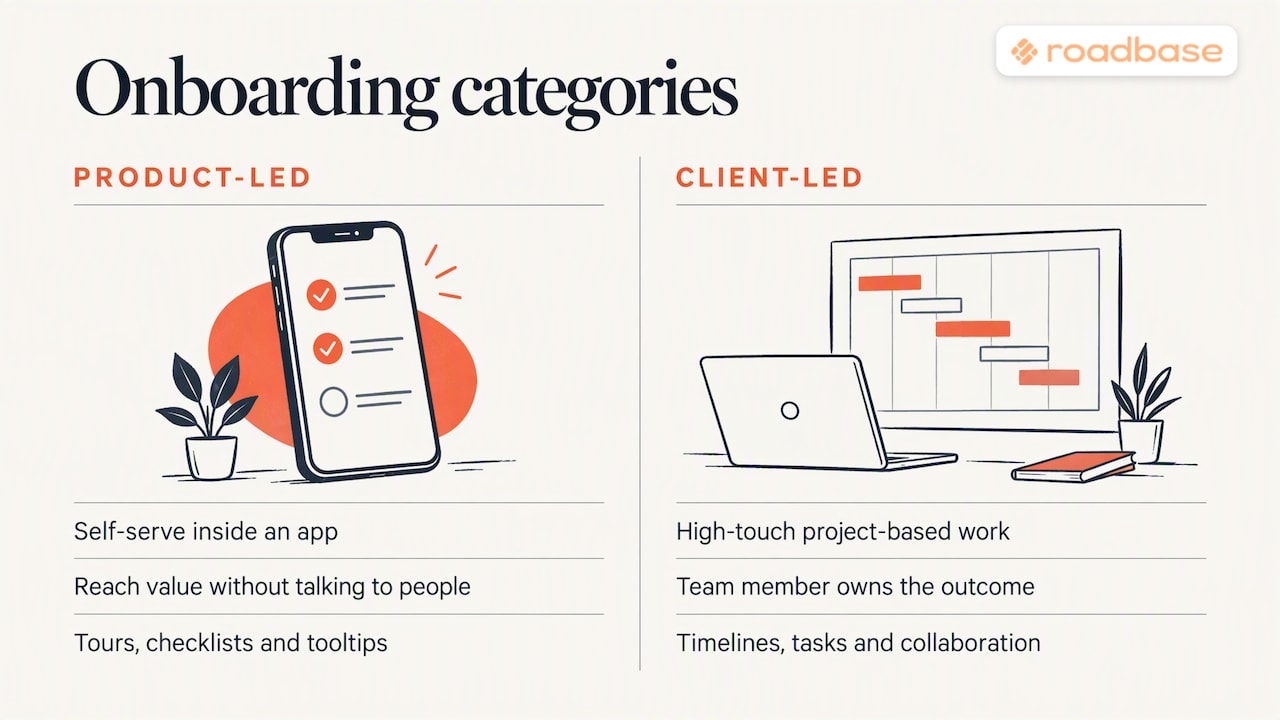
Client onboarding for a service involves people coordinating a project or engagement. In-app product onboarding helps someone learn and use software through elements such as checklists or guidance inside the product. The same company could need both, but they answer different questions.
How to choose: four questions before you compare
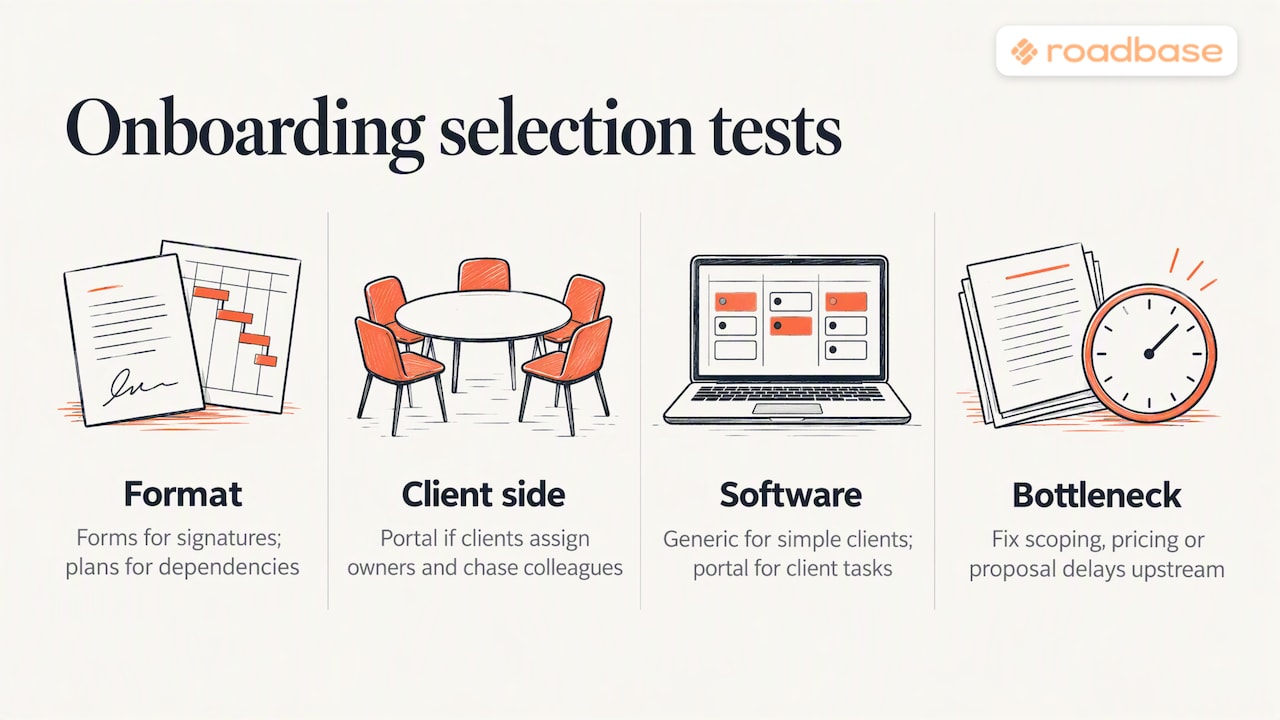
What is the next decision the client must make? If the work is still being defined, start with a clear plan and quote. If the agreement is already settled, focus on the information, tasks, or documents needed to begin.
Who must participate? One client contact may only need a form and regular updates. A team with several stakeholders may benefit from a shared workspace that shows client-assigned tasks and due dates.
How much of the process repeats? Standard intake forms and templates help with repeatable engagements. For a project with changing phases, owners, and milestones, look closely at how a tool handles those details.
Where is the current delay? Review a recent engagement. Did the delay come from defining deliverables, collecting assets, arranging signatures, or coordinating tasks? Choose the tool that addresses the observed step.
The 8 best client onboarding tools compared
Use the table to compare the job each tool is built to handle, then try the promising options with a real client workflow. Check each vendor's current terms before choosing a plan.
| Tool | Workflow to consider | Documented approach |
|---|---|---|
| Roadbase | Turning a project brief into a reviewed plan and quote | Editable work breakdown, pricing inputs, proposal PDF, then project and time tracking |
| GuideCX | Coordinating client tasks during onboarding | Customer portal with assigned tasks, due items, status, and attachments |
| OnRamp | Running a repeatable B2B customer onboarding process | Branded portal, playbooks, tasks, and reminders |
| Dock | Sharing an external customer workspace | Client workspace for tasks, materials, and progress |
| Rocketlane | Managing an implementation or professional-services onboarding project | Onboarding and implementation project workflows |
| Clustdoc | Collecting client information and documents | Forms, document requests, checklists, and e-signatures |
| Dubsado | Managing service-business intake and administration | Forms, contracts, scheduling, invoices, and flows |
| ClickUp | Building onboarding into an existing project system | Customer onboarding templates and task workflows |
1. Roadbase
Roadbase fits when the client has given you a brief but the phases, tasks, hours, and price still need work. Paste the brief or attach a PDF to generate an editable draft work breakdown. Review and adjust its roles, timing, assumptions, and constraints, including any review rounds mentioned in the brief. You can price estimated hours by role, inspect costs, expenses, contingency, and target margin, then export the reviewed plan and quote as a proposal PDF.
After approval, project and task statuses and tracked time keep the agreed work connected to actual hours. That comparison helps you see how an estimate played out; the draft and commercial decisions remain yours. Check current plan terms before choosing a subscription.
2. GuideCX
GuideCX documents a customer onboarding portal where clients can see assigned tasks, due items, project status, and attachments. Consider it when client participation and project visibility are central to the handoff. Check the portal experience against the specific actions your clients must take.
3. OnRamp
OnRamp offers a branded customer portal with playbooks, tasks, and reminders. It is a candidate for teams running a defined B2B onboarding process across customer stakeholders. Review its current pricing and workflow with the vendor against your expected project volume.
4. Dock
Dock uses shared external workspaces for onboarding and other customer collaboration. A workspace can bring tasks and materials into one client-facing place. If that is the step you need, compare its current workspace limits and pricing with the number of active clients you expect.
5. Rocketlane
Rocketlane presents onboarding, implementation, and professional-services project workflows. It is worth examining when delivery involves coordinated implementation tasks and customer participation. Map a real project into its workflow before deciding how much of the process it covers.
6. Clustdoc
Clustdoc supports forms, document collection, e-signatures, and client-facing checklists. It is a practical option to evaluate when gathering complete information and documents is the main onboarding job. Check its form and signature flow against your own requirements.
7. Dubsado
Dubsado brings forms, contracts, scheduling, invoices, and workflow automation into a service-business process. It may suit a team that wants to coordinate those administrative steps in one system. For a closer comparison of the quote workflow, read Roadbase vs Dubsado for creative project quotes.
8. ClickUp
ClickUp offers customer onboarding templates within a broader project-management workspace. If your team already runs delivery there, try one real onboarding sequence and check how tasks and updates reach the client. See Roadbase vs ClickUp for quotes and project delivery for the planning and quoting comparison.
Which tool fits which team
| Your immediate job | Tools to examine |
|---|---|
| Turn a creative or consulting brief into a plan and quote | Roadbase |
| Collect intake answers, documents, or signatures | Clustdoc or Dubsado |
| Give customers a shared view of onboarding tasks | GuideCX, OnRamp, or Dock |
| Coordinate an implementation project | Rocketlane, plus the portal options if client tasks matter |
| Reuse an existing project workspace | ClickUp |
Match budget to the work
Compare the total cost with the time and coordination the tool would address in your own process. Check current vendor pages for limits, billing terms, and the features you would actually use. A small trial with one representative client workflow is more useful than choosing from a feature count alone.
Where onboarding breaks before it begins
Sometimes the first gap is in the proposed work. In a brand project, an unnamed review round can leave both sides with different expectations. In a packaging project, copy or regulatory inputs may need an owner before design begins. In a consulting engagement, estimated hours and direct expenses need a deliberate review before the quote goes out.
A plan that names phases, tasks, owners, timing, and price gives the kickoff a firmer starting point. The client can review the proposed work, while the team can identify inputs it will need. For examples, see our guides to project roadmap tools for proposals and scoping and estimating a software integration project.
Our perspective
At Roadbase, we focus on the move from a brief to a reviewable plan and quote. A useful onboarding process starts with clarity about what the team intends to do, who will do it, and what the proposed work costs. Once that is agreed, forms, agreements, shared tasks, and reminders can support the next steps according to the engagement.
Try mapping one recent project from inquiry through kickoff. The point at which people waited, repeated work, or made different assumptions is a good place to start evaluating software.
Add follow-up automation once the basics work
When a request for assets or an approval has a clear owner and due date, a reminder can help keep it visible. Some onboarding tools include task reminders. A team using email can also automate follow-up emails with simple sequences. Write the request and deadline clearly first, then decide whether automation would help your clients respond.
Try the scoping step first
Bring the brief you already have to Roadbase. Turn it into an editable plan and quote, review the phases, roles, hours, and price, then export a proposal PDF when it is ready to share.
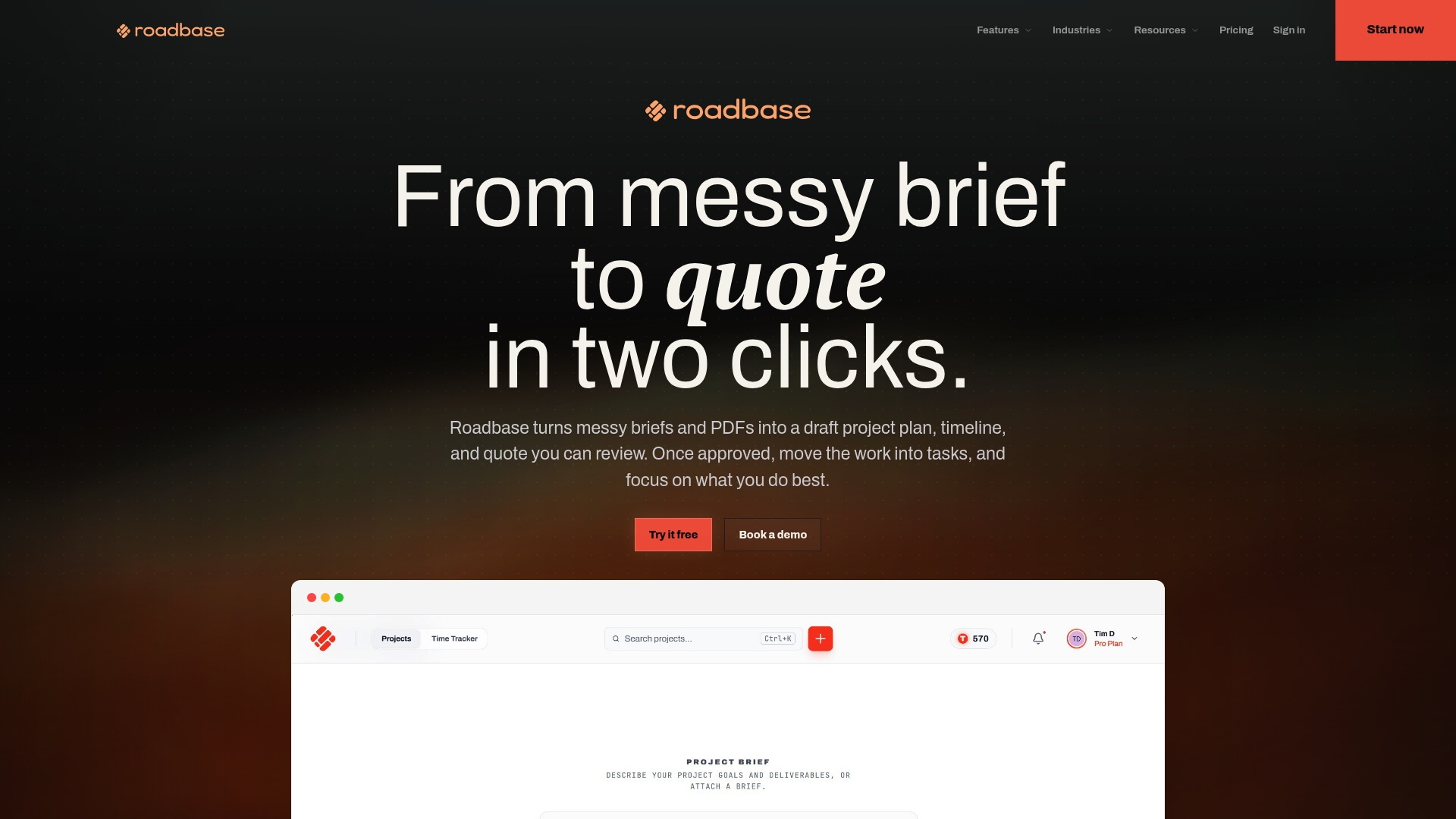
Explore Roadbase, see the plans and pricing, or read how Roadbase works for freelancer estimates and quotes.
A simple onboarding checklist you can reuse
Use this short sequence to find the step your tools need to support:
- Review the proposed work. Agree on deliverables, phases, timing, and review points.
- Arrange the agreement and payment steps. Use the appropriate contract and payment tools for your process.
- Request the inputs. Ask for the assets, access, and decisions the first phase needs.
- Name owners. Make it clear who supplies each input and who will respond.
- Confirm the kickoff. Check the first milestone and any open assumptions.
- Share progress. Choose a suitable client view or a regular update rhythm.
- Review actual time. Compare recorded hours with the estimate before planning similar work.
FAQ
What is client onboarding software?
It supports the steps that help a new client and service team begin work together. Depending on the tool, that can mean intake forms, documents, signatures, shared tasks, status, or a proposal. In-app product onboarding, which guides users through a software product, serves a different job.
What is the best client onboarding software for freelancers?
Start with the step that takes the most effort. If you need to define and price a project from a brief, Roadbase can produce an editable draft plan and quote for review. If collecting information or arranging an agreement is the bottleneck, compare a form and contract tool such as Dubsado or Clustdoc.
Do I need a client portal?
A portal is useful when clients need to see and complete assigned tasks or follow progress across several people and milestones. For a simpler engagement, a clear plan, an intake form, and a consistent update rhythm may cover the work.
Can a project management tool double as onboarding software?
Yes. A project tool such as ClickUp can hold onboarding templates and tasks. Test a real client journey, including what the client can see and do, before relying on that setup.
How much does client onboarding software cost?
Pricing depends on the vendor, plan, billing term, and usage limits, and it can change. Check each vendor's current pricing page and compare the features and client capacity you need. Roadbase's current plans and pricing are published on its site.
Sources
For the distinction between in-app and service-led journeys, Encharge discusses product-led versus sales-led onboarding and offers a closer comparison of those approaches.
For a broader scan of software categories, Userpilot has a customer onboarding software roundup. Its tool overview, category discussion, and recommendations offer starting points for building your own shortlist.
For questions about the client-facing experience, see Valuecase's software selection discussion and shared-workspace perspective. Tandem offers a customer onboarding software roundup and a look at dedicated onboarding tools.
For implementation-team context, Rocketlane's client onboarding article covers professional-services onboarding practices.