

How to Evaluate Proposal Automation for Freelancers and Small Agencies
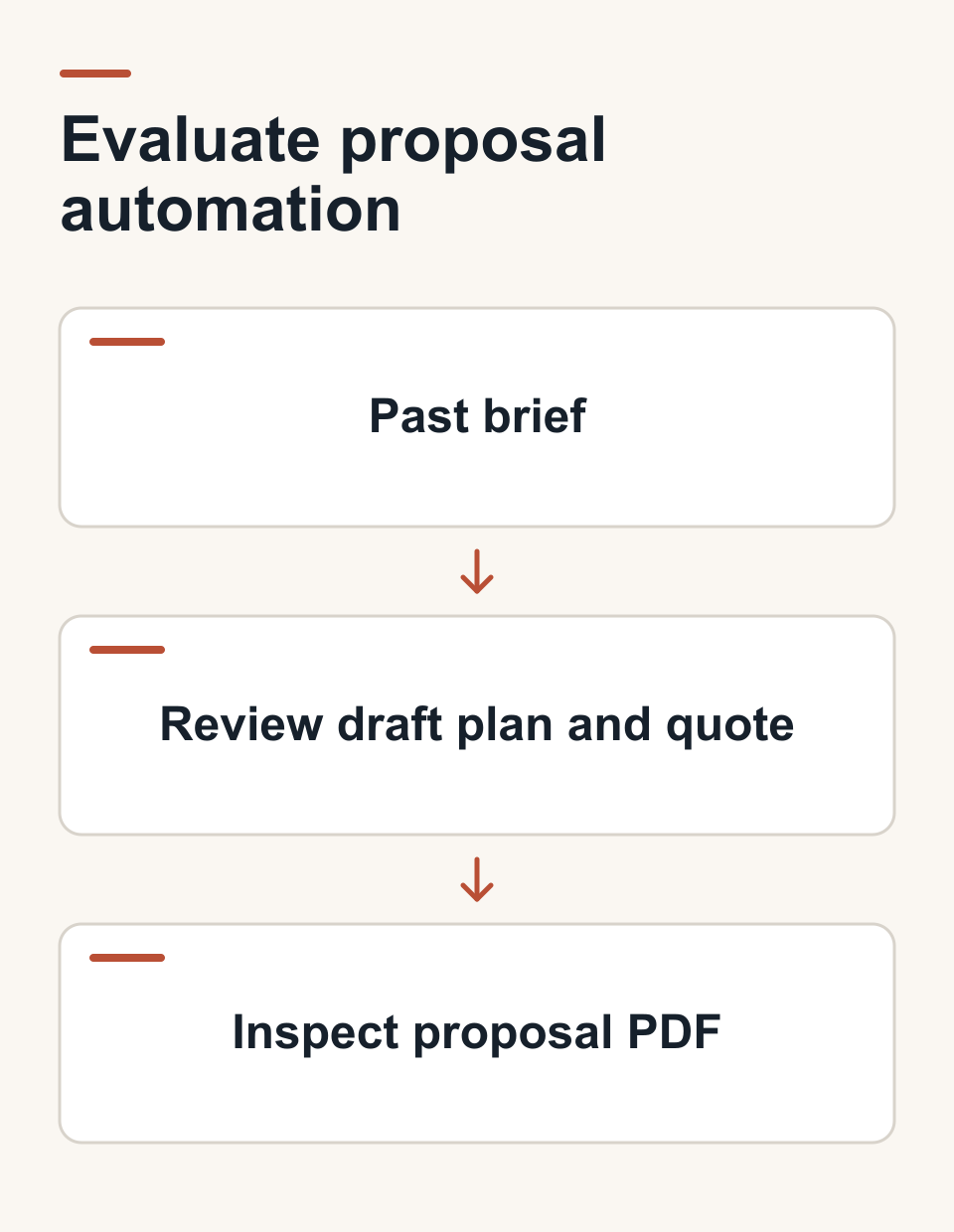
The useful test for proposal automation is a brief you've already priced. Put it through the tool, then compare the draft work breakdown, hours, quote, and exported proposal with the work you actually did. For freelancers and small creative teams, Roadbase can turn brief text or a PDF into an editable plan and quote. Your review decides whether that draft fits the job.
TL;DR:
- Start with a past, representative brief and compare the proposed tasks, roles, hours, and assumptions with the finished job.
- Check whether you can edit rates and costs, understand the quote, and review the PDF before it goes to a client.
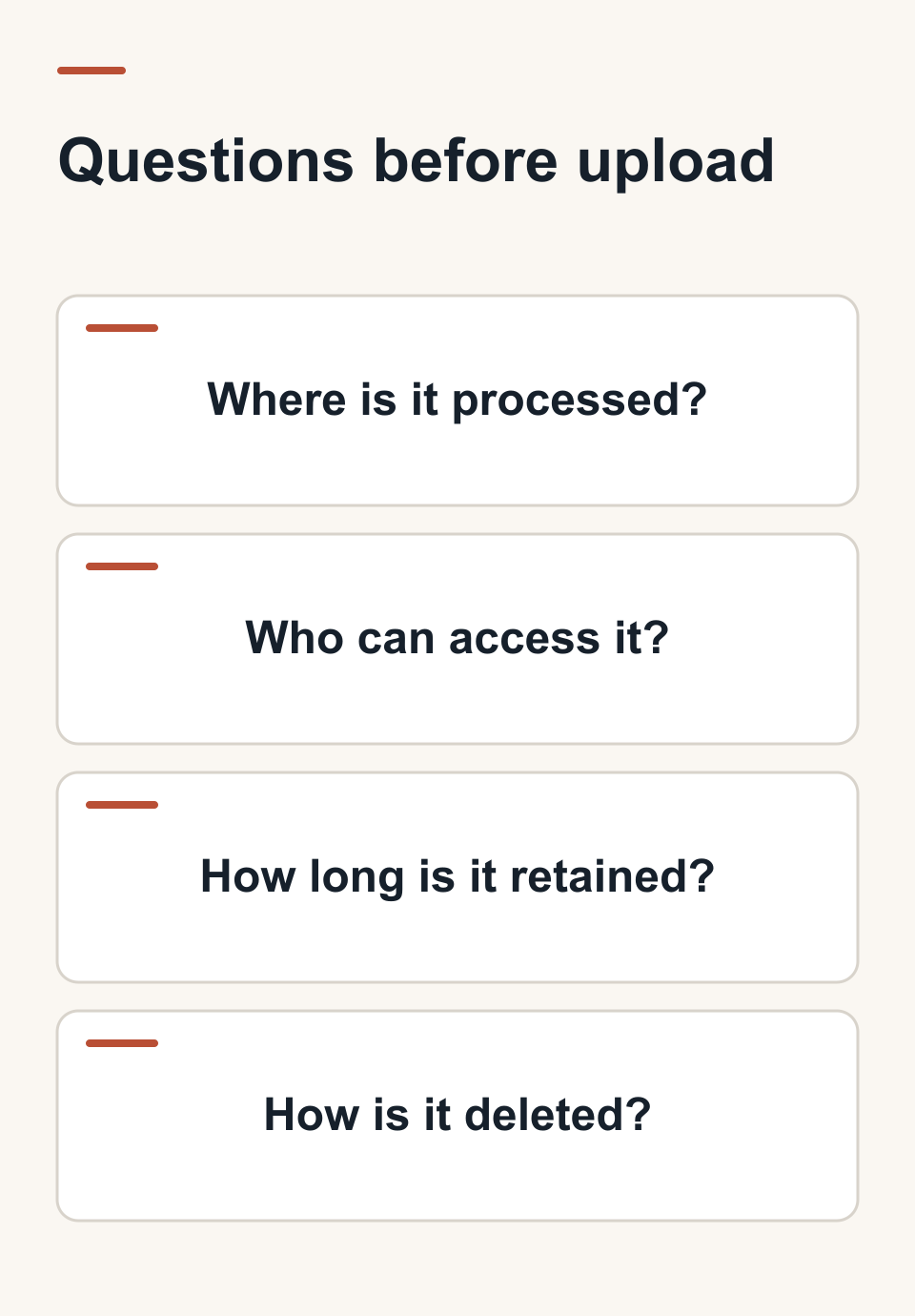
- Ask how the vendor processes, retains, and deletes client information before uploading a confidential brief.
- Test the handoff with the people who will prepare, approve, and use the plan; a solo workflow and a small-team workflow may need different checks.
- Treat the output as a draft. A vague brief still needs clarification or a discovery phase before a dependable quote.
Table of Contents
- What Does Proposal Automation Actually Do?
- How Do You Evaluate a Proposal Automation Tool?
- Why Roadbase Fits the Brief-to-Proposal Workflow
- How Do You Roll Out Proposal Automation With a Review Gate?
- Is Your Client Data Safe With Proposal Automation Tools?
- Does Proposal Automation Work for Solo Freelancers and Larger Teams Alike?
- What Support and Training Should You Expect?
- What Mistakes Do Teams Make Adopting Proposal Automation?
- When Automation Helps Most (and When It Doesn't)
- Try Roadbase: Test It Before You Commit
- Sources
- FAQ
- When Automation Helps Most and When Human Scoping Still Matters
What Does Proposal Automation Actually Do?
For a freelancer or small agency, the useful part of proposal automation is the path from brief to a plan and quote you can inspect. Depending on the tool, you might start with notes, brief text, or a PDF. A draft work breakdown gives you something concrete to check: deliverables, phases, tasks, roles, estimated hours, timing, and assumptions. You then adjust the pricing inputs and review the document before sending it. Sales-proposal software may instead focus on signatures and deal tracking; decide which job you need done first.
The payoff to test shows up in three places:
- Preparation time. Compare the time you spend getting to a reviewed proposal with your current process. A generated draft still needs editing.
- Coverage. Check the task list against a finished project. For a brand identity job, that might mean concept routes, revision rounds, and rollout files; for a video project, it might mean edit versions, sound, and cutdowns.
- Pricing clarity. Check whether the quote shows the role hours, direct expenses, contingency, and target margin you meant to use. A visible calculation helps you question a number; it cannot make an uncertain scope certain.
The decision is practical: does the tool give you a draft that is easier to review and hand off than your current starting point?
How Do You Evaluate a Proposal Automation Tool?
Run a short trial with a past brief and the completed project's estimate and actuals beside you. Twenty minutes is a useful first pass, though a complex job will take longer. Mark each item pass, needs work, or fail:
- Work breakdown. Does the draft name the deliverables, tasks, roles, estimated hours, timing, and assumptions you would expect? Compare omissions and invented work with the finished job. Check dependencies only if your workflow needs them and the vendor actually supports them.
- Editable pricing. Enter your maintained role rates and costs. Check how overhead, direct expenses, contingency, and target margin affect the quote, and whether you can explain the result to another reviewer.
- Past-work comparison. Compare the draft with a similar completed job. Can you reuse a useful structure or inspect estimate-versus-actual hours? Ask what historical data the tool uses, and test that claim with your own records.
- Export and handoff. Open the PDF and read it as a client would. If your team relies on an integration or an audit trail, verify that exact feature in the vendor's trial and follow one proposal through your normal handoff.
- Data handling. Before uploading a confidential RFP, ask where inputs are processed, who can access them, how long they remain, and how deletion works. Check those answers against your client obligations.
The trial should end with a decision, not a feature score. Keep the tool in contention if the draft exposes useful work for review, the numbers are explainable, the output fits your handoff, and the data terms fit the brief. If you have a second candidate, put the same brief through it and compare the gaps.
Pro Tip: Use a job that surprised you after kickoff. The missed revision round or specialist cost gives you a concrete test of what the new draft surfaces.
Why Roadbase Fits the Brief-to-Proposal Workflow
Roadbase follows the part of this trial that starts with a brief and ends with a reviewed plan and quote:
- Brief input. Paste brief text or attach a PDF.
- Work-breakdown draft. Review generated phases, tasks or milestones, roles, estimated hours, timing, and estimate reasoning. Edit the draft where the brief or your delivery method calls for it.
- Pricing review. Use your maintained role costs and billable rates, then inspect labor, overhead, expenses, contingency, and target margin calculations.
- Proposal export. Export the reviewed plan and quote as a proposal PDF.
- Later comparison. Track time against projects and tasks, compare actual with estimated hours, and, when enough relevant task data exists, use role-level history as context for a later draft.
The 48-hour agency quoting process shows a fuller route from raw brief to reviewed quote. The proposal writing with AI workflow covers the writing and checking steps if you want to examine those separately.
Picture a small brand studio testing a past identity brief. It puts the brief into Roadbase, then checks whether discovery, concept routes, review rounds, rollout assets, and the right roles appear in the draft. The studio changes hours and costs where needed, reads the resulting proposal PDF, and compares it with the job it completed. That exercise gives the team evidence for an adoption decision without pretending the first draft was the final scope.
How Do You Roll Out Proposal Automation With a Review Gate?
Start with work you already understand. A staged rollout lets you test the plan and pricing before the tool becomes part of a client deadline:
- Gather rate cards and past jobs. Use rates and internal costs you maintain, plus estimates and actual hours from representative projects. Check for missing expenses and roles before comparing outputs.
- Pick common project types. A brand package and a video campaign may share an approval process but need different task lists and specialist costs. Reuse a past project structure where the tool supports it, then edit it for the new brief.
- Run two or three sample briefs. Compare generated tasks, hours, assumptions, and PDF output with what was delivered and charged. Record the changes each reviewer had to make.
- Keep a human approval step. Have the person responsible for the quote check scope boundaries, costs, contingency, target margin, and client wording before sending.
- Test the next handoff. Export the proposal and follow one approved job into your normal delivery process. Check any integration your team requires in the actual vendor account, rather than assuming the connection exists.
An unfamiliar or vague brief may need a clarification call or a separately priced discovery phase. For a clearer brief, review contingency and target margin as calculations alongside the work, then decide whether the quote reflects the risk you are taking. The six-step AI project scoping playbook offers a longer planning walkthrough.
Is Your Client Data Safe With Proposal Automation Tools?
Confidential briefs can contain client names, budgets, and information about work that has not been announced. Data handling belongs in the trial. Ask each vendor where the brief is processed and stored, which people and services can access it, how long inputs are retained, and what happens when you delete them.
Check the answer against the client's agreement before uploading a live RFP. If you need a particular processing location or a mode that avoids outside services, ask for that in writing and test the specific vendor's setup. A privacy page is a starting point; your team still needs to decide whether the terms fit its obligations.
Keep the trial small while you get those answers. A previously completed brief with client details removed can show whether the work breakdown is useful without making an unreviewed upload decision. Record the vendor's response so the next person preparing a quote can apply the same rule.
Does Proposal Automation Work for Solo Freelancers and Larger Teams Alike?
A solo freelancer may only need to prepare the plan, check the quote, and export the PDF. A small agency may need another person to review rates, a producer to check hours, and a clear way to move the approved work into delivery. Test the actual number of reviewers and projects in your workflow.
For solo work, try a representative brief, adjust the draft, and see whether the pricing and export are clear enough to use again. For a small team, ask two people to review the same proposal and note where ownership or version confusion appears. If shared templates, seat controls, or an approval trail are essential, verify those features with each vendor rather than inferring them from a team plan.
Customization matters because a branding studio's revision rounds differ from a video team's versioning and post-production work. Check whether tasks, roles, rates, and the project structure can reflect the way your team actually works. Then repeat the trial with a second project type before standardizing the process.
What Support and Training Should You Expect?
Support matters most when the first real brief does not behave like a demo. Before adopting a tool, find the guide that covers your starting input, the review steps, pricing edits, and export. Use the support channel once during the trial with a question you genuinely need answered, and note whether the answer lets you continue.
Roadbase's guide to best proposal software for agencies and freelancers gives broader buying context. For this adoption test, focus on whether the vendor's current help material explains the workflow you will use. A five-person creative team can also write down who checks the work breakdown, who maintains rates, and who approves the PDF, then use the same sample brief in onboarding.
What Mistakes Do Teams Make Adopting Proposal Automation?
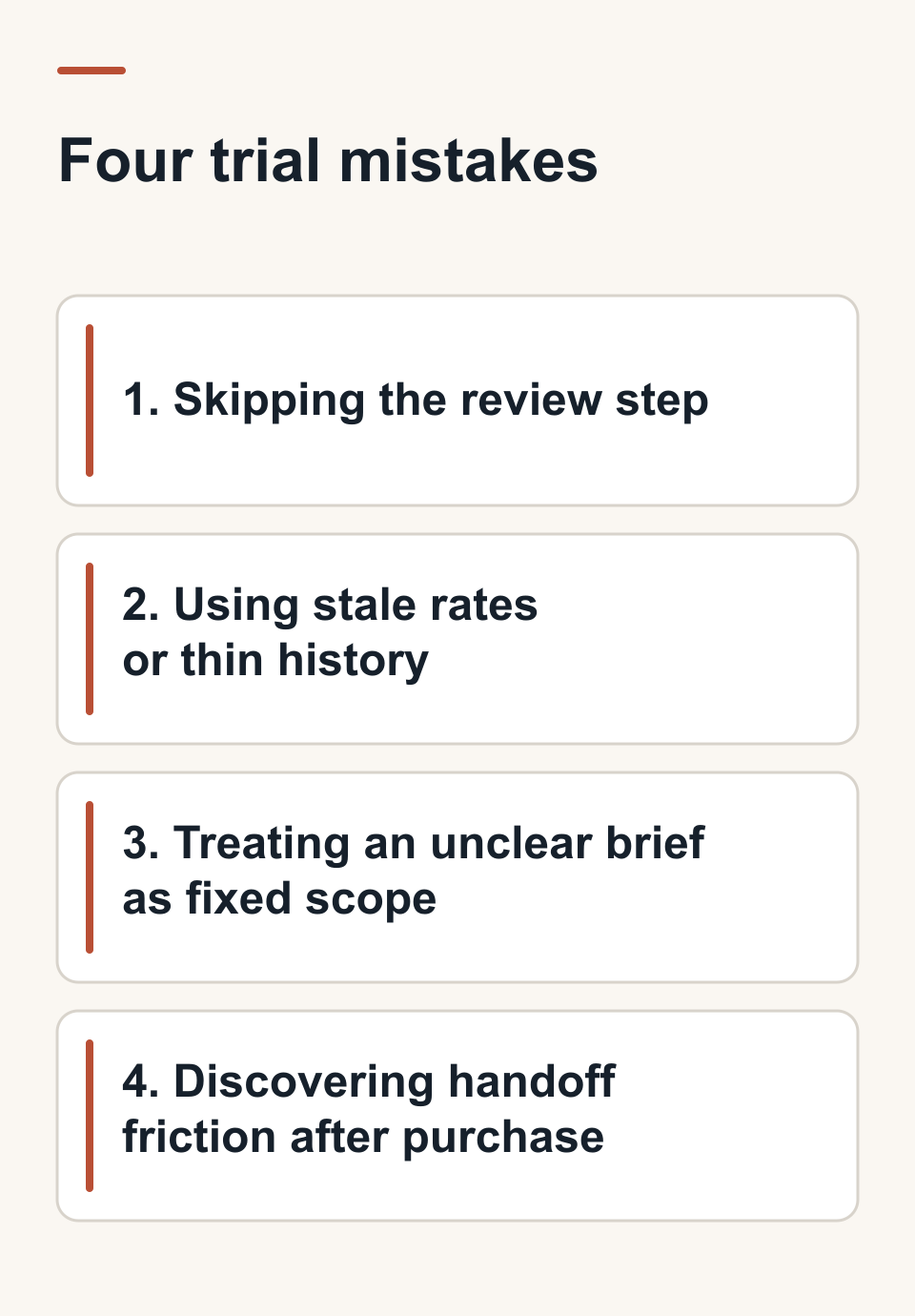
Four mistakes can make a promising trial misleading:
- Skipping the review step. A generated task list can omit a deliverable or misunderstand a brief. Compare it with the source and have a person approve the client-facing proposal.
- Using stale rates or thin history. Update the cost and billable-rate inputs before judging a quote. Historical estimate-versus-actual context is useful only when relevant task time was recorded and linked correctly.
- Treating an unclear brief as fixed scope. Ask for missing decisions, assumptions, or a discovery phase before quoting work whose boundaries are still open.
- Discovering handoff friction after purchase. Follow the approved PDF into your existing delivery process during the trial. Check required integrations, reviewer access, and any manual re-entry while the stakes are low.
When Automation Helps Most (and When It Doesn't)
Repeatable project types give you a useful comparison: you can put the same kind of brief, rates, and past job beside the new draft. Experimental work can still benefit from a draft plan, but the unknowns may call for discovery before a fixed quote. Make the decision by inspecting what the tool produced and how much judgment was needed to make it usable.
Try Roadbase: Test It Before You Commit
Bring a real brief or PDF to Roadbase and review the editable draft phases, tasks, roles, hours, and quote. Compare it with a past job, adjust the plan and pricing, then inspect the proposal PDF. That gives you a concrete answer about fit for your next quote.
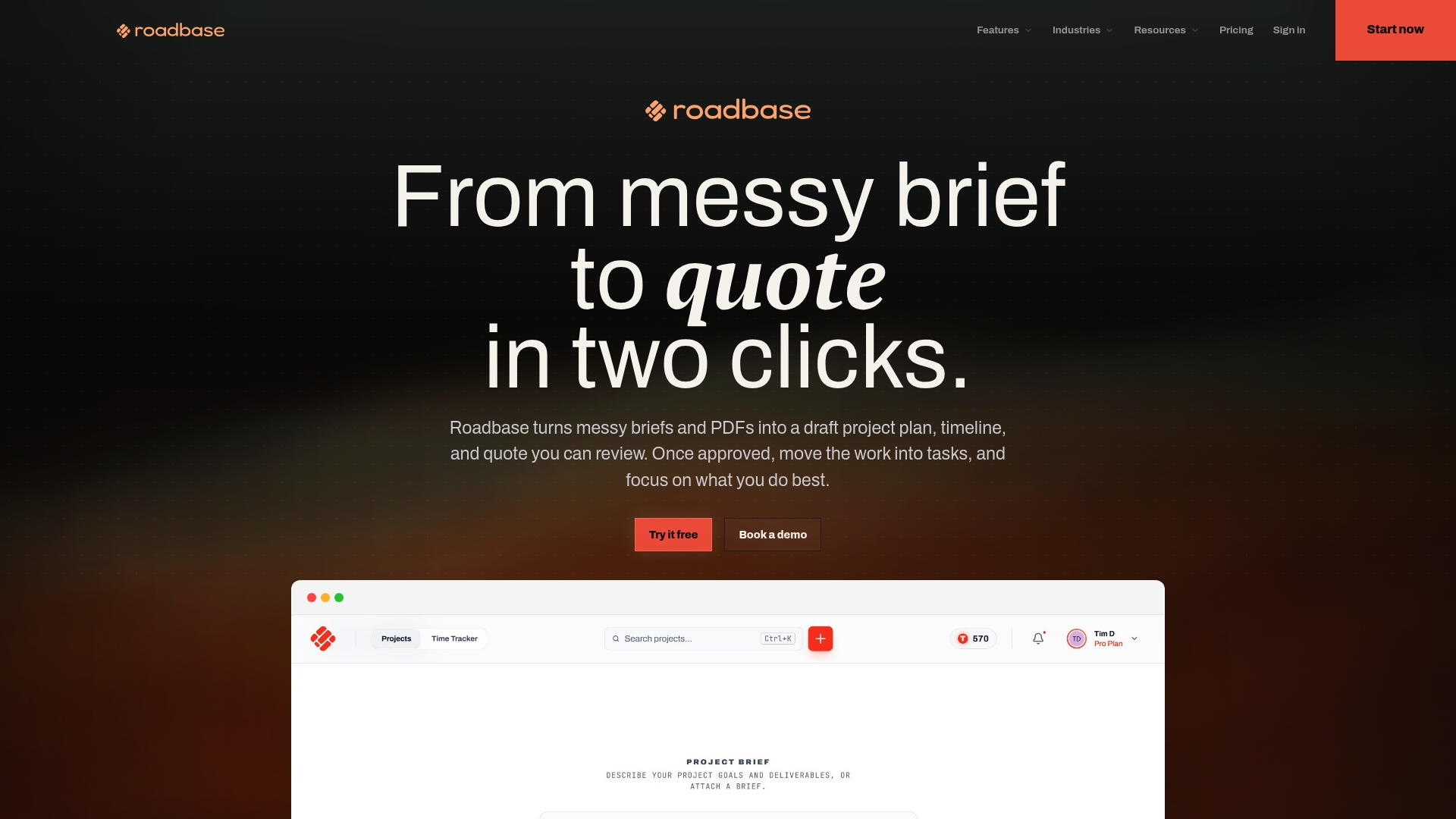
You can start with the Free plan. Use a brief you have already priced, check the work breakdown against what you delivered, and see whether the PDF fits your review process. The creative freelancer landing page offers a starting point for solo work. If the test is useful, try a second brief with different demands before making the tool part of your regular quoting process.
Sources
These examples show different approaches to generating and reviewing a quote:
- AI Quote Tools For Freelancers: Best Picks & Tips 2026 surveys tools aimed at freelancers.
- ScopeToQuote: AI-Powered Estimating for Service Businesses describes a service-business estimating workflow.
- parallelromb/scoper shows an open-source approach to working from a brief.
FAQ
What Is the Difference Between Proposal Automation and Sales Proposal Software?
Here, proposal automation helps turn a brief into a draft work breakdown and quote for review. Sales-proposal software often centers the document's sales workflow, such as signatures and deal tracking. Test the part your team needs most.
How Fast Can I Get a Priced Proposal Using Automation?
That depends on the brief and the review it needs. Run one past job through the tool, time your route to a checked quote and PDF, and compare it with your current process. Include the time spent correcting tasks, hours, and pricing.
Can Proposal Automation Handle Confidential Client Briefs Safely?
Ask the vendor where the brief is processed, who can access it, how long it is retained, and how deletion works. Check the answers against the client's obligations before uploading confidential material.
Does Automation Replace the Need for Manual Pricing Judgment?
Check the scope boundaries, rates, costs, assumptions, and final client-facing proposal yourself. A draft can organize the work and calculate a quote from the inputs you provide, but the pricing decision remains yours.
When Automation Helps Most and When Human Scoping Still Matters
Use a completed, representative job to see whether automation produces a draft your team can review efficiently. When the brief leaves deliverables or approvals undefined, talk through those decisions before fixing the price. The useful habit is to compare the generated plan with the work, then revise the quote with the right people in the room.
- Nicolas Robertson