

Client Onboarding Checklist for Freelancers and Agencies

A client onboarding checklist covers the stretch between "yes, let's work together" and the first working session. It helps you confirm the agreement and payment arrangements, collect the client's inputs, and agree on scope, timing, and decisions. A little clarity here can save a lot of backtracking once the work is moving.
Below is a practical sequence for creative freelancers and small agencies. Use the full version for a complex engagement and trim it for a smaller repeat project.
TL;DR
- Work through five stages: confirm the deal, agree on terms and payment, collect inputs and access, kick off, then set the working rhythm.
- Name the decision-maker, record goals and timing, confirm billing details, and give every requested input an owner.
- Review what's included, what's excluded, and how extra work will be handled before the team relies on the plan.
- Reuse a welcome document, intake form, and kickoff agenda, then adjust them to the actual project.
- Keep the agreed scope and later decisions easy to find when the work changes.
Table of Contents
- What client onboarding actually covers
- Before you onboard: confirm the scope you are onboarding into
- The client onboarding checklist, step by step
- The minimum standard for a small project
- Who does what: onboarding for agencies
- Common onboarding mistakes and how to avoid them
- Our perspective: onboarding starts with the estimate
- Turning the checklist into a repeatable system
- From brief to reviewed plan and quote
- FAQ
- Sources
What client onboarding actually covers
Here, onboarding means the handoff from an accepted proposal into a workable project. For a freelancer, that might be a call and a few documents. For an agency, sales, account and delivery teams may need to pass information between them while several people on the client side weigh in.
The goals are the same either way:
- Make the agreement usable. Both sides should be able to find the deliverables, dates, price basis, and assumptions they agreed to, including any client dependencies.
- Identify what the client must provide. List assets, access, information, and approvals with an owner and a realistic date for each.
- Set the working rhythm. Agree on where feedback goes, who makes decisions, how updates work, and what happens when the plan changes.
A reusable welcome document and intake form make those expectations visible early. Zapier's onboarding guide offers a useful example of that structure.
Before you onboard: confirm the scope you are onboarding into
Many checklists begin with the welcome email. First, make sure the accepted proposal gives the delivery team something concrete to work from. If its scope or timing is still ambiguous, resolve that with the client before turning it into tasks and dates.
Confirm these in writing:
- Goal. What is the work meant to support? "New website" is a deliverable; the goal might be clearer product information or a more useful inquiry path.
- Deliverables. List what will be handed over, formats, and the planned review rounds. A packaging job, for example, may need a SKU count and production-artwork boundary.
- Out of scope. Name reasonable assumptions that are outside this quote, such as photography, extra languages, or additional versions.
- Budget and pricing basis. Record whether the fee is fixed, hourly, or phased, and how additional requests will be assessed.
- Timeline and dependencies. Show which dates rely on content, feedback, approvals, supplier input, or other client decisions.
If the estimate began with a rough brief, revisit it now. Our guide on how to estimate project hours before quoting walks through the numbers, and the six-step AI project scoping playbook shows one way to turn messy notes into a plan for review.
The client onboarding checklist, step by step
1. Send a welcome message and welcome document
Once the next steps are agreed, send a short welcome message with a document or link that answers the client's immediate questions. It can include:
- Your process in a few stages, with indicative timing
- What you will deliver
- Who the client's contacts are on your side
- The agreed payment terms and invoicing schedule
- What you need from the client next, and when
Keep it short enough to use. A small job may only need a concise email; a project with multiple stakeholders may need a fuller document.
2. Get the agreement signed
Before relying on the project terms, confirm the appropriate agreement or approved statement of work with the client. Check that it identifies the parties, deliverables, fee and payment schedule, review process, ownership terms, and how changes are handled. Whether an NDA is useful depends on the information being shared and the existing confidentiality terms.
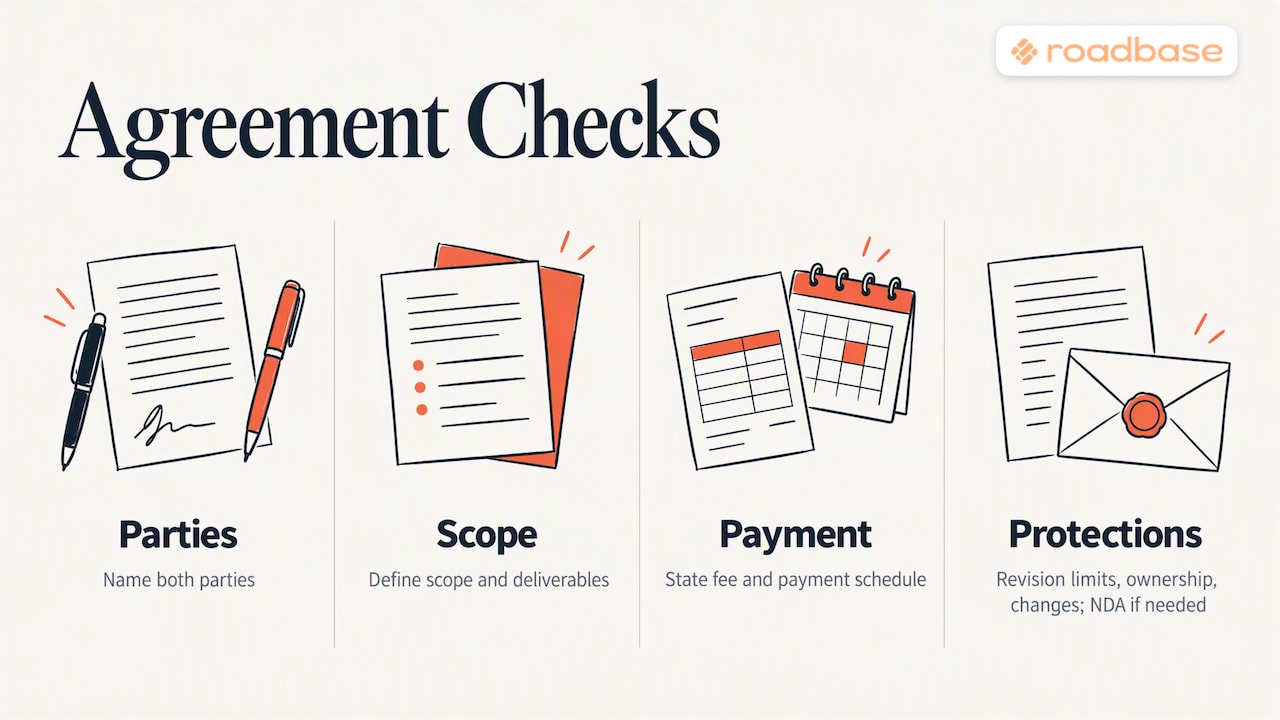
Keep a copy of the agreed terms where the team can find them later. Paro's freelancer onboarding checklist also raises rates and billing details as questions to settle around kickoff.
For an example of what one creative professional puts in writing, see this photography contract example. For the terms that often need a closer look in a quote, see our 10 proposal terms to review before sending a quote.
3. Set up payment and tax paperwork
Agree on how and when payment happens. A deposit, milestone payments, or monthly invoicing may each fit different work and client processes. Record:
- Any agreed deposit or first payment, amount, and due date
- Invoice schedule and payment terms
- The client's invoice contact, who may differ from the project contact
- Accepted payment methods and any agreed late-payment terms
For U.S. engagements, a payer may ask an independent contractor for Form W-9 to obtain the taxpayer details needed for applicable reporting. The contractor provides the form to the payer. The IRS also explains backup withholding for certain reportable payments when a required taxpayer identification number is missing or incorrect; the rules depend on the payment and circumstances. Check the payer's request and get tax advice for a specific situation.
4. Collect the client's inputs with an intake form
An intake form turns "I'll send things over" into a concrete request. Depending on the work, ask for:
- Contacts, reviewers, and the person with final say
- Goals, success measures, and hard deadlines
- Brand guidelines, logos, fonts, or production specifications
- Existing files, source documents, and examples they like or dislike
- Access to the relevant systems or files
- Internal experts or suppliers you may need to speak with
These are useful categories in Zapier's checklist, but tailor the form to the job. A motion project may need footage and music-license details; an event project may need venue and supplier contacts. Put an owner and due date next to each request. Ask for role-based access and use an appropriate secure sharing method rather than collecting raw passwords in a general intake form.
5. Set up communication channels
Decide in writing:
- The main channel for project communication
- Who on each side receives which messages
- How often status updates will go out and in what form
- Expected response times
- How feedback should be gathered and reconciled
If several stakeholders review a design route, agree on who consolidates their comments. That makes the next revision easier to interpret and price.
6. Build the project workspace
Set up a place for the agreed plan, tasks, owners, due dates, and decisions. The client may use a shared folder while your team uses its own task workspace. What matters is that people can find the current scope and know which plan they are working to. Our overview of creative agency software for quoting and delivery compares considerations for that choice.
7. Run the kickoff meeting
Use kickoff to turn the written plan into shared understanding. Send an agenda, allow enough time for the number of stakeholders, and cover:
- Goals and what success looks like
- Scope, including exclusions and assumptions
- Deliverables and how they will be reviewed
- Milestones, dependencies, and client responsibilities
- Review and approval process
- Risks and contingency options
- How change requests are raised, priced, and agreed
- Immediate next actions with owners and dates
Rework's guidance for professional services kickoffs discusses decision authority and escalation alongside the agenda. Send a written recap soon after the meeting, while decisions are still clear, and ask people to correct anything you captured inaccurately.
The minimum standard for a small project
Not every job needs all seven steps in full. For a small, repeat engagement, use a short version of the checklist. MBT's checklist for agencies and freelancers offers another example to adapt.
| Item | What "done" looks like |
|---|---|
| Agreement | Appropriate contract or statement of work confirmed under the agreed process |
| People | Primary contact and decision-maker named |
| Goals and timeline | Written down, with dependencies understood |
| First deliverable | Defined, with a working date |
| Access | Request list with an owner for each item |
| Billing | Invoice details and payment terms confirmed |
If a row is open, decide whether the work can responsibly begin under the terms you agreed, or whether that missing item needs to come first. Record the decision rather than assuming someone else owns it.
Who does what: onboarding for agencies
Freelancers may wear every hat. Agencies benefit from naming a handoff owner. This is one workable split, adapted to the roles shown in the agency onboarding lifecycle SOP from SimplySOPs:
- Sales passes on the accepted terms, pitch notes, and promises made during discussions.
- Account manager owns the relationship and helps organize the kickoff.
- Project manager turns the agreed work into a delivery plan and assigns responsibilities.
- Client supplies agreed assets and access, names reviewers, and gives approvals under the agreed process.
The names may differ in a small studio. The essential handoff is the same: whoever discussed the work should pass on what was promised, what is still uncertain, and who can decide, before the delivery team commits to dates.
Common onboarding mistakes and how to avoid them
These gaps are easy to spot while the project is still being set up:
- Vague scope. Write down deliverables, exclusions, and planned review rounds. See how to prevent scope creep in creative projects for a fuller approach.
- No change process. Agree how extra requests will be evaluated and priced. A change request template can make the conversation easier.
- Unclear approvers. Name the reviewers and the person who resolves conflicting feedback.
- Missing client inputs. Make a dated list of what the client will provide, then revisit affected dates if an input is late.
- Undefined milestones. Break larger work into reviewable outcomes. Our milestones and deliverables templates can help.
- Unseen time costs. Compare actual hours with the estimate as work progresses. A client profitability review can help you examine the completed project without assuming that one late reply caused the whole margin difference.
Our perspective: onboarding starts with the estimate
We build software for people who quote creative work. Our perspective is that a more useful kickoff starts with a reviewable estimate: the phases, tasks, roles, hours, timing, and pricing assumptions are visible before they become a working plan. A quote assembled from rough notes may still be right, but it is harder to hand over if the reasoning lives only in one person's head.
Roadbase can turn brief text or a PDF into an editable draft work breakdown. The user reviews and adjusts the tasks, role hours, timing, costs, and quote before exporting a proposal PDF. Once work is approved, the same project can continue with simple task statuses, comments, and time entries, so tracked hours can be compared with the estimate. Relevant recorded actuals may help inform a later draft; they still need human judgment.
For a small, repeatable job, a spreadsheet and a short written checklist may be enough. The useful habit is to keep the agreed plan, the handoff, and later changes legible to everyone doing the work.
Turning the checklist into a repeatable system
Build a version you can reuse, then improve it after each project:
- Save the core documents. Keep a welcome message, intake form, kickoff agenda, and recap template. Edit the questions so they match the current job rather than sending every client the same long form.
- Make onboarding tasks visible. Give requests and decisions owners and relative due dates. A label such as "before kickoff" may be more useful than a fixed day count when signatures or procurement vary.
- Review what arrived late. After delivery, note which missing inputs or unclear approvals slowed the work. Add a question or handoff step if it would have helped.
- Keep a short route. A one-person repeat assignment should not need the same ceremony as a multi-team launch. Preserve the decisions that matter and trim the paperwork.
You can automate reminders or duplicate templates in the tools you use. Keep the actual kickoff conversation focused on the client and the project.
From brief to reviewed plan and quote
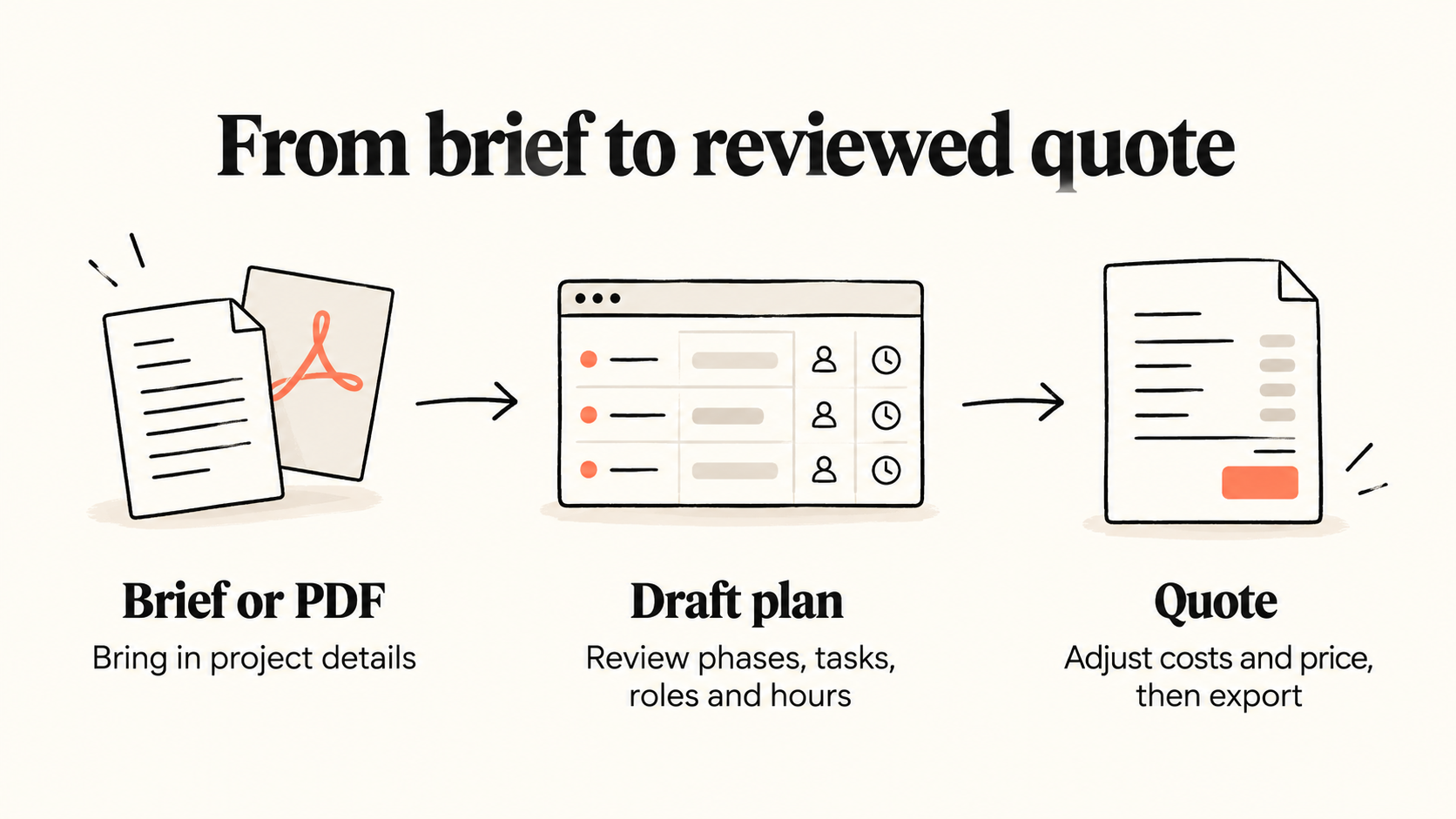
Have a real brief, notes, or PDF ready? Visit Roadbase to create an editable first draft of the phases, tasks, roles, hours, and timing. Review the work and the price together, adjust the assumptions, then export the plan and quote as a proposal PDF. Once the project is approved, you can keep its tasks and tracked time connected to that estimate.
You can check current options on the Roadbase pricing page and start with the brief in front of you.
FAQ
How long should client onboarding take?
Allow enough time for the agreement, payment arrangements, client inputs, and kickoff your project actually needs. A small repeat job may move quickly; a project with several approvers or procurement steps may take longer. Put dates on requests and revisit the working schedule when an input is delayed.
What is the difference between client intake and client onboarding?
Intake is the information-gathering part: contacts, goals, materials, access, and project details, often through a form or questionnaire. Onboarding is the broader handoff into the work, including agreed terms, payment arrangements, communication, and kickoff.
Do freelancers need a W-9 from the client?
Usually the direction is the other way: a U.S. payer may request a W-9 from an independent contractor for applicable reporting. The contractor supplies their taxpayer details to the payer. See the IRS guidance for the applicable forms and circumstances.
Should I start work before the deposit arrives?
Follow the terms you agreed with the client and consider the payment risk for the project. If the agreement makes a deposit a condition of starting, wait for it or agree on a written change to the start. For other arrangements, confirm the invoice contact and payment dates before work advances.
What belongs in a kickoff meeting?
Cover goals, scope and assumptions, deliverables, milestones, review and approval roles, risks, change requests, and the next actions with owners and dates. Follow with a written recap while the decisions are fresh.
Sources
- The 6-step client onboarding checklist (Zapier)
- Forms and associated taxes for independent contractors (IRS)
- Project Kickoff: A Freelancer's Client Onboarding Checklist (Paro)
- Client Onboarding Process (Rework)
- Client Onboarding Checklist for Agencies and Freelancers (MBT)
- Standard Agency Client Onboarding Lifecycle Template (SimplySOPs)