

Proposal Cover Design: What to Include and How to Lay It Out
A good proposal cover is clean, specific to the client and quick to read. It names the client, states the project in the client's terms, and carries your branding without clutter. A reader can tell who sent the proposal and what it covers before opening the rest of the document. This guide covers what goes on the cover, how to arrange it, which layout fits which kind of client, and how to keep the cover consistent across proposals.
TL;DR
- Put the essentials on the cover: proposal title, client name, your name and logo, date and a contact person. For formal submissions, use the fields and format the request specifies.
- Make the client's name and the project title easy to spot. Give your own company name a clear place on the page.
- Start with one logo, a short color palette and generous white space. If you use an image, choose one that relates to the client's work.
- Build a master cover with consistent logo placement, fonts and colors. Duplicate it and update the project details for each proposal.
- Carry the cover's fonts and colors through the whole document, so the cover and the pages behind it look like one piece of work.
Table of Contents
- What a proposal cover is for
- What to include on the cover
- How to arrange the elements
- Color, fonts and brand consistency
- Cover examples for different kinds of clients
- Build a cover template once, then reuse it
- What goes behind the cover
- Where the cover fits in the proposal process
- Perspective
- From brief to priced proposal
- Cover checklist before you send
- FAQ
- Sources
What a proposal cover is for
A cover introduces the proposal: who it's for, who sent it and what the work is. SiftHub's guide to proposal covers offers examples of how to present those details.
Keep the cover to the details a reader needs to identify the document. A short title and a few supporting lines leave room for both the title and the client name.
The cover can also set the visual style for the rest of the document. Breck Inc., a proposal consultancy, illustrates how branding can carry through a proposal. If the cover uses a deep navy and a single accent color, repeat those colors in section headings, tables and charts.
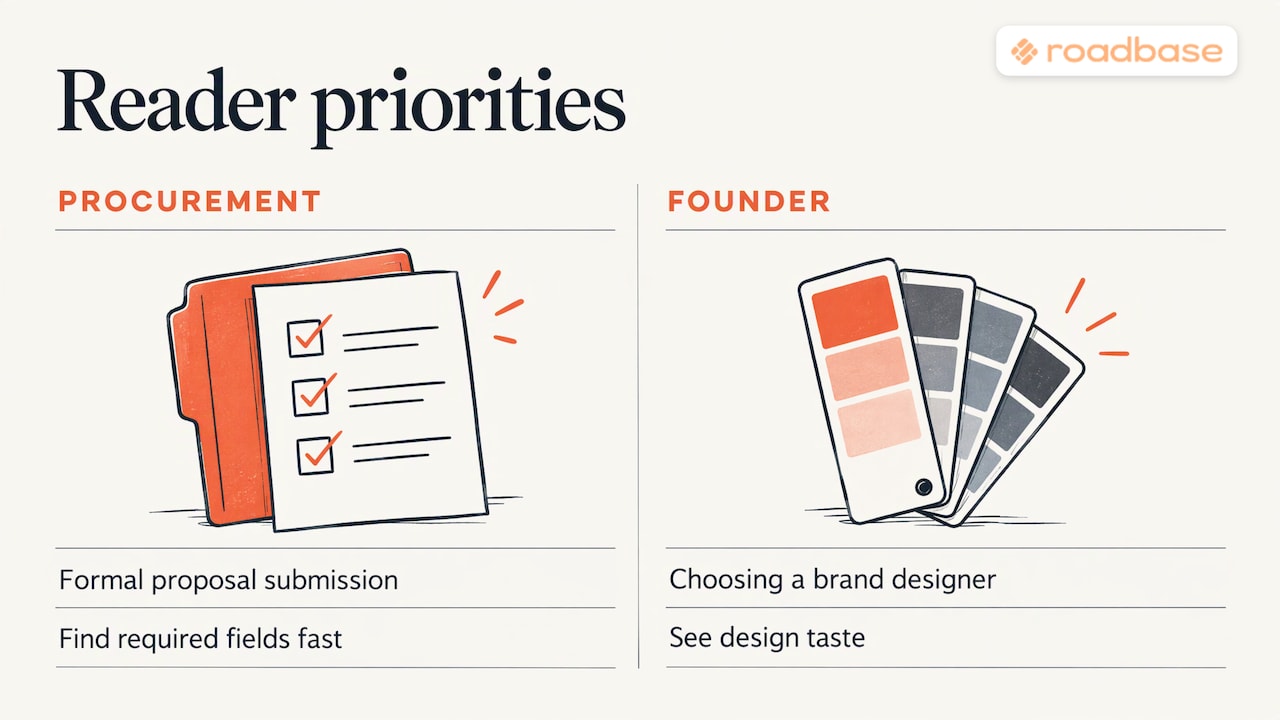
The layout depends on the submission. A formal response needs room for required fields. A proposal for a brand design project can give more space to a product image or concept sketch.
What to include on the cover
SiftHub's examples include the proposal title, the client's name and organization, your company name and logo, the submission date, and a contact with an email address or phone number. They also show where a reference number or confidentiality notice can go when needed.
The University of Arkansas Business Communication Lab places the title page in the front matter, alongside the transmittal letter and the table of contents. Its example includes the date and identifies both organizations.
For most creative freelancers and agencies, this is the working list:
- Project title. Name the engagement in the client's terms. "Brand refresh and launch site for [product name]" gives the reader a concrete description of the work.
- Client name. Use the organization name as the client writes it. Add the recipient's name if one person asked for the proposal.
- Your name and logo. Use your current logo and give it a consistent place in the layout.
- Date. The date you submit. Update it when you send a revised version.
- Contact details. Add the name and email address or phone number for the person handling questions about the proposal.
- Reference number, when requested. Copy the number exactly as it appears in the request.
A tagline, a short value statement or a relevant image can fit if there's still enough room for the title and project details.
Formal submissions need more
For a government or other formal RFP response, use the fields, order and format in the solicitation. Depending on the request, those fields might include the solicitation number, the recipient agency, the date or an authorized contact.
Check the instructions for who should be listed and what authority they need. If the format leaves room for branding, use your typeface, logo or a restrained accent color.
For grants, check whether the funder asks for a cover and follow its forms and formatting instructions. If the layout is up to you, Seliger + Associates offers an example of a cover with subdued typography and colors.
How to arrange the elements
Use font size, weight and spacing to make the cover easy to scan. SiftHub's cover page guide offers one possible arrangement: client name, project title, then company name.
Keep the client name near the project title so the reader can pick out both together.
A layout that works for most proposals
- Top left or top center: your logo, at a modest size.
- Upper middle: the client's name, in medium weight.
- Center: the project title, the largest text on the page.
- Below the title: a one-line description of the engagement, if the title alone is not enough.
- Lower area: date, version if you use one, and the contact person.
- Background or side panel: one image or a flat brand color.
Use the layout as a starting point. Move elements to suit the page and keep the client name and project title easy to find.
Typography and spacing
Start with one typeface and use size and weight to distinguish the title from the details. A second typeface can work if the two are easy to read together. Leave space around the title and check that the date and contact details are still legible.
Open the exported PDF on a phone and a laptop. Detail lines that look fine on a large monitor can be hard to read on a phone. Zoom's proposal format guide is a reference for carrying the same type choices and heading sizes through the proposal.
Logos and images
One logo is a simple starting point. If you also use the client's logo, check that you have permission and follow any relevant brand guidelines. A corner or a shared edge gives the logos a clear place without crowding the title.
Rework's proposal design resource gives examples of industry-relevant images, custom graphics and client-specific visuals.
You could use a frame from the client's own product, a crop of your concept sketch or a color field pulled from their brand. Check that you can use any client assets and leave room for the title and details.
Color, fonts and brand consistency
If you're deciding on a palette, this overview of the psychology of colors in marketing is further reading on how color is used in branding.
Start with a few choices you can carry through the proposal.
- Limit the palette. Start with colors from your brand or the client's guidelines. Check how they work across the proposal.
- Pick one accent. A dark neutral, a light neutral and one accent color give you a starting palette.
- Check contrast. If text sits over a photo, check it against the background across the full text area. Use a solid panel if the photo makes any part of the text hard to read.
- Match the document. Carry the cover's typefaces and accent color through to the pricing table and final terms.
For another example, Sutter Group's article on why contractors lose proposals discusses carrying a consistent visual identity through a government proposal.
Cover examples for different kinds of clients
SiftHub describes three patterns: a formal RFP cover with required fields, a creative-agency cover with a full-bleed brand visual, and a hybrid B2B cover with a branded layout, clear hierarchy and selective imagery. Here is how to use each.
| Client type | Cover approach | What to put up front | What to avoid |
|---|---|---|---|
| Formal RFP or public-sector buyer | Compliance-led: required fields in the requested format | The fields specified in the request, such as a solicitation number or authorized contact | Decorative imagery that displaces required fields |
| Brand, design or content client | Visual-led: full-bleed image or bold color field | Project title over one strong visual from or about the client | Overcrowding the image with detail text |
| Growing company buying a service | Hybrid: branded layout, clear hierarchy, one selective image | Client name, project title, contact person | Generic stock photos and long taglines |
| Repeat client with a new project | Familiar layout, new title and date | Project title, version, date | Reusing the last project's title or image |
A visual-led cover for a brand project
Say you're quoting a packaging redesign for a small food brand. With permission, use a full-bleed crop of its current label. Give the client name a readable weight and set the project title large, with a short descriptor if it helps. Check contrast across the photo or put the text on a solid panel. Place your logo at the bottom left, with the date and contact details at the bottom right in type that's legible in the exported PDF.
A hybrid cover for a web or video project
For a website rebuild, use a flat panel in the client's primary brand color on the left third, with the client's name and project title on it. On the right, show a single screenshot of the current homepage or a wireframe of the proposed one. Contact details go in the lower left. Check that the text stands out clearly against the brand color.
A compliance-led cover for a formal response
If the request allows it, use a white page, one typeface and your logo at the top. Include the requested fields in the specified order and format. The solicitation may ask for details such as a reference number, the recipient agency or an authorized contact.
Build a cover template once, then reuse it
A master template helps you keep the cover consistent. SiftHub describes using fixed logo placement, fonts and colors with editable fields for the client, project, date and contact.
In practice that means:
- Design the cover once in the tool you already use for design or documents.
- Set the logo position, typefaces and palette you want to reuse.
- Mark the fields that change: client name, project title, date, version, contact, image.
- Save the master and work from a duplicate for each proposal.
- Before sending, read the cover aloud against the brief: right client name, right spelling, right date, right project.
Compare the duplicated cover against the current brief. It's easy to carry over a previous client's name, date or image.
If you send proposals as PDFs, export at a size that opens quickly and check the result on a phone as well as a laptop. Also check that any image remains sharp at the size it will display.
What goes behind the cover
The University of Arkansas guide shows what can follow the front matter: an executive summary, an introduction, a description of the solution, a budget, work or task schedules, deliverables and a conclusion, with appendices for supporting material. For a solicited proposal, follow the RFP's organization. Use consistent headings, subheadings and typography across sections.
Carry the cover's visual choices through to the pages that explain the work. Clear headings make the scope easier to find, and consistent formatting helps a reader follow the pricing breakdown.
For creative work, the pages most worth getting right are the ones the client reads for decisions:
- The summary. Our guide to the proposal executive summary for creative services shows how to state the problem, the approach and the outcome on one page.
- The timeline. Show the phases in sequence and mark where the client will review the work. See proposal timelines for agencies and freelancers.
- The terms. Payment, revision rounds and ownership belong in writing before you send. Review these proposal terms before sending a quote.
- A short version. For smaller jobs, a one page proposal can replace a long document, and the cover can shrink to a header block.
Where the cover fits in the proposal process
Start with scope and price. Read the brief, break the work into phases, estimate roles and hours, and account for margin and revision rounds. Once you've reviewed those details, use the cover template to add the client and project information.
Give the client a price breakdown they can follow. Show what the estimate covers and how it relates to the scope. Our six step AI project scoping playbook walks through the scoping process.
Perspective
We use a repeatable layout for the cover so we can focus on the details that change with each project.
Behind it, we want the client to see how the work is broken into phases, who's doing it, how many hours we've estimated and how we arrived at the price.
In Roadbase, we can start with a brief, review and adjust the draft work breakdown and quote, and export the reviewed proposal as a PDF.
Our advice is to keep the cover template in the design or document tool you already use and update it once you've reviewed the scope and price.
Nicolas Robertson
From brief to priced proposal
Paste your brief into Roadbase or attach it as a PDF to start an editable draft of the work breakdown. Review and adjust the phases, estimated hours and quote, then export the reviewed plan and quote as a proposal PDF.
Visit Roadbase to see the workflow, or find current plans at roadbase.io/pricing.
If you are comparing tools first, our rundown of proposal software for agencies and freelancers sets out what to look for, and the guide to turning briefs into priced proposals shows the workflow end to end.
Cover checklist before you send
Run this list against every proposal:
- Client name spelled exactly as they write it.
- Project title describes the engagement in the client's terms.
- Your logo is current and placed consistently. Check any client logo against their brand guidelines.
- Date and version are current.
- Contact person, title, and email or phone are correct.
- The cover follows any requested fields, order and format. Reference numbers match the request.
- Text is readable across its full background, including any photo.
- If there's an image, it's relevant, sharp and cleared for use where needed.
- Fonts and colors match the headers and tables inside.
- The exported PDF opens cleanly and the cover reads on a phone and a laptop.
FAQ
How should a proposal cover page look?
Make the client name and project title easy to spot, give your own name and logo a clear place, and leave space around the text. Use brand colors and fonts that you can carry through the rest of the proposal.
What should I put on a proposal front page?
For a typical proposal, include the project title, client name, your company name and logo, the date and a contact person. For a formal submission, use the fields the request specifies, including a reference number if requested. Add a confidentiality notice if the work calls for one.
Should a proposal cover have an image?
For creative and brand work, one relevant image can work if it leaves enough room for the title and details. Check that you have permission to use it and that any text over it is readable. For formal RFP responses and grant proposals, follow the submission instructions on cover design.
What is the difference between a cover page and a cover letter?
A cover page identifies the proposal with the project title, parties, date and contact details. A cover letter, sometimes called a transmittal letter, is a separate introductory note in the front matter. Follow the request or document format for where it goes. A short proposal may only need a cover page.
Sources
- Cover Page for Proposal Project: Examples & Free Templates, SiftHub
- Proposal Cover Page: Examples, Tips & Free Templates, SiftHub
- Why Proposal Graphics Are Your Lifeboat in a Sea of Text, Breck Inc.
- Why Government Contractors Lose Proposals, Sutter Group
- What Does a Grant Proposal Look Like Exactly?, Seliger + Associates
- Formatting Your Proposal, University of Arkansas Business Communication Lab
- Business proposal format, Zoom
- Proposal Design: Visual Communication That Drives Deals, Rework
- Psychology of colors in marketing